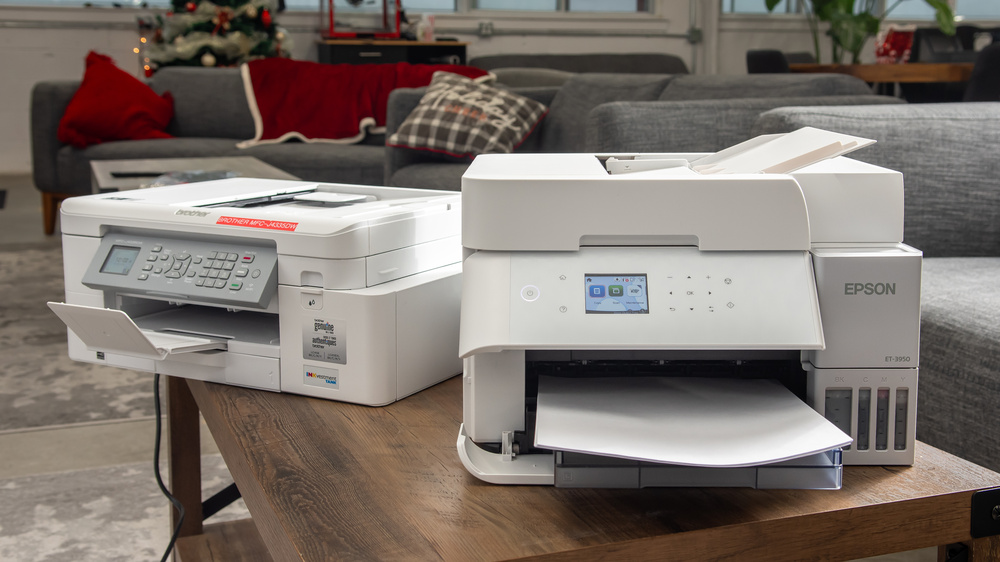
We've purchased over 180 printers and tested them with the real-world demands of home use in mind. The best printer for your home depends on what you print, how often you print, and which features matter most to your household.
When choosing a home printer, consider:
- What you print: If you mostly print essays, forms, shipping labels, or other documents, prioritize sharp text, fast print speeds, and low running costs. If you print photos, cards, or creative projects, look for strong color accuracy and good photo print quality.
- Ink or toner costs: A cheap printer can become expensive if it needs frequent cartridge replacements. We test ink and toner yields and cost-per-print to help you understand long-term value.
- Scanner features: If you need to digitize old family photos, scan forms, or copy documents, look for good scan quality. An automatic document feeder (ADF) is also useful if you often scan multi-page documents.
- Maintenance needs: Inkjet printers can clog if left unused for long periods, while laser printers are generally better suited to occasional document printing. Our Set-And-Forget score is a good way to identify which models are easiest to manage.
- Convenience features: Duplex printing, mobile printing, multiple paper trays, wide-format support, and wireless connectivity can all make a printer more convenient, depending on your needs.
Our testing is exhaustive, allowing us to recommend printers based on how they perform in practice, not just on their spec sheets. Below are our recommendations for the best printer for home use and the best home office printer you can buy. If you're looking for more options, check out our picks for the best all-in-one printers, the best photo printers, and the best office printers.

We've tested over 170 printers since 2020 with one goal in mind: to give you reliable, unbiased reviews that help you choose the right printer for your needs. To keep things fair, we purchase every product ourselves from major retailers, just like you would. Each printer then goes through a thorough, standardized testing process that evaluates all the key factors you should consider when buying a new model. From build quality and cost per print to color accuracy and overall performance, we provide as much detail as possible to guide your decision.
Want to learn more about our methods? Look at our How We Test Printers article for a deep dive into our testing procedures.
-
Best Home Printer
 HomeSet-And-ForgetSmall OfficeArts, Crafts, & StickersTypeAll-In-OneSuperTankYesColorYesPrint TechnologyInkjetSee all our test resultsWirelessYes
The best home printer we've tested is the Epson EcoTank Photo ET-8500, a cheaper variant of the Epson EcoTank Photo ET-8550 that we bought and tested. The main difference is that the ET-8550 has a larger 8.5" x 14" flatbed scanner and supports wide-format paper up to 13" x 19". Unless you want to print posters or other oversized projects, the ET-8500 gives you the same excellent printing performance for less, making it the better option for most households.
The ET-8500 produces sharp, high-quality black-and-white and color documents, as well as beautiful, vibrant photos with an incredible amount of fine detail. It warms up quickly and prints up to 15 black or 10 color pages per minute. As you may have guessed from the model name, it's a supertank printer with refillable ink tanks instead of cartridges. A full set of tanks gets you thousands of prints, and replacement ink is cheap, so you don't have to worry about high ownership costs. Refilling the tanks is easy, too; even less tech-savvy people can do it with little trouble. The flatbed scanner is great for digitizing photos, as it captures even the tiniest details; however, there's no automatic feeder, so you must scan each page manually when processing multi-page documents. Since this is an inkjet printer, try not to leave it idle for long periods, as its printheads can clog.
-
Best Upper Mid-Range Home Printer
HomeSet-And-ForgetSmall OfficeArts, Crafts, & StickersTypeAll-In-OneSuperTankYesColorYesPrint TechnologyInkjetSee all our test resultsWirelessYesIf you're looking for a high-volume all-in-one that costs less and takes up less space than the Epson EcoTank Photo ET-8500, the Epson EcoTank ET-3950 is a great choice. It produces even sharper black-and-white documents and has a more versatile scanner with an automatic document feeder and duplex scanning. The tradeoff is that the ET-8500 uses six ink tanks rather than four, allowing it to produce better color documents and photos. Its scanner also captures finer details.
Still, the ET-3950 produces good color documents and detailed photos with a wide color gamut. Its refillable ink tanks have outstanding yields, and replacement bottles are relatively inexpensive, making it ideal for large print jobs. However, like all inkjet printers, it can clog if left unused for long periods. Although it has several built-in maintenance features, it can still be a bit of a hassle for people who print infrequently. The scanner's 30-sheet automatic document feeder can scan both sides of a page, while the printer supports automatic duplex printing, making it convenient for processing multi-page documents. Scan quality is good enough for most uses. The ET-3950 also features USB, Wi-Fi, and Ethernet connectivity, as well as support for Apple AirPrint and Mopria Print Service, making it easy to print from various devices. If you're looking for a model with a fax function, Epson's otherwise identical Epson EcoTank ET-4950 is worth a look.
-
Best Mid-Range Home Printer
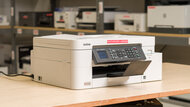
HomeSet-And-ForgetSmall OfficeArts, Crafts, & StickersTypeAll-In-OneSuperTankNoColorYesPrint TechnologyInkjetSee all our test resultsWirelessYesIf document printing is your priority, the Brother MFC-J4355DW earns its spot as the top mid-range home printer. It doesn't quite match the page yields of the supertank models above, but long-lasting cartridges still keep maintenance costs low over time. Standard cartridges can print roughly 1,900 black and 1,100 color pages, and you can switch to XL versions for even more mileage. This machine prints detailed documents and moves at a decent clip, churning out single pages in about 11 seconds and reaching speeds of 14 black and 16 color pages per minute for longer jobs. Photos reveal its main weakness: visible grain in prints, so skip this one if photo quality ranks high on your list.
A full-featured scanner rounds out the package, complete with an automatic document feeder and very respectable scanning speeds. Like the other inkjet printers on this list, it can clog if you don't use it regularly. Still, this versatile all-in-one earns its place as a strong overall pick. That said, laser printers like the Brother HL-L2460DW make a lot of sense if you only need to print black-and-white documents.
-
Best Budget Home Printer
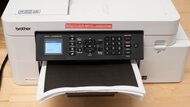
HomeSet-And-ForgetSmall OfficeArts, Crafts, & StickersTypePrinter OnlySuperTankNoColorNoPrint TechnologyLaserSee all our test resultsWirelessYesMany people only need a printer that can take care of return labels or is ready to use once or twice a year for important documents. If this sounds like you, we recommend the Brother HL-L2460DW or one of its variants. Each variant offers slightly different specifications, so depending on your budget and needs, you can choose a model with more or fewer features. These print-only monochrome laser printers get the first page out quickly and offer fast print speeds, between 32 and 34 pages per minute. Connectivity options can include USB, Wi-Fi, and Ethernet, and more expensive variants have features like automatic duplex printing.
The main advantage of monochrome laser printers like this one is their low maintenance requirements and costs. Its cartridges yield many pages before needing replacement, and unlike inkjet printers, you don't have to worry about printhead clogging. But there are some trade-offs. It's more expensive up front than some inkjet printers, like the Canon PIXMA MG3620 we recommend below, while being less versatile. If you want a budget all-in-one printer instead, the Brother MFC-J1360DW is an excellent alternative. This inkjet printer can print color pages and includes a scanner with an automatic document feeder, with very crisp results.
-
Best Cheap Home Printer
HomeSet-And-ForgetSmall OfficeArts, Crafts, & StickersTypeAll-In-OneSuperTankNoColorYesPrint TechnologyInkjetSee all our test resultsWirelessYesIf you want to spend as little as possible upfront, we recommend the Canon PIXMA MG3620. While it prints sharp documents and colorful, detailed photos, printers at this price point come with more compromises. It's slow, only printing up to nine black or three color pages per minute. Also, unlike the models above, it yields significantly fewer prints, meaning you'll have to replace the ink cartridges more frequently. And while you can get XL high-yield cartridges, they'll still yield fewer prints than our other picks. Finally, since it uses a tri-color cartridge, you must replace the entire cartridge if one color runs out, which is wasteful.
On the upside, it supports automatic double-sided printing, which is a nice feature to have in this price range. It also has a good range of connectivity options, including USB and Wi-Fi, and support for Apple AirPrint and Mopria Print Service; it's compatible with Canon's mobile app. The scanner performs decently; scans are detailed but look a little washed out.
-
Best Home Office Printer
HomeSet-And-ForgetSmall OfficeArts, Crafts, & StickersTypeAll-In-OneSuperTankNoColorYesPrint TechnologyLaserSee all our test resultsWirelessYesIf your home printer also doubles as an office printer and you don't mind a relatively large model, the Canon Color imageCLASS MF665Cdw is an excellent choice and one of the best document printers we've tested. This all-in-one color laser printer delivers impressively sharp documents and yields thousands of pages, which keeps running costs low. Canon improved on the previous Canon Color imageCLASS MF656Cdw, delivering slightly better print quality and faster performance while maintaining the same overall experience. You still get excellent print quality, high page yields, and a capable ADF. Unlike inkjet printers, you won't have to worry about clogged printheads. That said, its photo prints will be much less detailed and clear than what you can get with an inkjet. It prints up to 26 pages per minute in both color and black and white, and the built-in duplex-scanning ADF makes it easy to handle multi-page, double-sided documents. Cheaper variants with fewer features are available if you want to save some money.
If you only need to print in black and white but still need the functionality of an all-in-one device, consider the Brother MFC-L2820DW. It produces high-quality documents, warms up quickly, and prints up to 33 pages per minute. It costs little to maintain, as it yields many prints, and replacement toner is cheaper than the Canon, since there's only one toner cartridge to replace. The caveat is that, unlike the Canon, you'll have to replace the drum separately. The scan quality is excellent, although the MFC-L2820DW lacks duplex scanning; higher-end variants, like the Brother MFC-L2885DW, support duplex scanning, but they're hard to find.









Notable Mentions
-
Epson EcoTank ET-2400:
If you're looking for a printer with color printing and outstanding page yields, consider the Epson EcoTank ET-2400 instead of the Brother HL-L2460DW. While it will certainly need more maintenance than the Brother, it includes a flatbed scanner and is very cheap to run over time.
See our review -
Canon PIXMA TR8620a:
The Canon PIXMA TR8620a is a good photo printing alternative to the Brother HL-L2460DW. It produces colorful, detailed pictures but doesn't yield as many pages, so you'll have to pay more for ink.
See our review -
Epson EcoTank ET-2980:
If photo printing quality is a priority to you, the Epson EcoTank ET-2980 is an excellent mid-range alternative to the Brother MFC-J4355DW. While it's more expensive and only features a flatbed scanner, it delivers even better page yields, and its printing performance is basically the same as our upper mid-range pick.
See our review -
Canon imageCLASS LBP6030w:
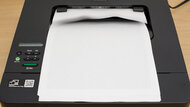
The Canon imageCLASS LBP6030w is a solid alternative to the Canon PIXMA MG3620 if you only need black-and-white printing and want a cheap laser printer that can sit unused without clogging. Its toner yields far more pages and gives it a much lower cost per print, but it can't print in color or scan, and its document print quality is terrible, making the PIXMA the better choice for most.
See our review
Recent Updates
Aug 20, 2026:
We updated the text of our top two picks to clarify their strengths and tradeoffs, and added the Canon imageCLASS LBP6030w in the Notable Mentions as an alternative to the Canon PIXMA MG3620.
Jul 29, 2026:
After further consideration, we decided to replace the Epson EcoTank ET-2980 with the Brother MFC-J4355DW as our mid-range pick, as its pricing more closely aligns with that category. The ET-2980 was moved to the Notable Mentions category as an alternative for people who prioritize photo printing. Other picks remain unchanged.
Jul 10, 2026:
We've added a new introduction with a short buying guide to help users choose the right printer for their needs. We've also replaced the Brother MFC-J4335DW in the Notable Mentions section with its more widely available successor, the Brother MFC-J4355DW.
May 29, 2026:
We confirmed that all picks are still available and represent the best choices for users.
Apr 13, 2026:
We added a reference to the Brother MFC-J1360DW in the 'Best Budget Home Printer' pick as an all-in-one alternative. We also confirmed that all other picks are still relevant and available.
All Reviews
Our recommendations above are what we think are currently the best printers for home and home office use. In addition to test results, we factor in price, feedback from our visitors, and availability.
If you would like to do the work of choosing the best printer for home use yourself, here's a list of all our printer reviews. Be careful not to get too caught up in the details. While no printer is perfect for every use, most are good enough to please almost everyone, and the differences are often not noticeable unless you really look for them.