
Ducky is a Taiwanese manufacturer of gaming peripherals, focusing mainly on mechanical keyboards. Their keyboards are highly customizable and offer a variety of switch types from popular manufacturers like Cherry MX, Gateron, TTC, and Kailh. Ducky keyboards stand out against the competition with their unique and colorful aesthetics, often including Chinese zodiac-branded spacebars. Most of their keyboards have similar features and are available in various sizes, from 60% compact to full-sized variants.
Updates
- 05/13/2026Ducky OK-M reviewed
- 03/19/2025Ducky One X reviewed
- 02/11/2022Ducky One 3 reviewed
- 04/06/2021Ducky One 2 updated
- 03/31/2021Ducky One 2 Mini V2 reviewed
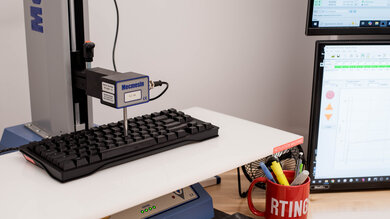
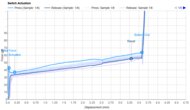
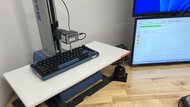
We test dozens of keyboards each year, and to maintain independence, we buy every unit ourselves. Our reviews go beyond subjective typing impressions or quick gaming sessions. Each keyboard is put through the same standardized test bench, so you can directly compare our results. We use specialized tools like a Mecmesin force tester to measure switch force curves and a Beagle 480 USB analyzer to capture input data for latency testing. Multiple teams contribute to each review in a process that can take days or even weeks from start to finish.
-
Best Ducky Keyboard
 GamingOfficeMobile/TabletProgrammingEntertainment / HTPCRaw PerformanceSize:Full-size (100%)Hot-Swappable Switches:YesConnectivity:WirelessSwitch Type:InductiveSee all our test resultsOutput Type:Adjustable Actuation
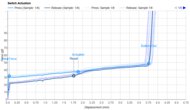
The best Ducky keyboard we've tested is the Ducky One X. This is a premium gaming keyboard and one of the first to market using a new inductive switch design. These switches rely on electromagnetic coils embedded in the PCB, allowing the keyboard to detect changes in a magnetic field when you press a key. This enables per-key customization of actuation and reset points, similar to what you'd find on gaming keyboards with Hall effect switches.
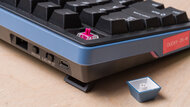
It's also Ducky's first keyboard to support wireless connectivity using either a 2.4GHz connection or Bluetooth, with pairing for up to four devices simultaneously. Unfortunately, its battery capacity is on the smaller side (typically between 11 and 38 hours, depending on backlight settings and connection type), so you'll likely need to recharge more frequently compared to wireless options around the same price point. One additional issue we found during testing is that the switches are held very loosely in their sockets. While this doesn't present any issues when typing normally, it's fairly easy to pull a switch out, which may be somewhat alarming if you're used to the much tighter tolerances of most hot-swappable mechanical models. Aftermarket switch options are still relatively limited for technology compared to Hall effect.
While this keyboard may occasionally be harder to find from major online retailers, you can typically find it in stock from smaller retailers such as mechanicalkeyboards.com, an official Ducky sales partner. If you'd prefer a smaller layout, there's also a compact (60%) variant of this keyboard called the Ducky One X Mini.
-
Best Mid-Range Ducky Keyboard
GamingOfficeMobile/TabletProgrammingEntertainment / HTPCRaw PerformanceSize:Full-size (100%)Hot-Swappable Switches:YesConnectivity:WiredSwitch Type:MechanicalSee all our test resultsAnalog:At a mid-range price point, we recommend the Ducky One 3. This keyboard is often available from online retailers and comes in a variety of expressive colorways. It has great raw performance, so although it doesn't support adjustable switch customization and more advanced features like Rapid Trigger, it's more than suitable for casual or even competitive gaming. It also comes in several sizes: compact (60%) and TKL (80%) variants that are gaming as they leave more room for mouse movements on your desk, as well as a full-size (100%) classic model if you need a numpad. Unlike our top pick, the Ducky One X, the One 3 uses standard mechanical switches. It also has a hot-swappable circuit board, so you can change the stock switches by simply popping them out with the included switch puller and replacing them with your switch of choice.
However, there are a few weaknesses. Firstly, there is no configuration software, and you have to use hotkey combinations directly on the One 3 for changing RGB backlighting or other keyboard settings, potentially limiting your customization ability. Furthermore, the keycaps aren't shine-through, so you'll have to rely on the glow between the keycaps to read the legends in a dark environment. Despite these shortcomings, it's a reliable and versatile keyboard for gaming or everyday use that can add some style and flair to any setup.
-
Best Budget Ducky Keyboard
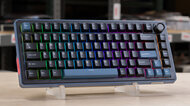
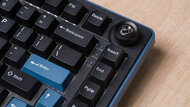
GamingOfficeMobile/TabletProgrammingEntertainment / HTPCRaw PerformanceSize:Compact (75%)Hot-Swappable Switches:YesConnectivity:WirelessSwitch Type:MechanicalSee all our test resultsOutput Type:Non-AdjustableAt a budget price point, we recommend the Ducky OK-M. This is a small lineup of keyboards rather than a single model, with 65%, 75%, and 98% sizes available. You can choose a smaller model if you don't need a numpad and want to save desk space, or scale up to the 98% version, which has nearly all the keys of a standard full-size keyboard in a slightly more compact form factor. Despite their affordable price, these keyboards deliver surprisingly excellent typing quality. They have pre-lubed switches and stabilizers, along with a gasket mount system that gives typing a soft, almost cushioned feel, though some people may find that this makes the typing experience slightly mushy.
These keyboards support wireless connectivity over 2.4 GHz or Bluetooth. They're also compatible with VIA, a popular open-source web configurator that lets you remap keys, record macros, and adjust the backlighting. Altogether, these keyboards have more modern features and provide a slightly more refined typing experience than our mid-range pick, the Ducky One 3, which is an older model with a comparatively stiff tray-mounted design and a traditional full-size form factor. The main weaknesses of the OK-M lineup are that its latency doesn't quite match the high-end performance of our top pick, the Ducky One X, and its build quality isn't as good. The plastic feels fairly sturdy, but there's some deck flex and key wobble. Thankfully, neither issue is particularly noticeable during normal typing.




Compared To Other Brands
-
Easily customizable.
You can purchase Ducky keyboards in various switches, colorways, and sizes. Each keyboard comes with a keycap puller, and you can buy different-colored keycaps on their website, giving you choices for the overall aesthetic. Most of their boards use hot-swappable printed circuit boards (PCBs), so you can replace the stock switches without soldering. Their newest keyboard, the Ducky One X, also features inductive switches with adjustable actuation settings, which you control via configuration software.
-
Excellent typing quality.
These keyboards usually come with lightly textured PBT keycaps that feel great on the fingertips.
-
Tons of features.
Ducky keyboards are loaded with extra features. Every key is macro-programmable, and you can access two layers of hotkeys. DIP switches allow you to change the location of the Windows, Fn, and Caps Lock keys.
-
Limited software.
Most major manufacturers have customization software for gaming keyboards to create custom profiles, set macros, and reprogram buttons. Ducky doesn't have similar software for their older models. Newer models like the Ducky One X, has more robust software with adjustable switch options, while the Ducky OK-M lineup use VIA, an open-source web-based configurator.
-
Cheap USB-C cable.Even though the keyboards are typically very well-built, Ducky usually includes a cheap, generic USB-C cable. It retains kinks easily and may even have generic markings on it. Luckily, it's detachable if you want to replace it.
-
Some keyboards are only purchasable via third-party
Unlike many other brands that are readily available on major online marketplaces or directly from the manufacturer, Ducky keyboards are occasionally limited to select vendors. They can be a little unintuitive to purchase, as you'll have to go to their website, find a sales partner, and purchase from there.
Ducky vs Razer
Razer keyboards are designed primarily for gaming use, so they often outperform Ducky's models in terms of latency. However, Ducky's keyboards are a bit more versatile thanks to their switch options and typing experience, making them a better choice if you're looking for one keyboard for both working and gaming. However, Razer keyboards have robust software for in-depth customization, while only a few Ducky models have companion software. You can see our recommendations for the best Razer keyboards.
Ducky vs Logitech
Logitech offers a significantly wider product line-up than Ducky's, producing everything from budget-friendly scissor-switch boards to high-end mechanical gaming units. Ducky's keyboards generally have higher build quality, especially if you appreciate a somewhat stiffer typing experience, as they rarely suffer from deck flex and use higher-quality PBT keycaps. To compare the brands' offerings, check out our recommendations for the best Logitech keyboards.
Ducky vs Keychron
Keychron offers an extensive lineup of mechanical keyboards in different form factors, switch types, and layouts. It has many more models available than Ducky. Keychron keyboards are often more productivity-focused and feature wireless connection options, while Ducky keyboards are typically wired-only models. That being said, both manufacturers have also started to expand into more gaming-focused and wireless models, respectively. You can check our recommendations for the best Keychron keyboards.
Other major companies, like Razer and Logitech, have bigger lineups than Ducky. However, you know what you're getting with a Ducky keyboard since most are similar; they're all well-built, and quality control is excellent. Ducky offers more customization options regarding aesthetics and switch types, but sometimes lacks dedicated software beyond RGB customization. That said, some people feel the software options from many other manufacturers are too invasive and consume unnecessary system resources, so you may prefer the ability to record macros without installing additional software on your computer. Overall, Ducky's offerings are on par with the competition.
Lineup
Zero Series: Ducky's Zero series is the entry-level product line. Zero models are cheaper than the One Series keyboards, but that's reflected in their inferior build quality and non-detachable USB cable.
One Series: Ducky's One series is a mainstay in their lineup, with higher-numbered models indicating a newer generation model. They're available with a wide range of Cherry MX switch types and colorways, and in full-size, TKL, or compact (65%) and (60%) form factors.
One X Series: This lineup includes both a full-size and a compact 60% variant. These are Ducky's first wireless keyboards and feature unique inductive switches that let you adjust actuation and reset points through configuration software.
Mecha Series: Ducky's Mecha series is similar to the One series, but they feature an aluminum case instead of the latter's plastic body, yielding a more premium feel. These keyboards are available with several different Cherry MX switch options and colorways, and in compact (65%) or (60%) form factors.
Shine Series: Ducky's flagship product line, the Shine series, features a zinc alloy top case and shine-through keycaps. These keyboards are available in many colorways and with various Cherry MX switch types, but only in a full-size form factor.
Origin Series: These are Ducky's more vintage-inspired keyboards with classic bezel designs, callback colorways, and layouts reminiscent of keyboards from the late 1980s and 1990s. While these keyboards look retro at first glance, they also have many of the same features as other popular custom keyboards on the market, including hot-swappable PCBs and double-shot PBT keycaps.
ProjectD: Ducky's ProjectD lineup takes more direct inspiration from recent trends in the custom mechanical keyboard space, with barebones kits, QMK/VIA programmability, hot-swappable PCBS, and gasket-mounting designs. These keyboards are available in various compact form factors.
OK-M: This is a newer lineup of wireless mechanical keyboards available in three sizes at an accessible price. Despite being among Ducky's most affordable keyboards, they provide excellent typing quality. They support both 2.4 GHz and Bluetooth connections and are compatible with VIA, a web-based configurator that lets you record macros, remap keys, and adjust the backlighting.
Recent Updates
Aug 13, 2026:
We've removed the Ducky One 2 Mini V2 because it's no longer widely available and added the Ducky OK-M as our new 'Best Budget Ducky Keyboard' pick.
Apr 17, 2026:
We haven't tested new Ducky keyboards since the last update; these are still our picks for the best Ducky keyboards.
Apr 25, 2025:
We've replaced our top pick, the Ducky Shine 7, with the newly reviewed Ducky One X, a much more modern wireless model with inductive switches that support adjustable actuation settings. We've also updated our text in the lineup and brand comparison sections accordingly.
Jan 24, 2025:
We've made very minor text changes for clarity and relevance in this article, but our lineup remains unchanged with this update.
Oct 30, 2024:
We've confirmed that all picks are typically in stock and continue to represent the best choices available. We've also updated a link to a smaller retailer for the Ducky Shine 7 and added text to our 'Best Budget' category with details on an updated version of our pick, the Ducky One 2 Mini Pro.
Conclusion
Overall, Ducky produces highly customizable keyboards. You can purchase them in several color variants, giving your gaming setup a unique aesthetic. They have outstanding typing quality, which is great if you also want to use them for the office, and they're very well-made. These qualities all but guarantee that you can find a Ducky keyboard that suits your needs.