
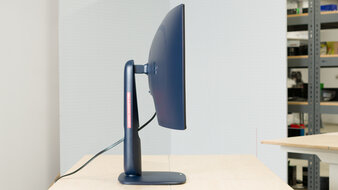
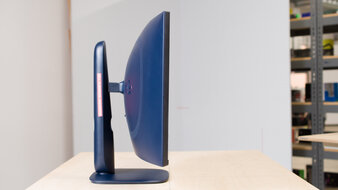
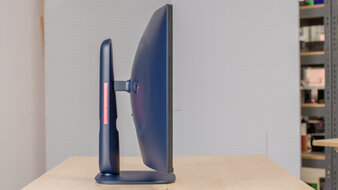
Curved displays can be helpful for various usages. The edges of the screen are brought closer to you for a more immersive experience compared to flat monitors. There are a bunch of different curved models available in different sizes, and while many focus on gaming, there are also some with productivity features. Many have a 21:9 ultrawide aspect ratio, which provides extra horizontal screen space, but there are also curved 16:9 displays, including those with a 4k resolution for sharp images. Even a monitor's curvature changes from model to model, and the curve radius defines the shape of the curve. A smaller number, like 800R, is more aggressive, while a 2500R curve is more subtle.
As there's no perfect solution for everyone, considering your personal needs and budget is a good place to start. For example, you'll want good picture quality and a fast response time for minimal blur when gaming. Having high brightness and good reflection handling is useful for working in well-lit rooms, as visibility isn't an issue.
We've bought and tested over 400 monitors, and below are our picks for the best curved monitors available to buy. Check out our recommendations for the best curved gaming monitors, the best ultrawide monitors, and the best 34-49 inch monitors.
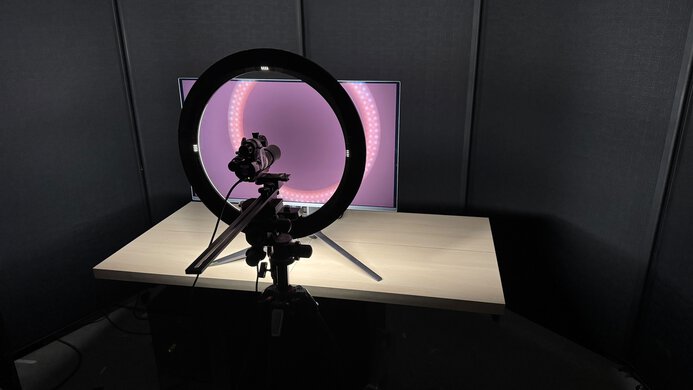
We buy and test more than 30 monitors each year, all of which we purchase ourselves, without cherry-picked units or samples. We put a lot into each unbiased, straight-to-the-point review, and there's a whole process from purchasing to publishing, involving multiple teams and people. We do more than just use the monitor for a week; we use specialized, custom tools to measure various aspects and deliver objective, data-driven results. We also consider multiple factors before making any recommendations, including the monitor's cost, its performance compared to the competition, and whether it's easy to find.
-
Best Curved Monitor
 OfficeEditingPC GamingConsole GamingResponse TimeSDR PictureHDR PictureColor AccuracyBrightnessSize34"Panel TypeOLEDSub-TypeQD-OLEDMax Refresh Rate360 HzNative Resolution3440 x 1440See all our test resultsCurve Radius
The best curved monitor we've tested is the ASUS ROG Swift OLED PG34WCDN. It's a high-end 34-inch ultrawide with a ton of gaming features. This includes a fast 360Hz refresh rate that helps provide a smooth gaming feel, and its near-instantaneous response time means there's minimal blur behind fast-moving objects. It also has high-bandwidth DisplayPort and HDMI inputs to take full advantage of the latest graphics cards and gaming consoles. Plus, its 1800R curve also brings the edges closer to you for an immersive gaming experience.
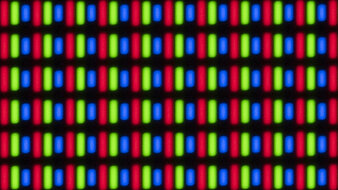
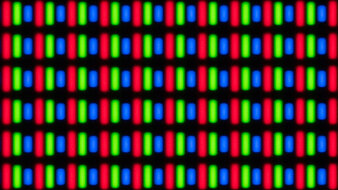
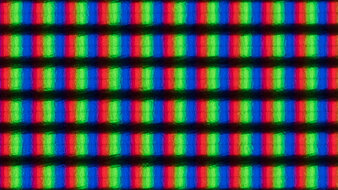
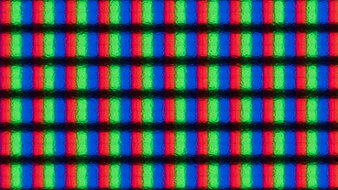
On top of its fantastic gaming performance, it also offers remarkable picture quality. It comes with a fifth-gen QD-OLED panel that gets bright, enough to fight some glare in well-lit rooms. Unlike older QD-OLED monitors, blacks don't have a purple tint in well-lit rooms, but there's still some black level raise in ambient lighting, so they look gray instead. This means you need to use it in a dark room to get the deep blacks that it's known for. Lastly, it comes with an RGB Stripe subpixel layout, so it doesn't have any fringing around letters or windows, resulting in sharp text clarity. You may want to consider the 4k Dell Alienware AW3225QF if you want a higher-resolution display with sharper text. However, it has a narrower aspect ratio and isn't as bright.
-
Best Upper Mid-Range Curved Monitor
OfficeEditingPC GamingConsole GamingResponse TimeSDR PictureHDR PictureColor AccuracyBrightnessSize34"Panel TypeOLEDSub-TypeQD-OLEDMax Refresh Rate280 HzNative Resolution3440 x 1440See all our test resultsCurve RadiusIf you find the ASUS ROG Swift OLED PG34WCDN too expensive for your budget, the Dell Alienware AW3426DW is a good alternative that you can get for cheaper. It has the same 34-inch screen size and 1440p resolution as the ASUS, but there are a few differences. For example, the Dell has a lower 280Hz refresh rate, so it doesn't offer the same smooth feel when gaming. It also isn't as bright as the ASUS, so it's a worse choice to use in well-lit rooms. That said, it uses the same generation QD-OLED panel as the ASUS, so text looks equally as sharp without any fringing, and it maintains fairly low black levels in bright rooms, although they still look gray.
It still offers all the other benefits of an OLED, with deep blacks in dark rooms and no haloing around bright objects, making it a fantastic choice for watching content or gaming in HDR. Plus, it also has a near-instantaneous response time, so fast-moving content has minimal blur. While it doesn't have DisplayPort 2.1 bandwidth like the ASUS, its HDMI 2.1 ports help if you want to take full advantage of an HDMI 2.1-compatible graphics card or a gaming console.
-
Best Mid-Range Curved Monitor
OfficeEditingPC GamingConsole GamingResponse TimeSDR PictureHDR PictureColor AccuracyBrightnessSize34"Panel TypeLCDSub-TypeVAMax Refresh Rate180 HzNative Resolution3440 x 1440See all our test resultsCurve RadiusIf the Dell Alienware AW3426DW is still out of your price range, then check out the cheaper Dell Alienware AW3425DWM. It has the same 34-inch screen size as the AW3426DW, so it offers an immersive feel, but it's a step down in a few performance aspects, like picture quality. It doesn't have a QD-OLED panel with the same perfect black levels in dark rooms, highlights that pop against the rest of the image, and vivid colors for a premium HDR experience. In fact, it's best to avoid using this monitor in HDR because it has a terrible edge-lit local dimming feature that automatically turns on in HDR, creating haloing around bright objects against dark backgrounds.
That said, it's still a decent all-around monitor, especially if you want to use it in SDR. It gets much brighter, which is great if you want to use it in a moderately-lit room. Even though it has a lower 180Hz refresh rate than the AW3426DW, it's still good enough for most gamers. However, while its motion handling is consistent at any refresh rate, there's black smearing with fast-moving objects in dark scenes. This is less of a concern in games with bright, fast-moving elements, though.
-
Best Budget Curved Monitor
OfficeEditingPC GamingConsole GamingResponse TimeSDR PictureHDR PictureColor AccuracyBrightnessSize32"Panel TypeLCDSub-TypeVAMax Refresh Rate180 HzNative Resolution2560 x 1440See all our test resultsCurve RadiusIf you're looking for a curved monitor on a budget, there are some decent low-cost options you can get, like the Dell Alienware AW3225DM. It has many of the same features as the higher-end Dell Alienware AW3425DWM, performing similarly. However, it offers a less immersive experience in certain games, such as atmospheric or sim racing, due to its narrower aspect ratio. That said, it's still good for PC gaming thanks to its consistent motion handling, though it also suffers from black smearing with fast-moving objects in dark scenes. One downside is that it lacks HDMI 2.1 bandwidth to take full advantage of gaming consoles, but that's normal for an entry-level model.
Besides gaming, it's still a decent choice for office work because the 32-inch screen is big enough for some multitasking, and it has good text clarity. It also gets bright enough to fight glare, but reflections are distracting, so it's best to avoid placing it opposite a sunny window. Unfortunately, it has a narrow viewing angle, so you get the most consistent image when sitting directly in front of it, as the image washes out from the sides.
-
Best Curved Monitor For Work
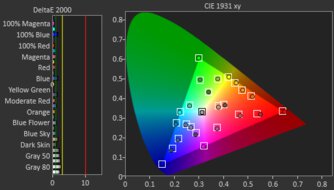
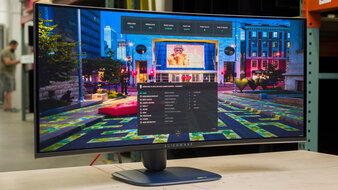
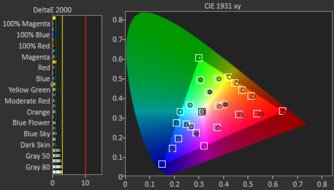
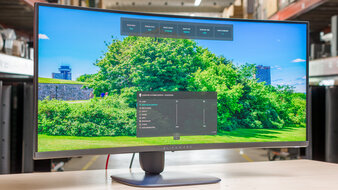
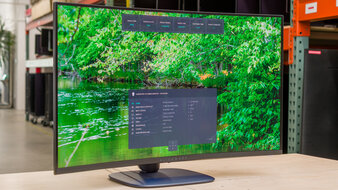
OfficeEditingPC GamingConsole GamingResponse TimeSDR PictureHDR PictureColor AccuracyBrightnessSize34"Pixel TypeIPSMax Refresh Rate120 HzNative Resolution3440 x 1440See all our test resultsCurve RadiusIf you need a curved display just for work and you don't need the gaming features of the monitors mentioned above, then check out the Dell U3425WE. It's an ultrawide designed for productivity, and it differs from other options, like the Dell Alienware AW3225DM, because it has worse motion handling, limited picture quality, and doesn't support HDR at all. However, this is what you have to expect from a work-focused monitor. It at least gets bright enough to fight glare in most well-lit rooms, but reflections are distracting in a sunny environment. There are some positives, like the fact that it has good text clarity.
Another advantage of it is that it offers a ton of work perks, including a massive USB hub for connecting various devices. This includes a USB-C port with Thunderbolt 4 support and up to 90W of power delivery, which is ideal for connecting even power-hungry laptops that require Thunderbolt, like a MacBook. It has a KVM switch, making it easy to use the same keyboard and mouse with multiple computers connected to the monitor. It even supports daisy-chaining to a second display, which helps with a multi-monitor setup.
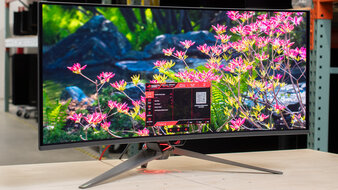
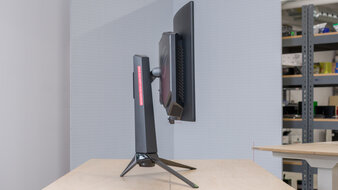



Notable Mentions
-
LG 39GX950B-B:
The LG 39GX950B-B is a high-end 39-inch monitor with a 5k2k resolution, delivering more detailed images than on the ASUS ROG Swift OLED PG34WCDN. It also delivers fantastic picture quality thanks to its WOLED panel. However, it has less vivid colors and a lower refresh rate than the ASUS.
See our review -
MSI MPG 341CQR QD-OLED X36:
The MSI MPG 341CQR QD-OLED X36 is a 1440p, 360Hz QD-OLED that competes directly with the ASUS ROG Swift OLED PG34WCDN. The MSI performs similarly, and you can't go wrong with it, but it can be harder to find at times.
See our review -
Dell Alienware AW3425DW:
The Dell Alienware AW3425DW is the older version of the Dell Alienware AW3426DW. The AW3425DW has many of the same features, but the main differences come down to their panel types. The AW3425DW uses an older QD-OLED with worse text clarity, as it has fringing around letters. It isn't as bright, either.
See our review -
Dell U4025QW:
The Dell U4025QW is a bigger alternative to the Dell U3425WE with a 40-inch screen. This monitor also has a higher resolution for more detailed images. However, it costs much more than the U3425WE and offers the same features, so it's only worth it if you want its bigger screen and sharper text.
See our review
Recent Updates
Aug 10, 2026:
We replaced the Dell Alienware AW3425DW with the newer Dell Alienware AW3426DW, which gets brighter. We also added the Dell U3425WE as the 'Best Curved Monitor For Work' to give another option. In the Notable Mentions, we removed the Samsung Odyssey G55C S27CG55 and added the AW3425DW and the Dell U4025QW.
Jun 12, 2026:
We replaced the Dell Alienware AW3225QF with the higher-end ASUS ROG Swift OLED PG34WCDN, which gets brighter. In the Notable Mentions, we removed the Dell U5226KW, the Samsung Odyssey Neo G8 S32BG85, and the MSI MPG 341CQPX QD-OLED and added the LG 39GX950B-B, the MSP MPG 341CQR QD-OLED X36, and the Dell U3425WE to better reflect the current market.
Apr 29, 2026:
We verified that the monitors are still available to purchase, and we updated the text for clarity throughout.
Mar 11, 2026:
We removed the Dell U4025QW as a recommended monitor because it's hard to find. In the Notable Mentions, we added the Dell U5226KW, and we removed the Samsung Odyssey OLED G9/G95SC S49CG95 and the LG 40WP95C-W.
Jan 23, 2026:
We renamed the Dell Alienware AW3425DW as the 'Best Upper Mid-Range Curved Monitor' to better reflect its market position. We also removed the Gigabyte GS27QC as it's hard to find. Lastly, we added the Samsung Odyssey G55C S27CG55 to the Notable Mentions.
All Reviews
Our recommendations are based on what we think are the best monitors with a curved screen currently available in the United States. They're adapted to be valid for most people in each price range. The rating is based on our review, feedback from visitors, and price. For example, two monitors may perform the same, but the cheaper one will be recommended. We also consider availability, as we don't recommend a monitor that's hard to find.
If you'd prefer to make your own decision, here's the list of all the curved monitors we've tested. Be careful not to get too caught up in the details. Most monitors are good enough to please most people, and the things we fault monitors on are often not noticeable unless you really look for them.