
Using a curved monitor for gaming offers several benefits, especially if you want an immersive experience. The edges are closer to your field of vision, especially if you sit close, so you see a more consistent image across the display compared to a flat screen. While there's a variety of curved gaming monitors available, they aren't as common as flat monitors, though. Not all curved gaming monitors are created equal, as they're available in different aspect ratios and sizes, with many being ultrawide with 34-inch or larger screens. Even the curve radius changes between monitors. This number indicates how aggressive the curvature is; a lower number represents a more aggressive curve, so 800R is more aggressive than 1700R.
When looking for a curved monitor, it's important to consider its gaming performance and features, like its refresh rate and response time for good motion handling, as well as input lag, though most have low input lag anyway. You may also want to make sure it supports the same VRR format as your graphics card to reduce screen tearing, which is the case with most monitors.
We've bought and tested more than 400 monitors, and below are our picks for the best curved gaming monitors. For more options, see our recommendations for the best curved monitors, the best 34-49 inch monitors, and the best ultrawide gaming monitors.

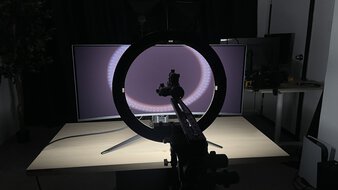
We buy and test more than 30 monitors each year, all of which we purchase ourselves, without cherry-picked units or samples. We put a lot into each unbiased, straight-to-the-point review, and there's a whole process from purchasing to publishing, involving multiple teams and people. We do more than just use the monitor for a week; we use specialized, custom tools to measure various aspects and deliver objective, data-driven results. We also consider multiple factors before making any recommendations, including the monitor's cost, its performance compared to the competition, and whether it's easy to find.
-
Best Curved Gaming Monitor
 PC GamingConsole GamingResponse TimeHDR PictureSDR PictureBrightnessSize34"Panel TypeOLEDSub-TypeQD-OLEDMax Refresh Rate360 HzNative Resolution3440 x 1440See all our test resultsCurve Radius
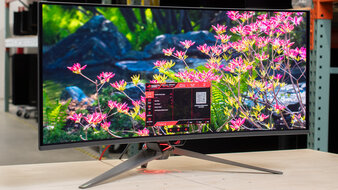
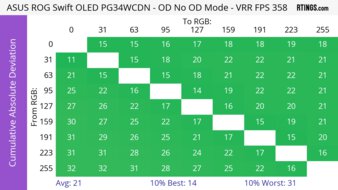
The best curved gaming monitor we've tested is the ASUS ROG Swift OLED PG34WCDN. It's a premium OLED that's fantastic for gaming. With a 34-inch screen and 1440p resolution, it provides an immersive gaming experience, and its 360Hz refresh rate means that gaming feels smooth. It can also make full use of the latest graphics cards and gaming consoles thanks to its high-bandwidth HDMI and DisplayPort inputs, as you can reach its max refresh rate over either connection. Motion looks sharp thanks to its near-instantaneous response time, it has low input lag for a responsive feel, and it supports all common VRR formats to reduce screen tearing.
What makes it better than other curved gaming monitors is that it combines its high-end gaming performance with premium picture quality. Its QD-OLED panel displays deep blacks in dark rooms, with bright highlights and no haloing around bright objects on dark backgrounds. It uses a newer-generation QD-OLED panel that gets bright, and it minimizes black level raise in bright rooms, meaning blacks look closer to gray, and not purple like on older panels. It also has good text clarity, which helps if you play text-based games, and there's no fringing around letters.
-
Best Upper Mid-Range Curved Gaming Monitor
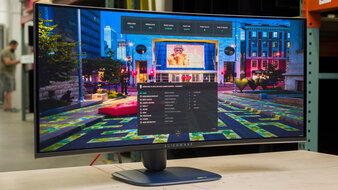
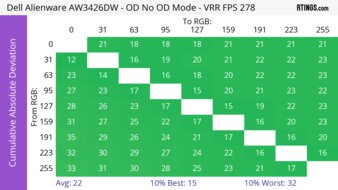
PC GamingConsole GamingResponse TimeHDR PictureSDR PictureBrightnessSize"Panel TypeSub-TypeMax Refresh RateHzNative ResolutionSee all our test resultsCurve RadiusIf the ASUS ROG Swift OLED PG34WCDN is out of your budget, you can still get some fantastic options at a lower price. If that interests you, look into the Dell Alienware AW3426DW. It's another 34-inch ultrawide that's fantastic for gaming, but there are notable trade-offs for getting this cheaper option. It has a lower 280Hz refresh rate, so gaming doesn't feel as smooth, and it's something to consider if you want the fastest refresh rate possible. While it uses the same fifth-gen QD-OLED panel as the ASUS, it isn't as bright, which is a consideration if you plan to use it in a well-lit room. It at least doesn't have a purple tint in bright rooms, but like the ASUS, blacks look gray instead.
As long as you use it in a dark environment, you still get the same dark blacks, highlights that pop, and vivid colors as on the higher-end ASUS. Despite its lower refresh rate, it has the same near-instantaneous response time for sharp motion, and it has low input lag and VRR support. Just keep in mind that it doesn't have DisplayPort 2.1 ports like the ASUS, which is something to consider if you have a DisplayPort 2.1 graphics card and want to make full use of it.
-
Best Mid-Range Curved Gaming Monitor
PC GamingConsole GamingResponse TimeHDR PictureSDR PictureBrightnessSize34"Panel TypeLCDSub-TypeVAMax Refresh Rate180 HzNative Resolution3440 x 1440See all our test resultsCurve RadiusIf you don't have the budget for a premium OLED monitor, there are cheaper curved monitors that are still good for gaming. If that's what you're interested in, check out the Dell Alienware AW3425DWM. It's an ultrawide with a slightly more aggressive curve than the Dell Alienware AW3426DW, though there are a few notable differences in performance. The AW3425DWM doesn't have a QD-OLED panel, so it doesn't deliver the same deep blacks, bright highlights, and vivid colors, meaning it looks worse in HDR. Although it has a high native contrast ratio for fairly deep blacks, it has terrible local dimming that's always on in HDR. It actually makes picture quality worse due to haloing around bright objects against dark backgrounds. It also has a lower 180Hz refresh rate than the AW3426DW, which is a trade-off you have to make for a lower-end option.
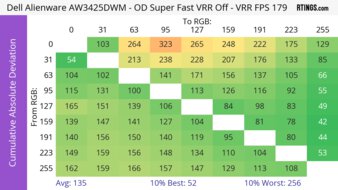
It's still a solid gaming monitor with a consistently fast response time across all refresh rates for good motion handling. Although it shows some black smearing behind fast-moving objects in dark scenes, it's not overly distracting. It also supports HDMI 2.1 bandwidth to take advantage of HDMI 2.1 graphics cards.
-
Best Budget Curved Gaming Monitor
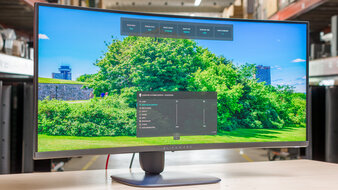
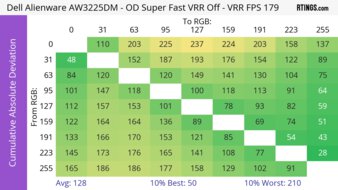
PC GamingConsole GamingResponse TimeHDR PictureSDR PictureBrightnessSize32"Panel TypeLCDSub-TypeVAMax Refresh Rate180 HzNative Resolution2560 x 1440See all our test resultsCurve RadiusIf you're looking for a curved gaming monitor on a budget, the Dell Alienware AW3225DM is a good choice. It's actually very similar to the Dell Alienware AW3425DWM because it also has a 1440p resolution, 180Hz refresh rate, and a VA panel. Choosing this over the AW3425DWM ultimately comes down to personal preference for size, as the 32-inch screen offers more total screen space. However, with a 16:9 aspect ratio, it offers less horizontal screen space, which is worth some consideration if you play atmospheric or sim-racing games.
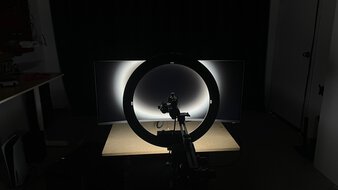
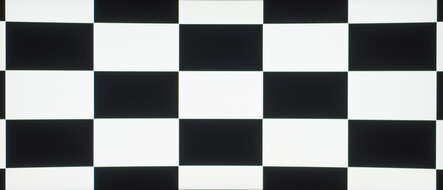
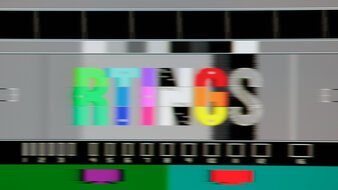
Besides that, motion handling is similar to the AW3425DWM, as its response time remains consistent across refresh rates, but it still exhibits dark smearing with fast-moving objects. One difference is that this monitor lacks HDMI 2.1 bandwidth. This is common among budget-friendly gaming monitors, so it doesn't support all gaming console signals. In terms of picture quality, this monitor is bright enough to combat glare and offers a great native contrast ratio for fairly deep blacks. However, its terrible local dimming feature makes the picture quality worse in HDR, as there's haloing around bright objects against dark backgrounds.


Notable Mentions
-
MSI MPG 341CQR QD-OLED X36:
The MSI MPG 341CQR QD-OLED X36 is a premium QD-OLED that competes directly with the ASUS ROG Swift OLED PG34WCDN. It has the same specs and performs similarly to the ASUS. While it's worth getting if you can find it for less, it can be harder to find.
See our review -
LG 39GX950B-B:
The LG 39GX950B-B is a large 39-inch ultrawide that offers a more immersive gaming experience compared to the ASUS ROG Swift OLED PG34WCDN. That said, it has a lower refresh rate, and its colors aren't as vivid as on the ASUS.
See our review -
Dell Alienware AW3225QF:
The Dell Alienware AW3225QF is a 4k, 240Hz QD-OLED that's in the same price range as the Dell Alienware AW3426DW. The AW3225QF is worth considering if you want more detailed images. That said, its higher resolution means it's harder for your computer to maintain high frame rates. Black levels on the AW3255QF also have a purple tint in bright rooms.
See our review -
Dell Alienware AW3425DW:
The Dell Alienware AW3425DW is an older model compared to the Dell Alienware AW3426DW. The AW3425DW has many of the same features. However, it uses an older QD-OLED panel that isn't as bright and has a purple tint in bright rooms.
See our review
Recent Updates
Aug 07, 2026:
We replaced the Dell Alienware AW3425DW with the newer Dell Alienware AW3426DW, which gets brighter. In the Notable Mentions, we removed the Samsung Odyssey G55C S27CG55 and added the AW3425DW.
Jun 11, 2026:
We replaced the Dell Alienware AW3225QF with the higher-end ASUS ROG Swift OLED PG34WCDN, which has a higher refresh rate. In the Notable Mentions, we removed the Samsung Odyssey OLED G9/G95SC S49CG95, the Samsung Odyssey Neo G8 S32BG85, and the MSI MPG 341CQPX QD-OLED and added the LG 39GX950B-B, the MSI MPG 341CQR QD-OLED X36, and the AW3225QF to better reflect the current market.
Apr 29, 2026:
We made sure all the recommended monitors are still available to buy, and we updated the text for clarity.
Mar 11, 2026:
We verified that all monitors are available to purchase and updated the text for clarity throughout.
Jan 22, 2026:
We removed the Gigabyte GS27QC as it's hard to find. We also added the Samsung Odyssey G55C S27CG55 to the Notable Mentions.
All Reviews
Our recommendations are based on what we consider the best gaming monitors with a curved screen currently available in the United States. They're adapted to be valid for most people in each price range. The rating is based on our review, visitor feedback, and price. For example, two monitors may perform the same, but the cheaper one will be recommended. We also consider availability, as we don't recommend a monitor that's hard to find.
If you'd prefer to make your own decision, here's the list of all of our curved monitor reviews. Be careful not to get too caught up in the details. Most monitors are good enough to please most people, and the things we fault monitors on are often not noticeable unless you really look for them.