
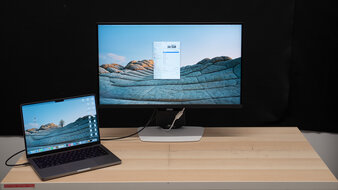
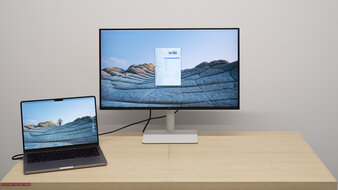
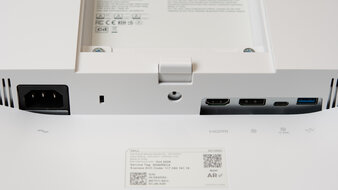
Although most monitors work with your MacBook, some offer a few advantages. Those with USB-C ports make it easy to connect your MacBook to get a video signal and charge it with one cable. However, the monitor needs to support DisplayPort Alt Mode or Thunderbolt to get a video signal from the laptop over USB-C. It also needs to have enough power to keep your laptop charged while you're using it, with at least 65W being enough for most MacBook Air and Pro models.
While macOS is optimized for use with monitors that have a pixel density of 110 or 220 PPI, not all monitors have exactly this. The next best alternative is to use your MacBook with any pixel density or resolution you prefer, and make sure the display delivers sharp text. There are other factors you should consider depending on your usage. For example, good color accuracy is important for content creation, and it's good to get something with deep blacks, a wide range of colors, and bright highlights if you work with HDR content.
We evaluate monitors' macOS compatibility by testing with a 2023 MacBook Pro (M2 Pro) and a 2024 MacBook Pro (M4 Max). The results are also valid for any chip and MacBook, including newer M5 models and the MacBook Neo.
We've bought and tested more than 405 monitors, and below are our recommendations for the best external monitor for MacBook Pro, including the best MacBook Air monitors. Also, check out our recommendations for the best monitors for Mac mini, the best monitors for Mac Studio, and the best monitors for programming. If you're shopping for a laptop, check out the best Apple laptops and MacBooks.
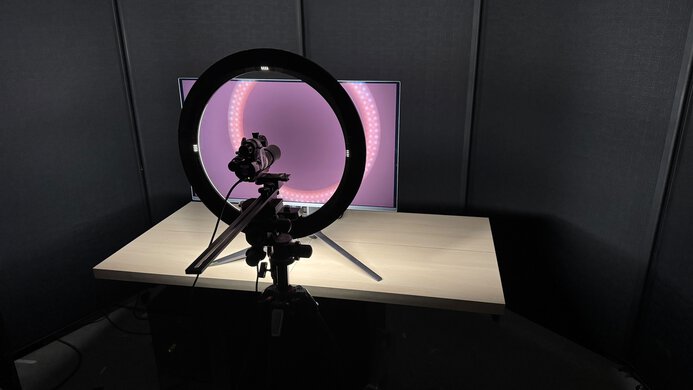
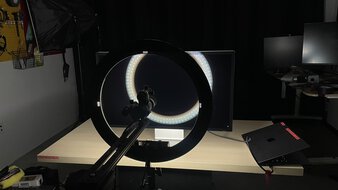
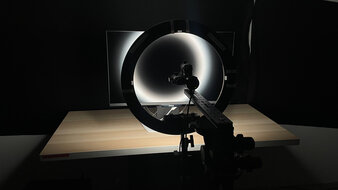
We buy and test more than 30 monitors each year, all of which we purchase ourselves, without cherry-picked units or samples. We put a lot into each unbiased, straight-to-the-point review, and there's a whole process from purchasing to publishing, involving multiple teams and people. We do more than just use the monitor for a week; we use specialized, custom tools to measure various aspects and deliver objective, data-driven results. We also consider multiple factors before making any recommendations, including the monitor's cost, its performance compared to the competition, and whether it's easy to find.
-
Best Monitor For MacBook Pro
 OfficeEditingSDR PictureHDR PictureColor AccuracySDR BrightnessSize27"Panel TypeLCDSub-TypeIPSMax Refresh Rate120 HzNative Resolution5120 x 2880USB-C DisplayPort Alt ModeThunderboltSee all our test resultsUSB-C Power Delivery
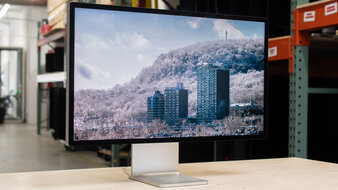
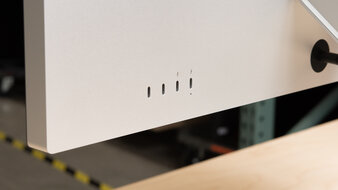
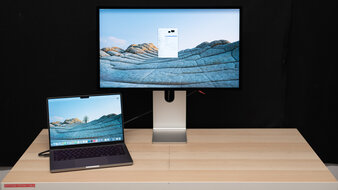
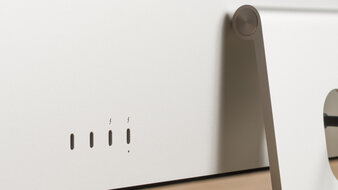
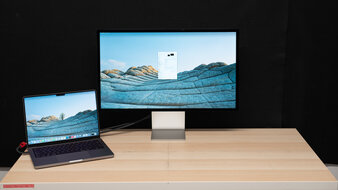
The best monitor for MacBook Pro is the Apple Studio Display XDR. It's a high-end 5k model that has features to take full advantage of your MacBook. This includes Thunderbolt 5 ports, which are ideal if you have the latest MacBooks that also support Thunderbolt 5. Plus, it delivers 140W of power, enough to charge even power-hungry, high-end MacBooks. It also supports daisy-chaining to a second screen, and there are two other USB-C ports for connecting your devices. As expected from Apple's flagship monitor, it offers made-for-macOS features, including True Tone that syncs settings between the MacBook and the monitor.
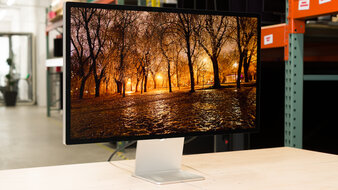
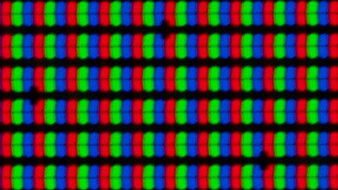
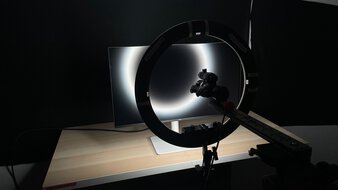
Besides that, you can get it with its standard glossy coating or the Nano-texture matte coating to match your MacBook's finish. It delivers great picture quality, mainly thanks to its Mini LED backlighting. Its dimming zones help deepen black levels while making the monitor get bright and make highlights pop in HDR, but there's haloing around bright objects against dark backgrounds. On the plus side, it displays a wide range of colors and offers a very accurate sRGB mode, which is ideal if you're a content creator and don't want to pay for a full calibration.
-
Best Upper Mid-Range Monitor For MacBook Pro
OfficeEditingSDR PictureHDR PictureColor AccuracySDR BrightnessSize27"Panel TypeLCDSub-TypeIPSMax Refresh Rate60 HzNative Resolution5120 x 2880USB-C DisplayPort Alt ModeThunderboltSee all our test resultsUSB-C Power DeliveryIf you find the Apple Studio Display XDR too expensive or you won't take advantage of its high-end picture quality for editing HDR content, consider the cheaper Apple Studio Display 2026. It's another 5k option that's meant to take advantage of the latest MacBooks. However, as it's lower-end in Apple's lineup, there are some notable trade-offs. It doesn't support HDR at all and has much worse picture quality because it lacks local dimming, so blacks look gray. This is worth noting if you want the best picture quality for content creation. On the plus side, like the XDR, it has Thunderbolt 5 ports, including one that supports daisy chaining. However, it has less power delivery, offering a max of 96W, which may not be enough to fully charge high-end MacBooks.
Fortunately, it offers good picture quality outside of HDR as its sRGB mode is even more accurate than on the XDR. Like the higher-end model, you can also get it with a glossy or matte coating, so you can choose whether you want clearer images or less mirror-like reflections, respectively. If you want a glossy 5k monitor at a lower price, you can also check out the BenQ MA270S. It has more USB ports as well, but it supports the older Thunderbolt 4 and not Thunderbolt 5 like on the Studio Display.
-
Best Mid-Range Monitor For MacBook Pro
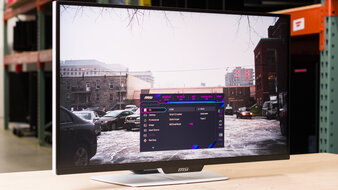
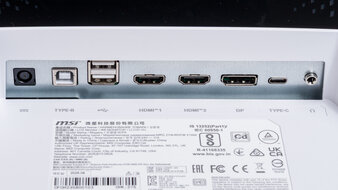
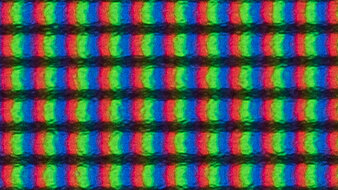
OfficeEditingSDR PictureHDR PictureColor AccuracySDR BrightnessSize27"Panel TypeLCDSub-TypeIPSMax Refresh Rate320 HzNative Resolution3840 x 2160USB-C DisplayPort Alt ModeThunderboltSee all our test resultsUSB-C Power DeliveryIf you want a lower-cost monitor that still offers good value, check out the MSI MPG 274URDFW E16M. It's different from the Apple Studio Display 2026 because it's not a proprietary Apple monitor, so it lacks a few features. For example, it isn't available with a glossy coating to match your MacBook. It also takes a hit in text clarity compared to the Apple monitor because it has a lower 4k resolution, and its matte coating has some added haze. It doesn't have Thunderbolt support, but instead it supports the lower-bandwidth DisplayPort Alt Mode over USB-C, and it has 90W of power delivery, so you can still easily connect your MacBook. Plus, it has a KVM switch that's helpful if you have more than one computer connected and want to often switch between them.
The MSI is actually better than the Apple monitor for HDR content creation. Besides having HDR support, it has Mini LED backlighting with an effective local dimming feature that helps improve picture quality in HDR. It displays fairly deep blacks next to bright highlights, but there's haloing around bright objects against a dark background. While you can use its local dimming outside of HDR, it performs worse with an inaccurate image, so you may prefer not using it outside of HDR at all. In that case, blacks look gray, and its picture quality is similar to that of the Apple monitor.
-
Best Lower Mid-Range Monitor For MacBook Pro
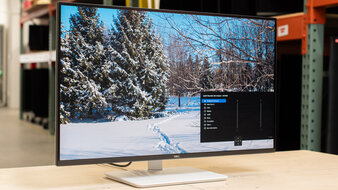
OfficeEditingSDR PictureHDR PictureColor AccuracySDR BrightnessSize27"Panel TypeLCDSub-TypeIPSMax Refresh Rate120 HzNative Resolution3840 x 2160USB-C DisplayPort Alt ModeThunderboltSee all our test resultsUSB-C Power DeliveryIf you want to save some money without necessarily getting into the budget category, the Dell S2725QC offers solid value as a lower mid-range pick. It's especially worth getting when you can find it on sale. Like the MSI MPG 274URDFW E16M, it's another 4k, 27-inch option, but there are notable differences and trade-offs in performance. For example, the Dell has much worse picture quality because it doesn't have Mini LED backlighting or any local dimming. This means blacks look gray, and highlights don't pop in HDR.
That said, this monitor is a solid choice if you're going to use it outside of HDR. It has an accurate sRGB mode that's helpful if you're a content creator and don't want to pay for a full calibration. Like the MSI, the Dell also comes with a small USB hub to connect your devices. However, it has lower power delivery over USB-C, and its 65W of power may not be enough to quickly charge higher-end MacBooks. You can also consider the cheaper and similar Dell S2725QS if you want something without any USB ports, though that means you'll have to connect your laptop over HDMI.
-
Best Budget Monitor For MacBook Pro
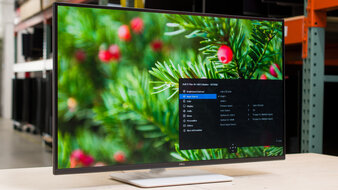
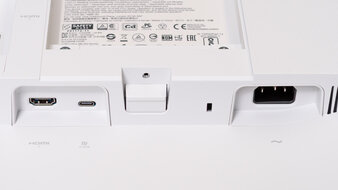
OfficeEditingSDR PictureHDR PictureColor AccuracySDR BrightnessSize27"Panel TypeLCDSub-TypeIPSMax Refresh Rate144 HzNative Resolution2560 x 1440USB-C DisplayPort Alt ModeThunderboltSee all our test resultsUSB-C Power DeliveryIf you're looking for something on a budget, check out the Dell S2725DC. It's a step-down model and differs from the Dell S2725QC, as it has a lower 1440p resolution, so images and text aren't as sharp or detailed. It doesn't have HDR support either, but given the S2725QC's limited picture quality in HDR, it doesn't make much of a difference anyway. It comes with similar productivity features to the S2725QC, including an ergonomic stand and a small USB hub with DisplayPort Alt Mode and 65W of power delivery, enough to charge most MacBook Pro and Air models.
It's even a good choice if you're a content creator. Despite not having a dedicated sRGB mode, it's accurate before calibration with minimal white balance and color inaccuracies. However, gamma tracking is on the dark side, which means you have to calibrate it to avoid this issue. Besides that, it gets bright, which is ideal if you want to use it in a bright room, but reflections can be distracting in sunny environments.
Notable Mentions
-
ASUS ProArt Display 6K PA32QCV:
The ASUS ProArt Display 6K PA32QCV is a 6k monitor that's larger than the Apple Studio Display XDR, with a 32-inch screen. The ASUS also has a bigger USB hub, including a KVM switch. However, it's worse for HDR because it doesn't have Mini LED backlighting.
See our review -
LG 27GM950B-B:
The LG 27GM950B-B is a 27-inch, 5k monitor that competes with the Apple Studio Display XDR. It also has Mini LED backlighting, making it a good choice for HDR, as it displays deep blacks and bright highlights. While it costs less than the Apple monitor, it lacks Thunderbolt support.
See our review -
Acer Nitro XV275K P5biipruzx:
The Acer Nitro XV275K P5biipruzx is a mid-range 4k Mini LED monitor that competes with the MSI MPG 274URDFW E16M. They perform similarly for the most part, but you can't use the Acer's local dimming outside of HDR. While the Acer is worth getting when you can find it for less, it can be harder to find.
See our review -
Dell U2725QE:
The Dell U2725QE is a 4k work monitor with a larger USB hub than the MSI MPG 274URDFW E16M, including Thunderbolt 4 support. That said, it costs more and is worse for HDR as it lacks Mini LED backlighting.
See our review -
KOORUI S2721PM:
The KOORUI S2721PM is a budget-friendly 1440p monitor with better picture quality than the Dell S2725DC thanks to its Mini LED backlighting. This makes it a great choice if you want to use it in HDR. However, it has fewer productivity features than the Dell as it doesn't have any USB ports.
See our review
Recent Updates
Aug 26, 2026:
We replaced the Acer Nitro XV275K P5biipruzx with the MSI MPG 274URDFW E16M, which is easier to find. In the Notable Mentions, we replaced the AOC Q27G3XMN with the KOORUI S2721PM, which is better for productivity, and the Dell S3225QC with the brighter Acer XV275K P5.
Jun 30, 2026:
We removed the Dell P2425H as it's becoming harder to find. In the Notable Mentions, we removed the ASUS ProArt Display PA27JCV and the ASUS ROG Strix XG27ACS, and we added the LG 27GM950B-B and the Dell S3225QC to better reflect the current market.
May 13, 2026:
We made several changes based on newly-released monitors. We replaced the ASUS ProArt Display 6K PA32QCV and the Dell U2725QE with the Apple Studio Display XDR and the Apple Studio Display 2026, which have better MacBook compatibility. We also replaced the ASUS ProArt Display PA279CRV with the Acer Nitro XV275K P5biipruzx, which has better picture quality. In the Notable Mentions, we added the PA32QCV and the U2725QE.
Mar 19, 2026:
We replaced the Apple Studio Display 2022, as it's been discontinued, with the ASUS ProArt Display 6K PA32QCV. We also replaced AOC Q27G3XMN with the Dell S2725DC for consistency with other recommendations. In the Notable Mentions, we removed the Dell U4025QW and added the Q27G3XMN.
Feb 06, 2026:
We removed the BenQ MOBIUZ EX321UX as it's hard to find, and we renamed the Apple Studio Display to the 'Best Monitor For MacBook Pro.' We also added the Dell S2725QC as the 'Best Lower Mid-Range Monitor For MacBook Pro' to give another option. In the Notable Mentions, we added the Acer Nitro XV275K P5biipruzx.
All Reviews
Our recommendations are based on what we think are the best external monitors for MacBook Pro and the best MacBook Air monitors currently available in the United States. They're adapted to be valid for most people in each price range. The rating is based on our review, feedback from visitors, and price. For example, two monitors may perform the same, but the cheaper one will be recommended. We also consider availability, as we don't recommend a monitor that's hard to find.
If you'd prefer to make your own decision, here's the list of all of our monitor reviews. Be careful not to get too caught up in the details. Most monitors are good enough to please most people, and the things we fault monitors on are often not noticeable unless you really look for them.