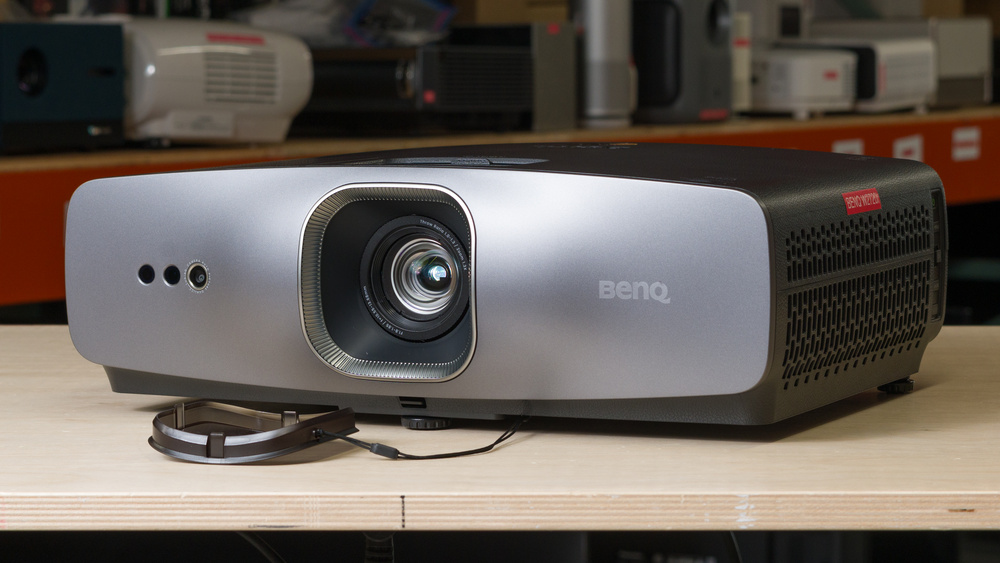
The BenQ W2720i is a DLP projector with a pixel-shifted 4k resolution and a 4LED light source. It has a 1.3x zoom lens and vertical lens shift, giving you some flexibility when positioning the projector relative to your screen. It also has automatic vertical keystone correction, while horizontal keystone correction is manual. With a 1.0–1.3:1 throw ratio, it can project an image from 30 to 200 inches. It comes with an Android TV dongle, giving you access to popular streaming services without needing to purchase a separate streaming device. The projector has three HDMI ports, including one HDMI 2.1 port, and supports 4k @ 60Hz, 1080p @ 120Hz, and 240Hz. It also has two built-in 5W speakers.
Our Verdict
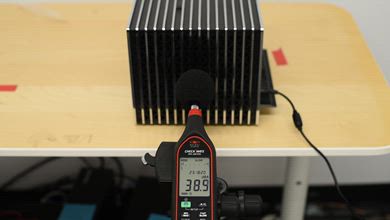
The BenQ W2720i is mediocre for a home theater. It has unremarkable contrast, so dark scenes look washed out and bright scenes lack some depth and look flat compared to other home theater projectors. It can remove judder from sources that match their output to the content's frame rate, like an Apple TV with Match Frame Rate enabled, leading to smooth motion. However, it doesn't remove judder from 60Hz sources, like a cable box, or from the included Android TV dongle, so motion looks choppy from these sources. Fortunately, colors have good vibrancy in most movies, and outside of cool-looking whites, the projector respects the filmmaker's intent out of the box. Its decent brightness also makes the image look punchy in a dark room. Like most DLP projectors, there's a subtle rainbow effect that might bother those who are sensitive to it, and there's no setting to help reduce it. Finally, it runs quietly, so you won't be distracted by fan noise during quieter scenes.
Good color vibrancy.
Very good color accuracy out of the box.
Quiet fan.
The image lacks depth due to its low contrast ratio.
Doesn't remove judder from the included dongle or 60Hz sources.
Rainbow effect can bother people who are sensitive to it.
The BenQ W2720i is mediocre for outdoors. It has decent brightness, so the image looks punchy outside at night, and it can withstand a bit of glare from patio lights. Unfortunately, it's not very portable since it's a big and heavy model that doesn't have a handle or carrying case. It can also take some time to set up since it lacks autofocus and obstacle avoidance, and only has manual horizontal keystone correction. It has a zoom lens, so you can adjust the image size without physically moving it, but you still have to take some time to center it with your screen for the best image quality since it lacks horizontal lens shift and has very limited vertical lens shift capabilities. It also doesn't have a built-in battery.
Has a zoom lens and limited vertical lens shift.
Comes with an Android TV dongle.
Bulky and heavy design makes it inconvenient to carry around.
No built-in battery.
Limited selection of screen adaptation tools.
The BenQ W2720i is sub-par for a bedroom. It's a pretty big unit, so it takes up a lot of space. Bringing it from room to room is inconvenient since it's heavy and doesn't have a handle, and it can take some time to set up since it's light on screen adaptation tools and other setup features. However, it does offer a manual zoom lens that lets you adjust the image size without moving it. Fortunately, it has a pretty quiet fan that won't distract you when watching shows or movies at low volume.
Has a zoom lens and limited vertical lens shift.
Quiet fan.
Comes with an Android TV dongle.
Bulky and heavy design makes it inconvenient to carry around.
Limited selection of screen adaptation tools.
The BenQ W2720i is adequate for gaming. It supports 4k @ 60Hz and 1080p up to 240Hz, so you have the option of the sharpest image or the smoothest motion, but it doesn't support VRR to reduce screen tearing. Unfortunately, it's really held back by its high input lag, since gaming feels sluggish at 60Hz and isn't as snappy as it should be at higher refresh rates. Its brightness is good enough for the image to look punchy in a dark or dimly lit room, and colors look vibrant enough for most games to pop, but its unremarkable contrast leads to blacks that look gray and an image that looks flat.
4k @ 60Hz and up to 240Hz at 1080p.
Good color vibrancy.
No excessive motion blur.
The image lacks depth due to its low contrast ratio.
Rainbow effect can bother people who are sensitive to it.
High input lag and no VRR.
Doesn't support 4k @ 120Hz despite being advertised to do so.
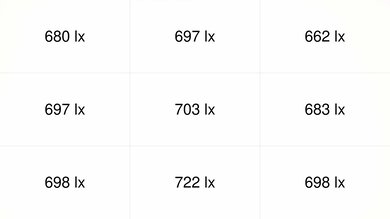
The BenQ W2720i has decent brightness. It's bright enough to look punchy in a dark room, and it can withstand a bit of glare in a dimly lit room. However, the image becomes washed out in brighter rooms.
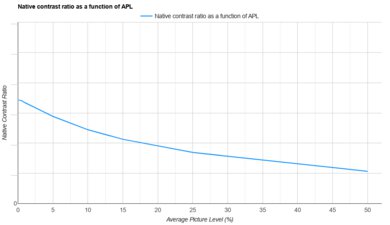
The BenQ W2720i has unremarkable contrast. It has a low contrast ratio in dark scenes, so blacks look gray and the image looks washed out. Fortunately, its contrast ratio doesn't drop significantly in brighter scenes, so even though the image still lacks some depth, it doesn't look overly flat.
The image lacks depth due to its low contrast ratio.
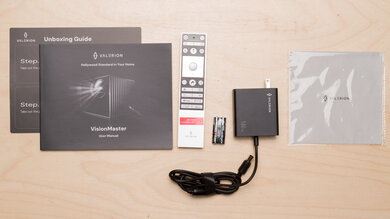
The BenQ W2720i has poor portability. It's not designed with portability in mind, since it's a fairly large, heavy unit that's meant to stay in one place. If you do move it, the lens is protected by an included lens cap. However, it doesn't have a handle or carrying case. It has very limited vertical lens shift, which can only be used for fine adjustments when centering it with your screen. However, it lacks horizontal lens shift, so you still need to physically move it to properly center the image. Fortunately, it has a manual zoom lens that lets you adjust the image size without moving it. It's pretty light on screen adaptation tools, since it's limited to manual focus and manual horizontal keystone correction and doesn't offer features like obstacle avoidance, so setting it up can take some time.
Has a zoom lens and limited vertical lens shift.
Comes with an Android TV dongle.
Bulky and heavy design makes it inconvenient to carry around.
No built-in battery.
Limited selection of screen adaptation tools.
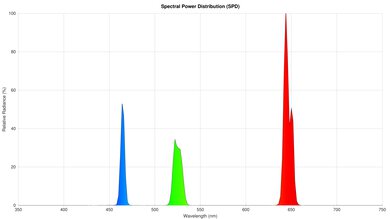
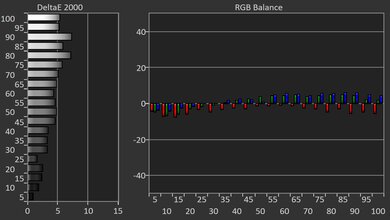
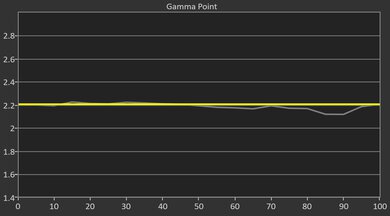
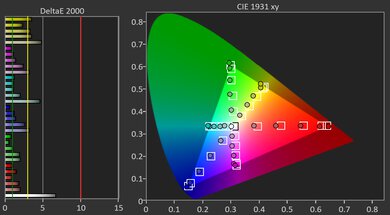
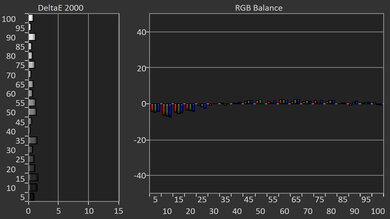
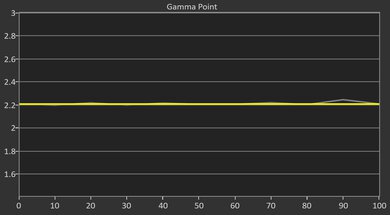
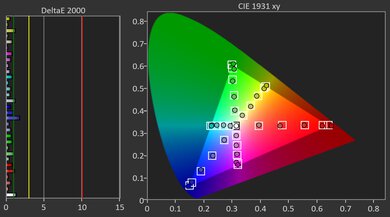
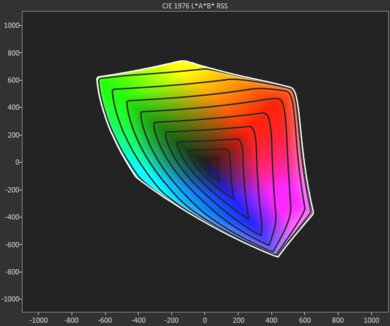
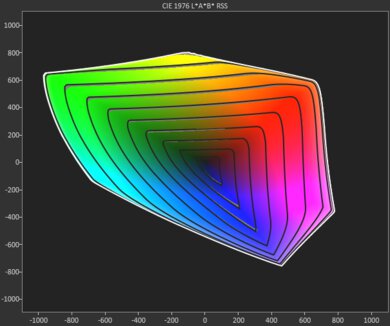
The BenQ W2720i has very good colors overall. It has good color volume that leads to rich and vibrant colors in most content, but they do lack some saturation in the rare content mastered in the very wide BT.2020 color space. Colors have very good accuracy out of the box, so it mostly stays true to the filmmaker's intent, but whites do have a cool tint. If that bothers you, calibrating the projector leads to nearly perfect accuracy.
Good color vibrancy.
Very good color accuracy out of the box.
The BenQ W2720i has okay gaming responsiveness. It supports 4k @ 60Hz for the sharpest image, but you can also sacrifice some sharpness for smoother motion by gaming in 1080p at either 120Hz or 240Hz. It has DLP imaging technology, so there's not too much motion blur, but it doesn't support VRR to reduce screen tearing. Unfortunately, it's held back by its high input lag. At 60Hz, gaming feels sluggish, and although gaming feels snappier at 120Hz and 240Hz, it's still too high to avoid being at a disadvantage in more competitive titles.
4k @ 60Hz and up to 240Hz at 1080p.
No excessive motion blur.
High input lag and no VRR.
Doesn't support 4k @ 120Hz despite being advertised to do so.
Performance Usages
Check Price
Differences Between Sizes And Variants
The BenQ W2720i doesn't have any variants, and it's only available in black. Our results are only valid for the W2720i, but there are similarly named projectors in BenQ's W-Series lineup. Some of the key differences between each model are highlighted in the table below.
| Model | Advertised Brightness (ANSI Lumens) | Light Source | Throw Ratio | Lens Shift | Zoom |
|---|---|---|---|---|---|
| BenQ W2720i | 2,500 | 4LED | 1.0–1.3 | Vertical ±5% | 1.3x |
| BenQ W4100i | 3,200 | 4LED | 1.15–1.50 | Vertical 0–60%; Horizontal ±15% | 1.3x |
| BenQ W5800 | 2,600 | Laser | 1.52–2.45 | Vertical ±50%; Horizontal ±21% | 1.6x |
| BenQ W5850 | 2,600 | Laser | 1.0–1.6 | Vertical ±50%; Horizontal ±15% | 1.6x |
Our unit was manufactured in China in May 2026.
Popular Projector Comparisons
The BenQ W2720i is alright, but it doesn't stand out compared to other standard-throw home theater projectors in this price range. You can get significantly better contrast, brightness, colors, and gaming performance from the XGIMI HORIZON 20 for a bit less, and you can even get the XGIMI HORIZON 20 Pro for around the same price. If you're okay with something a bit dimmer, the JMGO N1S 4K offers better overall image quality and gaming performance while also being sold for much cheaper. Since there are a ton of better options on the market, the W2720i is hard to recommend to anyone.
For more home theater options, check out the best home theater projectors. If gaming performance is a top priority for you, take a look at the best gaming projectors, or check out the best portable projectors if you need something that's easier to move around.
The JMGO N3 Ultimate is better than the BenQ W2720i. The JMGO is significantly brighter, so the image looks much punchier in a dark room, and it can withstand more glare in a bright room before looking washed out. Additionally, it has much better contrast and color vibrancy, leading to a more colorful image with more depth. The JMGO is easier to set up thanks to its more useful lens shift feature and wider selection of screen adaptation tools. On top of that, the JMGO is better for gamers thanks to its significantly lower input lag. On the other hand, the BenQ can remove judder from most modern streaming devices, while the JMGO doesn't remove judder at all, leading to choppier motion.
Although they're sold for around the same price, the XGIMI HORIZON 20 Pro and the BenQ W2720i aren't even on the same playing field. The XGIMI is much brighter, so the image looks punchier in a dark room, and it can withstand more glare in a bright room before looking washed out. The XGIMI's significantly better contrast gives the image more depth, and its colors are more vibrant. Since the XGIMI has more full-fledged lens shift and a wider array of screen adaptation features, it's easier to set up. Finally, the XGIMI has lower input lag and supports VRR, making it the better option for gamers.
The XGIMI HORIZON 20 is better than the BenQ W2720i. The XGIMI has much better image quality since it's much brighter, has significantly better contrast, and displays more vibrant colors that are also more accurate out of the box. The XGIMI is also easier to set up due to its more useful lens shift feature and wider selection of screen adaptation tools. Gamers will also prefer the XGIMI due to its lower input lag and VRR support, while physical media movie collectors will prefer it since it passes through DTS audio formats.
Despite being sold for much cheaper than the BenQ W2720i, the JMGO N1S 4K offers many advantages. The JMGO displays deeper blacks, leading to an image with more depth, and its colors are a bit more vibrant. The JMGO is smaller and lighter, has a handle, comes with a carrying case, and has more screen adaptation tools, so it's a lot more portable. Gaming also feels snappier on the JMGO at 60Hz since it has much lower input lag. On the other hand, the BenQ is brighter, so it can be used in a dimly lit room without looking washed out. The BenQ also has a zoom lens that lets you adjust the image size without physically moving it, and it can remove judder from modern streaming devices, leading to smoother motion in movies and shows.
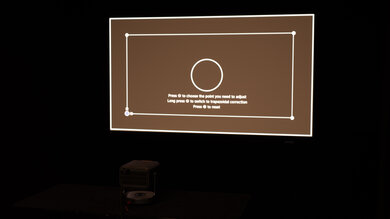
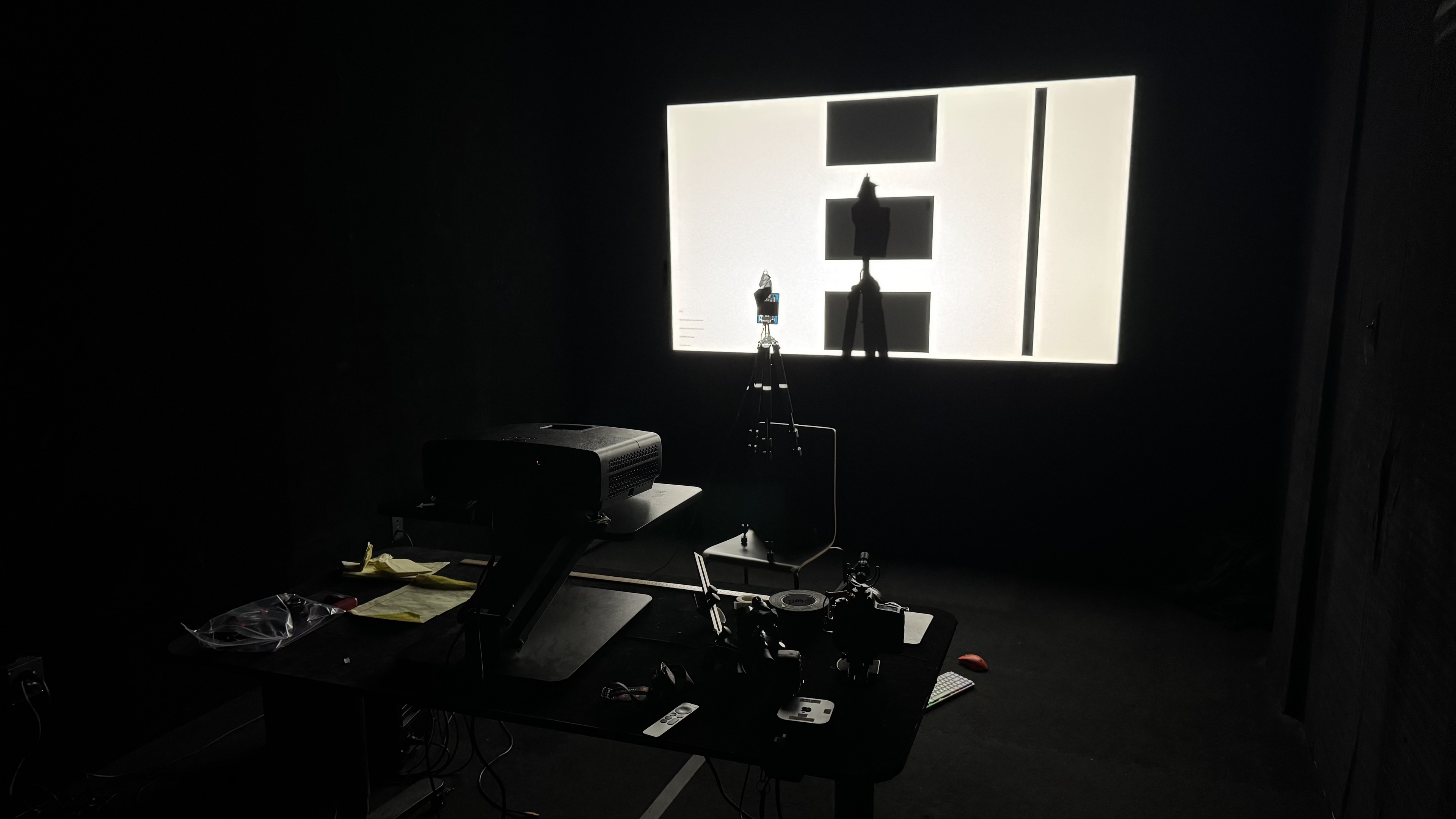
We've independently bought and tested over 100 projectors and published detailed results for each, so you can decide which one to buy. These have all been tested under the same standardized methodology, allowing you to compare them side by side. We still have all these projectors in our lab, so we can continually go back and compare them to ensure our reviews are still accurate. All our test methodologies are also public on our website, so you can validate the results yourself.
Throw Calculator
Global Controls
Test Results
for pictures & test results
for pictures & test results



for pictures & test results