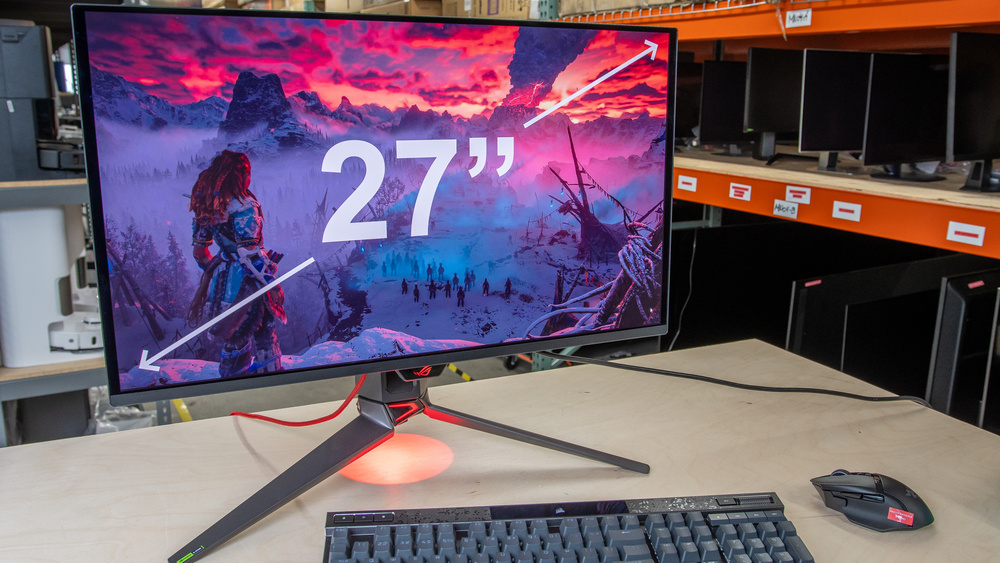
27-inch monitors are among the most popular sizes on the market. They offer more screen space than 24-inch displays without being as overwhelmingly big as 32-inch screens. They come in a wide range of resolutions, including 1440p and 4k. Although 4k displays offer high pixel density with detailed images, 1440p models tend to come in higher refresh rates for a smoother gameplay. Choosing the right combination of resolution and refresh rate depends on your budget and what type of games you play.
When looking for a gaming monitor, there are a few factors to consider. It's important to consider its input lag for a responsive feel, though most have low enough input lag for gaming. A fast response time is also beneficial for gaming, as it results in minimal motion blur behind fast-moving objects. You may want to think about the monitor's picture quality, especially if you game in HDR. A display with deep blacks, vivid colors, and bright highlights delivers good HDR picture quality.
We've bought and tested more than 405 monitors, and below are our recommendations for the best 27-inch gaming monitors available. Also, see our picks for the best gaming monitors and the best 27-inch monitors. If you're looking for other sizes, check out the best monitor sizes for gaming and our monitor size guide.
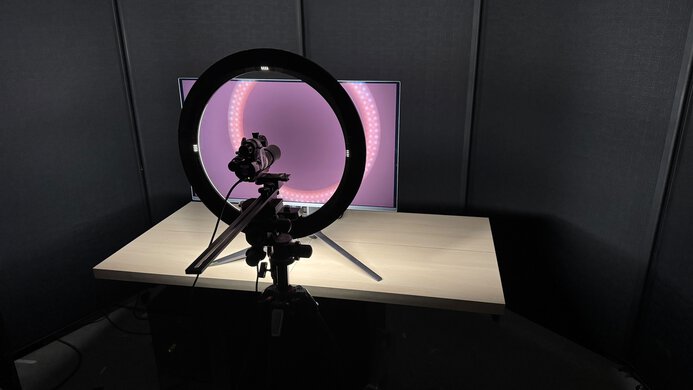
We buy and test more than 30 monitors each year, all of which we purchase ourselves, without cherry-picked units or samples. We put a lot into each unbiased, straight-to-the-point review, and there's a whole process from purchasing to publishing, involving multiple teams and people. We do more than just use the monitor for a week; we use specialized, custom tools to measure various aspects and deliver objective, data-driven results. We also consider multiple factors before making any recommendations, including the monitor's cost, its performance compared to the competition, and whether it's easy to find.
-
Best 27-Inch Gaming Monitor
 PC GamingConsole GamingResponse TimeHDR PictureSDR PictureBrightnessSize27"Panel TypeOLEDSub-TypeQD-OLEDMax Refresh Rate240 HzSee all our test resultsNative Resolution3840 x 2160
The best 27-inch gaming monitor we've tested is the ASUS ROG Swift OLED PG27UCDM. It's a 4k display with fantastic picture quality and gaming performance. It has a high 240Hz refresh rate, making gaming feel responsive. Fast-moving objects look incredibly crisp due to the near-instantaneous response time. The 4k resolution delivers sharp, detailed images thanks to its high pixel density. It also features other useful gaming capabilities, including HDMI and DisplayPort 2.1 bandwidth to take advantage of the latest gaming consoles and graphics cards, as well as support for all common VRR formats to minimize screen tearing.
Thanks to its QD-OLED panel, games look vivid as it displays a wide range of colors. It also has a near-infinite contrast ratio, which helps it display perfect blacks alongside bright highlights in a dark room. That said, blacks look purple in bright rooms. It at least gets bright enough for small highlights to pop, which helps it look fantastic in HDR. That said, you may want to consider the cheaper Dell Alienware AW2725Q if the ASUS is out of your price range. It's another 4k, 240Hz QD-OLED that performs similarly for the most part. However, it doesn't come with DisplayPort 2.1 bandwidth like the ASUS, which is less ideal if you have a premium graphics card.
-
Best Upper Mid-Range 27-Inch Gaming Monitor
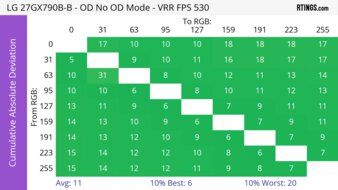
PC GamingConsole GamingResponse TimeHDR PictureSDR PictureBrightnessSize27"Panel TypeOLEDSub-TypeWOLEDMax Refresh Rate720 HzSee all our test resultsNative Resolution2560 x 1440While the ASUS ROG Swift OLED PG27UCDM offers the best picture quality and sharpness, there are still some great high-end OLEDs available for a bit less. One of those is the LG 27GX790B-B. The main trade-off of this monitor is its lower 1440p resolution, so images and text aren't as detailed. However, it offers higher refresh rates with a native 540Hz refresh rate that you can boost to 720Hz with a lower 720p resolution, thanks to its dual mode. This gives it versatility for playing different types of games, and it offers a smooth gaming feel.
It still delivers all the benefits of an OLED, with deep, inky blacks and a near-instantaneous response time for sharp motion. It also gets bright enough for highlights to pop. It uses a different OLED panel type than the ASUS, as its Tandem OLED display gets brighter and is much better at fighting glare. It also maintains low black levels better in bright rooms, so blacks don't look purple. That said, colors aren't as vivid as on the ASUS, and its matte coating results in a hazier image.
-
Best Mid-Range 27-Inch Gaming Monitor
PC GamingConsole GamingResponse TimeHDR PictureSDR PictureBrightnessSize27"Panel TypeOLEDSub-TypeQD-OLEDMax Refresh Rate360 HzSee all our test resultsNative Resolution2560 x 1440If the LG 27GX790B-B is still too expensive for your needs, you can consider some lower-refresh-rate OLEDs at a cheaper cost. If that's what you're interested in, check out the Dell Alienware AW2725DF. Like the LG, it's another 1440p option, but it has a lower 360Hz refresh rate, so gaming feels less smooth, and it doesn't have a dual-mode feature to boost the refresh rate, either. There are differences in picture quality, mainly due to their different panel types, as this one has a QD-OLED panel. It isn't as bright as the LG, and its black levels rise in well-lit rooms, making them look purple, but it at least has more vivid colors.
Besides that, this lower-cost model has some feature trade-offs. For example, it doesn't have HDMI and DisplayPort 2.1 bandwidth like the LG, so it can't take full advantage of the latest graphics cards. On the plus side, it's still a fantastic gaming monitor. Motion looks sharp thanks to its near-instantaneous response time, and it supports all common VRR formats to reduce screen tearing. It also offers a low input lag for a responsive gaming feel.
-
Best Lower Mid-Range 27-Inch Gaming Monitor
PC GamingConsole GamingResponse TimeHDR PictureSDR PictureBrightnessSize27"Panel TypeLCDSub-TypeIPSMax Refresh Rate320 HzSee all our test resultsNative Resolution3840 x 2160There are some good non-OLED options in the lower mid-range price category, like the Acer Nitro XV275K P5biipruzx. It differs from the Dell Alienware AW2725DF in that it doesn't display the same deep blacks with no haloing around bright objects. However, it uses Mini LED backlighting, and when its local dimming feature turns on in HDR, it improves black levels with bright highlights against dark backgrounds. However, there's black crush, resulting in a loss of details in dark scenes, and you can't use its local dimming outside of HDR.
There are advantages to getting this monitor over the Dell, like the fact that it has HDMI 2.1 bandwidth. It features a higher 4k resolution for a more detailed image and is brighter, making it the better choice for gaming in well-lit rooms. While this monitor's native 160Hz refresh rate is lower than the Dell monitor's, its standout feature is its dual mode. This allows you to change the refresh rate to 320Hz for a smoother feel with a lower 1080p resolution, making it more versatile for playing various types of games. However, it doesn't have the same near-instantaneous response time as the Dell, so motion handling is worse, though it's still good enough for fast-paced games.
-
Best Budget 27-Inch Gaming Monitor
PC GamingConsole GamingResponse TimeHDR PictureSDR PictureBrightnessSize27"Panel TypeLCDSub-TypeVAMax Refresh Rate180 HzSee all our test resultsNative Resolution2560 x 1440If you're looking for the best 27-inch gaming monitor on a budget, there are a few good options you can choose from, including the AOC Q27G3XMN. It's a step down from the Acer Nitro XV275K P5biipruzx because it has a lower 1440p resolution, so images aren't as detailed. It also lacks a dual-mode feature to boost its refresh rate past its max of 180Hz. It doesn't have HDMI 2.1 bandwidth to take full advantage of gaming consoles, either. However, this is what you have to expect from an entry-level monitor. It's still good for gaming, thanks to its fast overall response time, but there's black smearing with fast-moving objects in dark scenes.
Luckily, it delivers great HDR picture quality, thanks to its Mini LED backlighting. This helps it display deep, inky blacks, bright highlights that pop, and a wide range of vivid colors. It even has less black crush and haloing than the Acer. You can also check out the similar AOC Q27G40XMN if you want something with more dimming zones and better overall local dimming. However, it has worse motion handling than the other AOC monitor, and it's only available in the US, so it can be harder to find depending on where you live.
-
Best Cheap 27-Inch Gaming Monitor
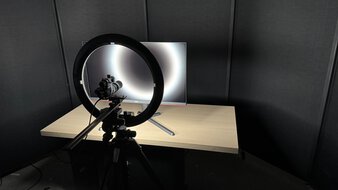
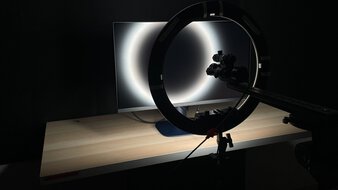
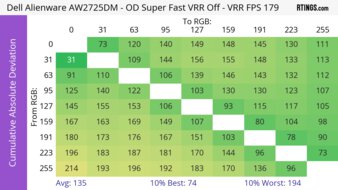
PC GamingConsole GamingResponse TimeHDR PictureSDR PictureBrightnessSize27"Panel TypeLCDSub-TypeIPSMax Refresh Rate180 HzSee all our test resultsNative Resolution2560 x 1440If the AOC Q27G3XMN is beyond your budget, you can consider a less expensive display, such as the Dell Alienware AW2725DM. It has the same 1440p resolution and 27-inch screen, and it costs less. However, its performance is a significant step down from the AOC. It makes deep blacks look gray in a dark room due to its low contrast ratio. It's also dimmer, so highlights don't pop, and it's a worse choice for HDR gaming. Plus, its local dimming feature, which only turns on in HDR, causes haloing around bright objects against dark backgrounds.
That said, it has very good motion handling, as fast-moving objects look fairly crisp at its maximum refresh rate of 180Hz. Plus, it doesn't have any black smearing with fast-moving objects in dark scenes. It even feels responsive thanks to its very low input lag. While its 1440p resolution delivers detailed enough images, the Dell S2725QS is an alternative if you want a more detailed 4k display. It features useful gaming capabilities, including a 120Hz refresh rate and HDMI 2.1 bandwidth, ideal for gaming consoles. However, it has more blur when displaying fast-moving objects.










Notable Mentions
-
LG 27GM950B-B:
The LG 27GM950B-B is a high-end 5k gaming monitor with more detailed images than the ASUS ROG Swift OLED PG27UCDM. The LG also uses Mini LED backlighting, which allows it to reach higher brightness. However, it doesn't have the same deep blacks and outstanding motion handling as the ASUS.
See our review -
ASUS ROG Swift OLED PG27AQWP-W:
The ASUS ROG Swift OLED PG27AQWP-W is an upper mid-range model that has the same 1440p, 540Hz Tandem OLED panel as the LG 27GX790B-B. The main difference is that the ASUS has a glossy coating for clearer images, but it tends to cost more than the LG.
See our review -
HyperX OMEN OLED 27q:
The HyperX OMEN OLED 27q is a 1440p QD-OLED gaming monitor that's cheaper than the Dell Alienware AW2725DF. The main downside is that the HyperX has a lower 240Hz refresh rate. However, it's worth considering if you want to save money with an OLED.
See our review -
MSI MPG 274URDFW E16M:
The MSI MPG 274URDFW E16M is a 4k Mini LED gaming monitor that directly competes with the Acer Nitro XV275K P5biipruzx. While the MSI has better motion handling, it also costs more than the Acer.
See our review -
KOORUI S2721PM:
The KOORUI S2721PM is an entry-level 1440p Mini LED gaming monitor. It's an alternative to the AOC Q27G3XMN if you want something brighter with less black smearing in dark scenes. However, the KOORUI has slightly worse local dimming and a lower native contrast ratio.
See our review -
ASUS ROG Strix XG27ACS:
The ASUS ROG Strix XG27ACS is an entry-level 1440p gaming monitor that competes with the Dell Alienware AW2725DM. It's a slight upgrade in a few areas, with slightly better motion handling. However, the ASUS monitor sometimes costs more.
See our review
Recent Updates
Aug 25, 2026:
In the Notable Mentions, we removed the ASUS ROG Strix OLED XG27ACDNG, which is becoming harder to find, and we added the KOORUI S2721PM.
Jun 29, 2026:
We replaced the KOORUI S2741LM, which is hard to find, with the Acer Nitro XV275K P5biipruzx in the lower mid-range category. In the Notable Mentions, we removed the LG 27GX700A-B, and we added the LG 27GM950B-B, the HyperX OMEN OLED 27q, and the MSI MPG 274URDFW E16M to better reflect the current 27-inch gaming monitor market.
May 05, 2026:
We replaced the Acer Nitro XV275K P5biiprux with the KOORUI S2741LM, which has better motion handling. In the Notable Mentions, we removed the LG 27G850A-B and added the XV275K.
Apr 02, 2026:
We made several changes for consistency with other recommendations and market availability. We replaced the ASUS ROG Strix OLED XG27ACDNG, the LG 27GX700A-B, and the MSI G274QPF-QD with the LG 27GX790B-B, the Dell Alienware AW2725DF, and the Dell Alienware AW2725DM. In the Notable Mentions, we removed the MSI MPG 272URX QD-OLED and the ASUS ROG Strix OLED XG27AQDMG, and we added the ASUS ROG Swift OLED PG27AQWP-W, the ASUS ROG Strix Pulsar XG27AQNGV, the XG27ACDNG, and the LG 27GX700A-B.
Feb 09, 2026:
We added the LG 27GX700A-B as the 'Best Mid-Range 27-Inch Gaming Monitor,' and renamed the Acer Nitro XV275K P5biipruzx to the 'Best Lower Mid-Range 27-Inch Gaming Monitor' to better reflect their market positions. In the Notable Mentions, we replaced the Gigabyte AORUS FO27Q3 and the LG 27GX790A-B with the Dell Alienware AW2725DF and the LG 27G850A-B.
All Reviews
Our recommendations are based on what we think are the best 27-inch gaming monitors currently available in the United States. They're adapted to be valid for most people in each price range. The rating is based on our review, visitor feedback, and price. For example, two monitors may perform the same, but the cheaper one will be recommended. We also consider availability, as we don't recommend a monitor that's hard to find.
If you'd prefer to make your own decision, here's the list of our 27-inch monitor reviews. Be careful not to get too caught up in the details. Most monitors are good enough to please most people, and the things we fault monitors on are often not noticeable unless you really look for them.