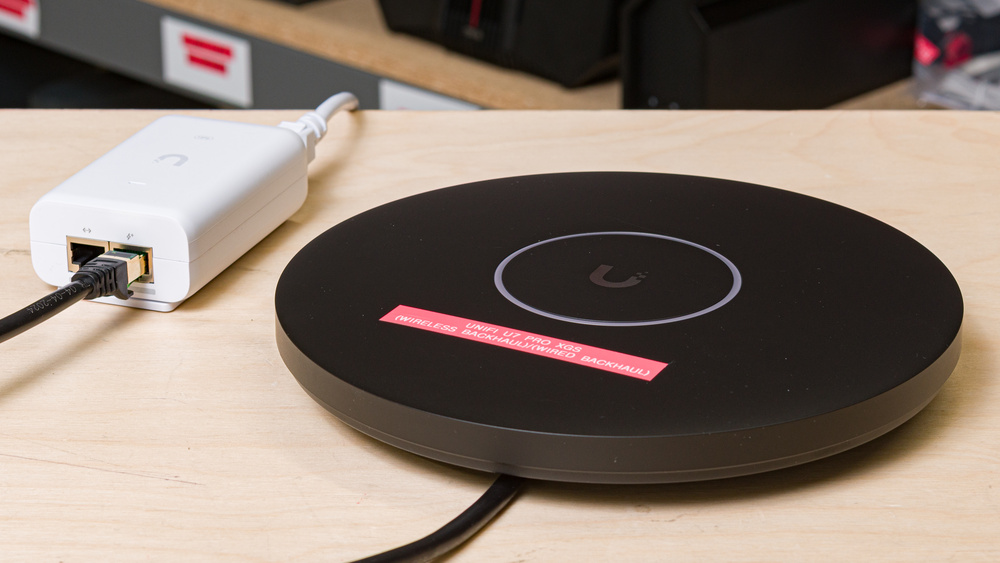
The Ubiquiti UniFi U7 Pro XGS (Wireless Backhaul) is an enterprise-grade, tri-band Wi-Fi 7 access point. Unlike a router, the access point is designed solely to expand your network's coverage and needs to be connected to a router or controller to function. The U7 Pro XGS sports a disc-shaped chassis designed for ceiling or wall mounting with the included hardware, and it utilizes a single 10Gbps PoE++ (Power over Ethernet++) port for both data and power. The access point comes equipped with a spectral scanning radio, which monitors the network environment for interference and adjusts its channels in real time to mitigate congestion. In this review, we tested its performance in a wireless backhaul configuration by connecting it to the UniFi Dream Router 7 (UDR7) and supplying power with a UniFi 10G PoE+++ adapter.
Unlike consumer mesh systems built around wireless backhaul, the XGS is designed first and foremost for wired deployments in a centrally managed setting. We tested this device's wired backhaul performance in a separate review.
Note: Since the UniFi U7 Pro XGS is an access point and not a router, we tested it as a satellite unit connected to a UniFi Dream Router 7 (UDR7), which served as our base unit. This means that our verdict scores and the scores in our range tests are largely determined by the UDR7's performance and should not be used to compare this access point to other routers that we've tested.
Our Verdict
The UniFi U7 Pro XGS delivers great performance when configured with a wireless backhaul and makes for an easier setup in areas without a nearby Ethernet connection. However, there are some caveats to consider: While it can connect wirelessly to your router, you'll still need to run cable to a PoE++ adapter in order to power the device. Since hiding this cable could require drilling holes into your walls or ceiling, a clean installation might not be feasible for everyone. While using a wireless backhaul effectively extends your network's reach, the XGS performs better when connected directly to a switch or router via Ethernet.
Decent range.
Impressive speeds.
Wireless backhaul offers more flexible placement in areas without an RJ45 jack.
Still requires a physical PoE++ connection for power.
More complex setup than a consumer mesh system.
Shorter range compared to using a wired backhaul.
The UniFi U7 Pro XGS yields good performance for multi-level floor plans when used with a wireless backhaul. It delivers impressive top speeds and solid overall coverage, though its range isn't quite as wide-reaching without a wired connection to your router. Note that the access point still requires a PoE++ connection for power regardless of its configuration, so you'll need to account for its cable placement during installation. Its slim design and recessed RJ45 port allow for a clean, flush installation wherever you choose to mount it, making the XGS a sleek and flexible option to extend your Wi-Fi coverage across a large multi-story layout.
Decent range.
Impressive speeds.
Wireless backhaul offers more flexible placement in areas without an RJ45 jack.
Still requires a physical PoE++ connection for power.
More complex setup than a consumer mesh system.
Shorter range compared to using a wired backhaul.
While the U7 Pro XGS's gaming performance is largely dependent on the router it's connected to, it delivers reasonable performance when used in a wireless backhaul configuration with the UniFi Dream Router 7. You won't run into issues while taking video calls or browsing the internet, but relying on a wireless connection to the router introduces more noticeable latency spikes and variable levels of jitter that can impact online gaming. As always, connecting your device directly to the router will provide a more consistent experience for competitive gaming sessions and is the recommended approach.
Impressive speeds.
Tri-band Wi-Fi 7 support.
Unsuitable for competitive gaming over Wi-Fi.
More complex setup than a consumer mesh system.
It's worth noting that our testing device was predominantly connected to the UDR7 rather than the access point itself during our Interior Short Range tests, which factors heavily into the Speed score. Since the access point's 10Gbps Ethernet port is used solely for power with a wireless backhaul, the U7 Pro XGS's speeds are inherently limited by the quality of its wireless connection to your router, as well as the throughput ability of the router itself.
Impressive speeds.
Tri-band Wi-Fi 7 support.
The UniFi U7 Pro XGS maintains good range in a wireless backhaul configuration. Even without a physical connection to your router or controller, the access point effectively strengthens your network's coverage and connectivity in harder-to-reach areas.
Decent range.
Shorter range compared to using a wired backhaul.
When configured with a wireless backhaul, the U7 Pro XGS's latency is acceptable, though performance can vary depending on the band in use. During testing with the UDR7, the 6GHz band maintained relatively stable latency while the 5GHz band showed higher jitter and less consistent response times. This is likely due to the access point's 5GHz band being used for backhaul communication, causing connected devices to compete for bandwidth on the same frequencies. While suitable for everyday browsing, competitive gamers will still want a direct Ethernet connection to the router for the lowest possible latency.
Fair latency for everyday usage.
Unsuitable for competitive gaming over Wi-Fi.
Check Price
Differences Between Sizes And Variants
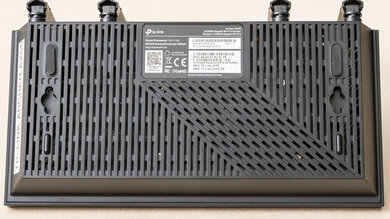
The UniFi U7 Pro XGS doesn't have any variants. Accessories such as a paintable polycarbonate cover, wall-mount arm, and external antennas are available on Ubiquiti's website. See a photo of our unit's label.
Popular Router Comparisons
The UniFi U7 Pro XGS is a tri-band Wi-Fi 7 access point designed to be paired with a standalone router or controller. For this review, we tested it in a wireless backhaul configuration connected to the UniFi Dream Router 7 with a separate PoE+++ adapter to supply power. Although the U7 Pro XGS features a significantly faster 10Gbps port compared to its predecessors, the UniFi U7 Pro and the UniFi U6 Pro, relying on a wireless configuration means its top speeds are limited by the strength of its connection to the router, along with the router itself. While UniFi offers a wireless backhaul option to allow for more flexible placement of their access points, dedicated mesh systems like the TP-Link Deco 7 Pro BE63 or eero 7 are typically more practical choices outside of enterprise settings, thanks to their simpler, plug-and-play setup.
Looking for alternatives? See our recommendations for the best Wi-Fi routers, the best mesh Wi-Fi systems, and the best Wi-Fi routers for large homes.
We've tested the UniFi U7 Pro XGS (Wired Backhaul) and UniFi U7 Pro XGS (Wireless Backhaul) configurations and found that a wired backhaul to your router delivers consistently better speeds, range, and latency performance thanks to its direct link to your network device. While the U7 Pro XGS's wireless backhaul option eliminates the need to run cabling back to your router, it comes at the cost of higher latency overall and still needs a PoE++ injector to function. You can read more about the differences between a wired and wireless access point backhaul in our in-depth investigation.
The TP-Link Deco 7 Pro BE63 and the UniFi U7 Pro XGS (Wireless Backhaul) offer different ways to boost the reach of your Wi-Fi network. The TP-Link is a whole-home mesh router system that connects to your modem to establish a blanket of uniform coverage using satellite nodes. The UniFi is an enterprise-grade access point with no routing capabilities and requires a compatible controller or router to function. You can set up the U7 Pro XGS with a wireless backhaul configuration to create a similar "mesh" effect, but it isn't a plug-and-play process. The UniFi lacks the built-in LAN ports found on TP-Link's mesh nodes, and it uses PoE++ to power its high-speed 10Gbps port.
The UniFi U7 Pro XGS (Wireless Backhaul) and UniFi U7 Pro (Wireless Backhaul) share a near-identical tri-band Wi-Fi 7 design, but the XGS supports higher theoretical speeds over its 10Gbps RJ45 connection. The U7 Pro model caps out at 2.5Gbps PoE+, whereas the XGS model steps up to a 10Gbps PoE++ uplink. While both access points are suitable for extending the reach of a multi-gigabit network, the XGS offers additional headroom to prevent bottlenecks in larger-scale enterprise environments.
The UniFi U7 Pro XGS (Wireless Backhaul) is a direct upgrade over the older UniFi U6 Pro (Wireless Backhaul). The newer XGS model features Wi-Fi 7 capabilities, adds a 6GHz band, and upgrades its RJ45 uplink port to 10Gbps, compared to the U6 Pro's dual-band Wi-Fi 6 hardware and 1Gbps port.
Test Results
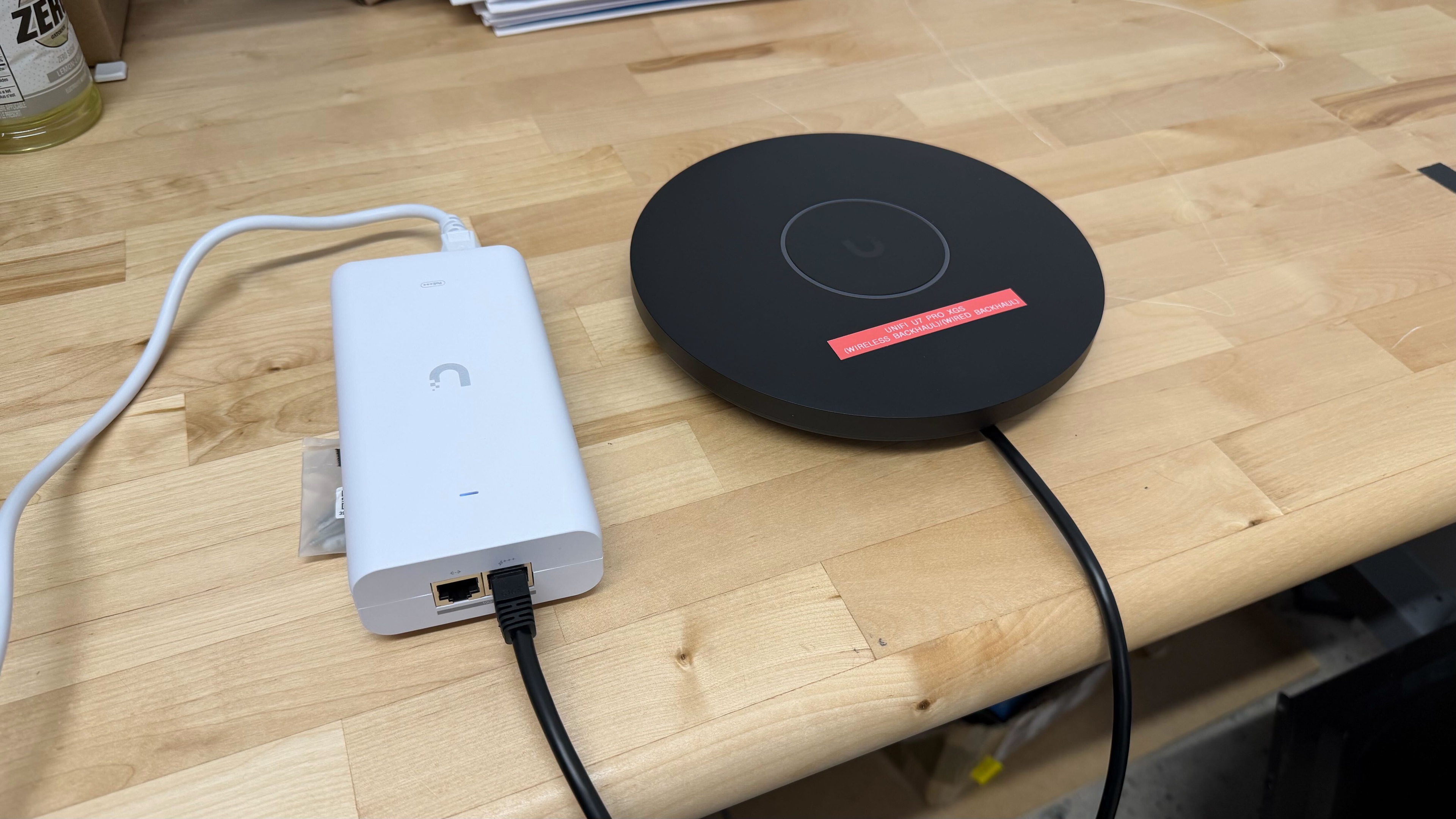
for pictures & test results
The access point is designed to be mounted to a wall or ceiling. As such, it includes the necessary mounting hardware and a recessed space to keep its cable neatly routed and out of sight.
for pictures & test results
This access point has a single 10Gbps PoE++ port that serves both networking and power.
In testing, we connected it to the UniFi Dream Router 7 with a Cat7 Ethernet cable and used a UniFi 10G PoE++ adapter to supply power.
for pictures & test results
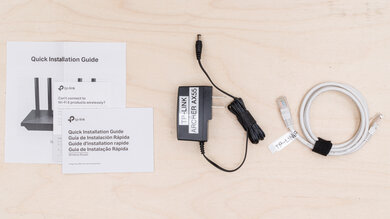
- Wall/ceiling mount guide with a level
- User documentation
- Wall/ceiling mount metal plate (AP side)
- Wall/ceiling mount metal plate (wall side)
- 4x mounting bolts with lock nuts (Philips head)
- 2x mounting brackets
- 4x drywall mounting screws and anchors
- Allen key and pry tool
- 4x shorter mounting bolts (Philips/flat head)

for pictures & test results
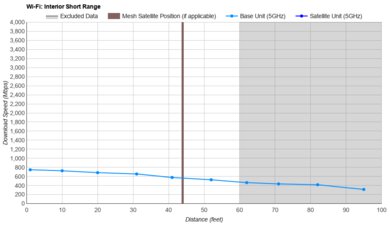
We tested this access point in a wireless backhaul configuration connected to the UniFi Dream Router 7 (UDR7). The 'Base Unit (5GHz)' results reflect performance when connected to the UDR7, while the 'Satellite Unit (5GHz)' data reflects performance when connected to the UniFi U7 Pro XGS.
Since all network traffic is routed wirelessly in this backhaul configuration, the access point's 10Gbps port is used solely for PoE++ power delivery. As a result, the U7 Pro XGS's peak speeds are limited by the quality of its wireless connection to the router rather than the bandwidth limit of its port.
for pictures & test results
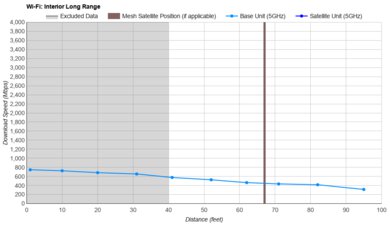
While its 10Gbps port allows for higher theoretical speeds than the UniFi U7 Pro when paired with compatible hardware, minor variations in our testing environment can cause small differences in scoring between the access points.
for pictures & test results
When configured with a wireless backhaul, the U7 Pro XGS's latency is acceptable, but its performance can fluctuate depending on which band you're connected to. When connected to the UniFi Dream Router 7, we noticed the 6GHz band's latency remains relatively stable across the board, while the 5GHz band exhibits less consistent response times and a higher level of jitter.
We believe this occurs because the access point uses the 5GHz band for backhaul communication with the router. Consequently, any devices trying to use that same band have to compete for bandwidth.
For more reliable performance and lower latency across bands, a wired backhaul is the recommended configuration. If you'd like to learn more about the differences between backhaul options, check out our guide.
The UniFi U7 Pro XGS features a dedicated spectral scanning radio. This is a separate receiver that analyzes the access point's wireless environment in real time, enabling it to detect interference and adjust its RF settings accordingly for optimal performance.
for pictures & test results
This access point uses alternating Multi-Link Operation (MLO), which is a limited implementation of the technology that establishes a connection with clients on one band at a time. For more information, check out our article on the topic.