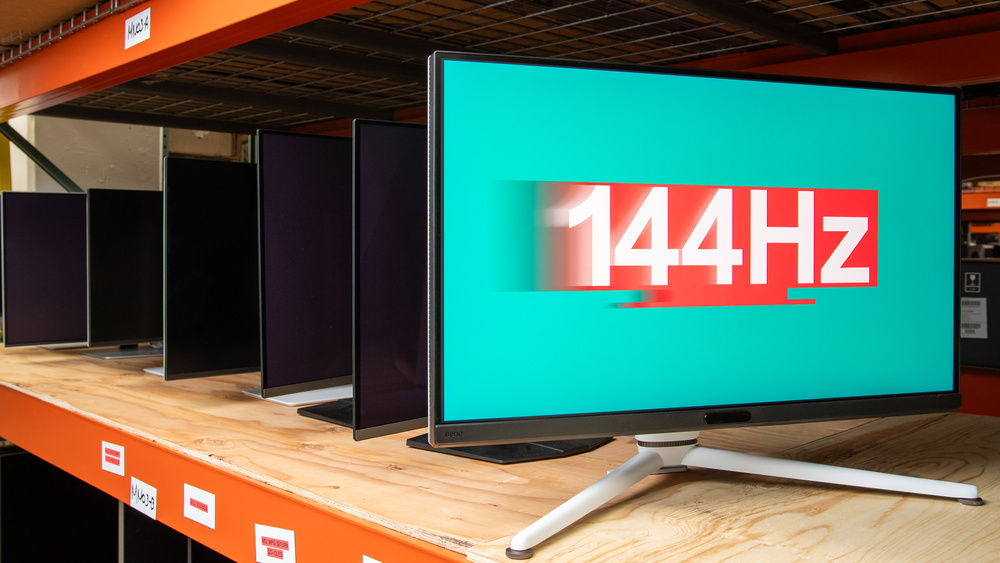
There are benefits to gaming at 144Hz, even if gaming monitors are coming out with higher refresh rates. For example, it isn't too demanding on a graphics card. However, the market for monitors with a native refresh rate of exactly 144Hz is limited, and there are many models with higher native refresh rates than 144Hz. These include dual-mode monitors that boost the refresh rate even further with a lower resolution. The recommended monitors below reflect that and have native refresh rates as high as 180Hz, and you can easily use them at 144Hz instead.
There are a few factors to consider when looking for a gaming monitor. A fast response time is important for sharp motion so that there isn't much blur behind fast-moving objects. Getting a monitor with low input lag also makes gaming feel responsive, but most monitors have low input lag anyway. If you care about detailed images, you should also consider a monitor's resolution, like 1440p or 4k. Higher-end monitors have a 4k resolution, and most entry-level and budget-friendly 144Hz monitors have a 1440p resolution instead.
We've bought and tested over 400 monitors, and below are our picks for the best monitors with native refresh rates from 144Hz to 180Hz. See our recommendations for the best 1440p 144Hz monitors, the best 4k 144Hz monitors, and, if you want a higher refresh rate, the best 240Hz monitors.
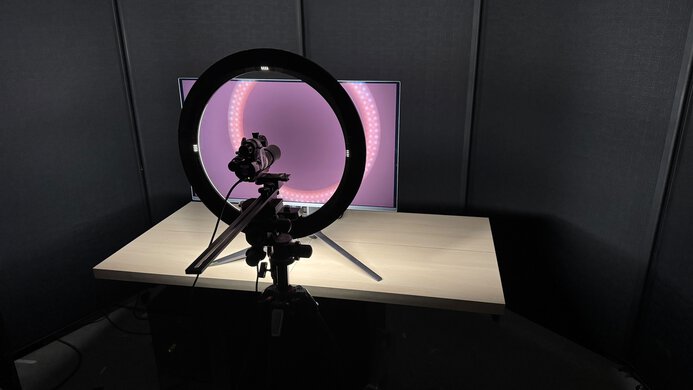
We buy and test more than 30 monitors each year, all of which we purchase ourselves, without cherry-picked units or samples. We put a lot into each unbiased, straight-to-the-point review, and there's a whole process from purchasing to publishing, involving multiple teams and people. We do more than just use the monitor for a week; we use specialized, custom tools to measure various aspects and deliver objective, data-driven results. We also consider multiple factors before making any recommendations, including the monitor's cost, its performance compared to the competition, and whether it's easy to find.
-
Best 144Hz Monitor
 PC GamingResponse TimeHDR PictureSDR PictureBrightnessSize32"Panel TypeOLEDSub-TypeWOLEDNative Refresh RateHzMax Refresh Rate330 HzSee all our test resultsNative Resolution3840 x 2160
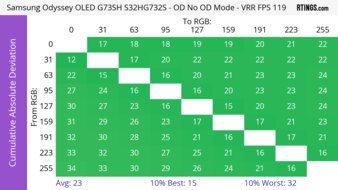
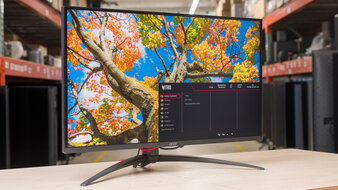
The best 144Hz monitor that we've tested is the Samsung Odyssey OLED G73SH S32HG732S. It's a versatile 4k monitor that's great for any type of gamer. It has a native 165Hz refresh rate with its 4k resolution, and it performs very well at 144Hz, too. It's an OLED with a remarkably quick response time at any refresh rate, resulting in almost no motion blur, and it has low input lag for a responsive feel. It even has a dual-mode feature to boost it to 330Hz with a lower 1080p resolution, giving you versatility if you want to game at higher refresh rates. It also has HDMI 2.1 bandwidth to take advantage of HDMI 2.1 graphics cards.
Besides its great gaming performance, it also delivers incredible picture quality. It uses a WOLED panel that displays deep, inky blacks in dark rooms without any haloing around bright objects against dark backgrounds. Combined with its bright highlights that pop, it makes for an impactful HDR viewing experience. There are downsides, though, as its colors aren't the most vivid. It also uses a glossy coating that makes images look clear, but it has noticeable reflections in bright rooms instead. As it doesn't get very bright either, it's best to use it in a dark or dim room.
-
Best Mid-Range 144Hz Monitor
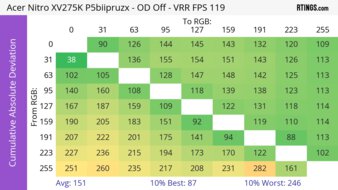
PC GamingResponse TimeHDR PictureSDR PictureBrightnessSize27"Panel TypeLCDSub-TypeIPSNative Refresh RateHzMax Refresh Rate320 HzSee all our test resultsNative Resolution3840 x 2160If the Samsung Odyssey OLED G73SH S32HG732S is out of your price range and you want to save some money when looking for a 144Hz monitor, then look into the Acer Nitro XV275K P5biipruzx. It's a 27-inch monitor, another 4k option with many similarities in gaming. It has a similar 160Hz refresh rate with a dual-mode feature to increase it to 320Hz with a 1080p resolution. That said, it has worse motion handling, like at 144Hz, as there's more blur with fast-moving objects. It at least has the same HDMI 2.1 bandwidth and low input lag as the Samsung.
The biggest downside of getting this over the Samsung is its worse picture quality. Instead of an OLED panel, it uses Mini LED backlighting, which doesn't deliver the same deep blacks and can show haloing around bright objects against dark backgrounds. It at least has a local dimming feature that improves picture quality by deepening blacks, at the cost of detail in dark scenes. That said, you can only use this feature in HDR, so it has worse picture quality with blacks that look gray outside of HDR, which is a downside of getting this cheaper option. A plus is that this monitor gets brighter than the Samsung, making it the better choice for a well-lit room.
-
Best Budget 144Hz Monitor
PC GamingResponse TimeHDR PictureSDR PictureBrightnessSize27"Panel TypeLCDSub-TypeVANative Refresh RateHzMax Refresh Rate180 HzSee all our test resultsNative Resolution2560 x 1440If you're looking for the best budget 144Hz monitor, the AOC Q27G3XMN is a great lower-cost alternative to the Acer Nitro XV275K P5biipruzx. The main difference with the Acer is that it has a lower 1440p resolution, which means it doesn't display as detailed images. While it has an even faster overall response time than the Acer, there's black smearing with fast-moving objects in dark scenes. It also lacks HDMI 2.1 bandwidth to take advantage of the latest graphics cards, but you can still get a 144Hz signal over HDMI regardless.
Like the Acer, it utilizes Mini LED backlighting, which makes highlights pop in HDR. It also displays deeper blacks with minimal haloing, contributing to its excellent picture quality. Plus, it gets bright enough to overcome glare in most environments. You can use its local dimming as you wish, in and out of HDR, so it delivers better picture quality than the Acer across any signal format. If you're looking for a monitor with better local dimming and higher brightness, check out the similar AOC Q27G40XMN. However, it's only available in the US and has worse motion handling.
-
Best Cheap 144Hz Monitor
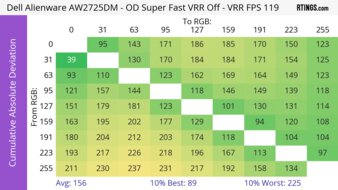
PC GamingResponse TimeHDR PictureSDR PictureBrightnessSize27"Panel TypeLCDSub-TypeIPSNative Refresh RateHzMax Refresh Rate180 HzSee all our test resultsNative Resolution2560 x 1440If you find the AOC Q27G3XMN too expensive, and you're looking for something cheaper and more basic, check out the Dell Alienware AW2725DM. It has the same 1440p resolution as the AOC Q27G3XMN, with similar brightness outside of HDR, so it fights glare in most environments. Additionally, while it has a bit more blur with fast-moving objects than the AOC, it doesn't exhibit the black smearing in dark scenes that the other monitor does. Although it has a 180Hz native refresh rate, it also performs well at 144Hz.
However, the biggest difference between the two monitors is HDR performance. The Dell has a terrible local dimming feature that only works in HDR and introduces haloing around bright objects. Deep blacks appear gray, and it doesn't get bright enough for highlights to pop. Additionally, it has less vivid colors in HDR, so it doesn't deliver an impactful HDR gaming experience. It's still fine for gaming outside of HDR, though, as it has accurate colors. Plus, its wide viewing angle helps keep the image consistent from the sides if you want to share your screen for co-op gaming.








Notable Mentions
-
LG 27GM950B-B:
The LG 27GM950B-B is a high-end 5k gaming monitor with a native 165Hz refresh rate. It gets brighter than the Samsung Odyssey OLED G73SH S32HG732S, so it's the better choice for gaming in well-lit rooms. However, it has worse motion handling and more haloing around bright objects in dark scenes.
See our review -
HyperX OMEN OLED 27q:
The HyperX OMEN OLED 27q is a QD-OLED with a 240Hz refresh rate that's in the same price range as the Acer Nitro XV275K P5biipruzx. It's worth considering if you don't mind a higher refresh rate, as it offers better motion handling. However, it isn't as bright as the Acer.
See our review -
Dell Alienware AW3225DM:
The Dell Alienware AW3225DM is a larger alternative to the AOC Q27G3XMN. It has the same 1440p resolution and, like the AOC, delivers great contrast with local dimming off. However, it has far worse HDR performance, and fast-moving objects look a bit blurrier.
See our review -
ASUS ROG Strix XG27ACS:
The ASUS ROG Strix XG27ACS is an entry-level 27-inch, 1440p gaming monitor that competes with the Dell Alienware AW2725DM. The ASUS has some advantages, such as better motion handling with VRR. However, it can be harder to find at times.
See our review
Recent Updates
Aug 11, 2026:
We replaced the KOORUI S2741LM, which is hard to find, with the Samsung Odyssey OLED G73SH S32HG732S. In the Notable Mentions, we removed the MSI MPG 274URDFW E16M, and we added the LG 27GM950B-B.
May 19, 2026:
We replaced the hard-to-find Dell Alienware AW3423DWF with the newer KOORUI S2741LM. In the Notable Mentions, we removed the Dell Alienware AW3425DW and the MSI G274QPF-QD, and we added the HyperX OMEN OLED 27q and the MSI MPG 274URDFW E16M.
Feb 23, 2026:
We replaced the hard-to-find BenQ MOBIUZ EX321UX with the Dell Alienware AW3423DWF. We also replaced the MSI G274QPF-QD with the Dell Alienware AW2725DM for consistency with other recommendations. In the Notable Mentions, we removed the Dell Alienware AW3425DWM and added the Dell Alienware AW3425DW and the G274QPF-QD.
Dec 08, 2025:
We replaced the Sony INZONE M9 II with the Acer Nitro XV275K P5biipruzx; we renamed it as the 'Best Mid-Range 144Hz Monitor' because the Acer is cheaper, and for consistency with other recommendations. We also removed the Acer Nitro XV275K P3biipruzx from Notable Mentions.
Aug 14, 2025:
We replaced the Dell Alienware AW3423DWF with the BenQ MOBIUZ EX321UX, as the BenQ gets much brighter and has a sharper screen. We also replaced the Acer Nitro XV275K P3biipruzx with the Sony INZONE M9 II, as the Acer is hard to find right now. Additionally, we added the MSI G274QPF-QD as 'Best Cheap'. Finally, we added the Dell Alienware AW3225DM and the Acer Nitro XV275K P3biipruzx to the Notable Mentions.
All Reviews
Our recommendations are based on what we think are the best 144Hz monitors, including those with slightly higher refresh rates, and are currently available in the United States. They're adapted to be valid for most people in each price range. The rating is based on our review, visitor feedback, and price. For example, two monitors may perform the same, but the cheaper one will be recommended. We also consider availability, as we don't recommend a monitor that's hard to find.
If you would prefer to make your own decision, here's the list of all of our monitors with a minimum native refresh rate of 144Hz and a maximum of 180Hz. Be careful not to get too caught up in the details. Most monitors are good enough to please most people, and the things we fault monitors on are often not noticeable unless you really look for them.