
Ultrabook is a term coined and trademarked by Intel in the early 2010s, referring to high-end Intel-based laptops that met specific criteria for build quality, performance, and battery life. While most of these aspects still hold true today, the term 'Ultrabook' is no longer confined only to models with an Intel chip. Instead, most people simply use the term to refer to any premium thin-and-light laptop, regardless of the chip inside or the operating system. Since ultrabooks are primarily premium models, this article will focus on the best of the best in the world of thin-and-light laptops. We make our picks based on build quality, performance, battery life, and the overall user experience.
We've tested over 185 laptops, and below, you'll find our recommendations for the best ultrabooks. For more recommendations, check out our picks for the best lightweight laptops, the best travel laptops, and the best business laptops.
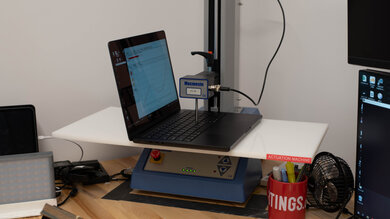
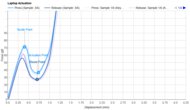
Since 2021, we've tested dozens of laptops every year. We buy our laptops to avoid bias and, following a rigorous methodology, test nearly every part of the laptop so we can deliver results you can rely on. We use a wide range of equipment to perform our tests, including a colorimeter, a Mecmesin MultiTest-i System Test Stand, and various performance benchmarking suites.
Want to know more? Check out our How We Test Laptops article, where we give you a broader overview of our review process, from the moment we purchase the product to the final review.
-
Best Ultrabook
 GamingSchool & WorkMedia ConsumptionHeavy WorkloadBatteryBuild QualityGraphics PerformanceProcessing PerformanceForm Factor:2-in-1Screen Size:16"Operating System:Windows 11Touch Screen:YesRefresh Rate:120 HzSee all our test resultsTested RAM Capacity:32 GB
The best ultrabook we've tested is the LG gram Pro 2-in-1 16 (2026). This premium Windows convertible gives you a spacious 16-inch display without the bulk you'd usually associate with a large laptop. Its sharp 120Hz OLED touchscreen provides plenty of room for multitasking and looks fantastic when watching movies, with deep blacks and vibrant colors. You can also fold the screen back for tent or tablet use, and it supports pen input for drawing and handwritten notes. Just bear in mind that a 16-inch device is awkward to hold as a tablet for long periods, but the option is there.
Its Intel Core Ultra 7 processor handles everyday work and more demanding tasks like photo editing and occasional video projects well. You also get an excellent touchpad, a good webcam, and a useful port selection, including Thunderbolt 4. There are a few compromises, though: the shallow keyboard can become tiring to type on, and the laptop gets hot and loses performance during prolonged, demanding workloads. Battery life is sufficient for a typical workday of light use, but some smaller models below last considerably longer. Still, if you want a big ultrabook that you can fold into a tent when watching movies, this is it.
-
Best Upper Mid-Range Ultrabook
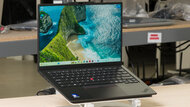
GamingSchool & WorkMedia ConsumptionHeavy WorkloadBatteryBuild QualityGraphics PerformanceProcessing PerformanceForm Factor:Traditional (Clamshell)Screen Size:14"Operating System:Windows 11Touch Screen:YesRefresh Rate:60 HzSee all our test resultsTested RAM Capacity:32 GBOur upper mid-range pick is the Lenovo ThinkPad X1 Carbon Gen 14 Aura Edition (2026). It's one of the best thin laptops for frequent travel and a better fit than the LG gram Pro 2-in-1 16 (2026) above if you prioritize portability over a large screen and convertible design. This compact 14-inch Windows laptop feels very well built and has a comfortable keyboard, a responsive touchpad, and an outstanding webcam and microphone for video calls. Its wide port selection includes USB-A, three Thunderbolt 4 ports, and HDMI, so you can connect most accessories without carrying adapters.
Our configuration with a Core Ultra 7 355 processor and an FHD+ IPS touchscreen lasted nearly 18 hours of web browsing, although it lasted just a fraction of that when watching videos. The screen is limited to 60Hz, though; a sharper, higher-resolution 120Hz OLED is available, but our battery results don't apply to that configuration. The tested processor comfortably handles everyday productivity, while the optional 16-core processors provide more headroom for demanding work. You can also get up to 64GB of RAM and optional cellular connectivity. Choose enough memory upfront, as it isn't upgradeable. Like most ultrabooks, this laptop is less suited to sustained, intensive workloads than a dedicated workstation, but it works great in bursts.
-
Best Mid-Range Ultrabook
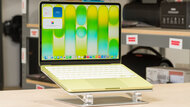
GamingSchool & WorkMedia ConsumptionHeavy WorkloadBatteryBuild QualityGraphics PerformanceProcessing PerformanceForm Factor:Traditional (Clamshell)Screen Size:13.6"Operating System:macOSTouch Screen:NoRefresh Rate:60 HzSee all our test resultsTested RAM Capacity:16 GBThe best mid-range ultrabook we've tested is the Apple MacBook Air 13 (M5, 2026). This compact 13.6-inch model combines a sturdy aluminum build with a polished user experience, making it a great choice if your work doesn't require Windows. You get a sharp, bright display, a comfortable keyboard, a large haptic touchpad, and an excellent 1080p webcam. Its M5 chip easily handles everyday multitasking, programming, photo editing, and light video production. The fanless design keeps it completely silent, although performance decreases during long, demanding tasks, like with most ultrabooks.
Battery life is excellent at over 13 hours of web browsing, so you can get through a typical workday without plugging in. This generation also starts with a faster 512GB SSD and adds Wi-Fi 7 connectivity. The main compromises are the 60Hz display, lack of touch input, and limited ports: you get two USB-C/Thunderbolt 4 ports, MagSafe charging, and a headphone jack. Unlike the Lenovo ThinkPad X1 Carbon Gen 14 Aura Edition (2026) above, it doesn't offer USB-A or HDMI. Memory tops out at 32GB and isn't upgradeable, so consider your longer-term needs when choosing a configuration.
-
Best Budget Ultrabook
GamingSchool & WorkMedia ConsumptionHeavy WorkloadBatteryBuild QualityGraphics PerformanceProcessing PerformanceForm Factor:Traditional (Clamshell)Screen Size:13"Operating System:Windows 11Touch Screen:YesRefresh Rate:120 HzSee all our test resultsTested RAM Capacity:8 GBThe best budget ultrabook we've tested is the Dell XPS 13 (2026), specifically a configuration with 16GB of RAM. Despite its lower price, it retains the premium construction and portability that make an ultrabook appealing. Its thin aluminum chassis feels sturdy, and the sharp 2.5k IPS touchscreen supports a refresh rate of up to 120Hz, making scrolling look smoother than on the Apple MacBook Air 13 (M5, 2026) above. The keyboard is comfortable and backlit, and battery life is excellent: our test unit lasted around 15 hours of web browsing.
The savings come with some compromises. Its Intel Core 5 processor is best suited to browsing, documents, spreadsheets, and other everyday tasks. We recommend 16GB of memory over the cheaper 8GB configurations for multitasking, especially since the RAM isn't upgradeable; 8GB is really tight in Windows, as the machine bogs down quickly. The mechanical touchpad has a small usable area, and the webcam and microphone are fairly basic. Connectivity is also restrictive, with only two USB-C ports and no headphone jack, USB-A, or HDMI. You'll likely need an adapter or dock if you regularly connect wired accessories or external displays.
-
Best Cheap Ultrabook
GamingSchool & WorkMedia ConsumptionHeavy WorkloadBatteryBuild QualityGraphics PerformanceProcessing PerformanceForm Factor:Traditional (Clamshell)Screen Size:13"Operating System:macOSTouch Screen:NoRefresh Rate:60 HzSee all our test resultsTested RAM Capacity:8 GBIf you want to spend as little as possible while retaining a premium feel, consider the Apple MacBook Neo (A18 Pro, 2026). This affordable MacBook has a remarkably sturdy aluminum build, a compact design, and enough battery life for a full day of light work. Its sharp, bright display, tactile keyboard, responsive touchpad, and excellent 1080p webcam make it pleasant to use for browsing, writing, video calls, and watching content. Like the Apple MacBook Air 13 (M5, 2026) above, it's fanless, so it stays silent.
The main trade-off is performance. Its iPhone-derived A18 Pro chip can handle routine productivity and some basic photo editing, but it has much less headroom for demanding work. You're also limited to 8GB of non-upgradeable RAM, making the 16GB Dell XPS 13 (2026) a better choice for heavier multitasking and demanding programs, although 8GB on a Mac is very usable. Other compromises include a 60Hz display, a keyboard without backlighting, and limited connectivity with two USB-C ports. Storage options are 256GB and 512GB; the latter also adds a Touch ID fingerprint reader.






Notable Mentions
-
Microsoft Surface Laptop 8th Edition (2026):
The Microsoft Surface Laptop 8th Edition (2026) is a Windows alternative to the Apple MacBook Air 13 (M5, 2026), with a 120Hz touchscreen and a haptic touchpad. It's available in 13.8- and 15-inch sizes. However, its Snapdragon processors mean you should check compatibility with your applications and peripherals before buying.
See our review -
Lenovo ThinkPad X9 Aura Edition (2025):
The Lenovo ThinkPad X9 Aura Edition (2025) is a larger-screen alternative to the Lenovo ThinkPad X1 Carbon Gen 14 Aura Edition (2026). Our 15-inch unit has a sharp 120Hz OLED display, an excellent keyboard and haptic touchpad, and long battery life. However, it's less compact, and doesn't have the high-end CPU and RAM options of the Carbon.
See our review -
Dell XPS 14 (2026):
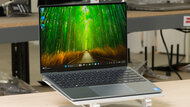
The Dell XPS 14 (2026) is an alternative to the Lenovo ThinkPad X1 Carbon Gen 14 Aura Edition (2026) if you want a 120Hz display without upgrading to OLED, although it also offers a 2.8k OLED touchscreen. However, it lacks the ThinkPad's USB-A and HDMI ports, and the unit we tested has a shorter browsing battery life.
See our review
All Reviews
Our recommendations above are what we think are currently the best ultrabooks you can get. In addition to the test results, we factor in the price, feedback from our visitors, and availability.
If you prefer to make your own decision, here's the list of our laptop reviews. Most laptops are available in various configurations, and the table only shows the results of the model we tested, so it's best to see the full review for information about other variants.