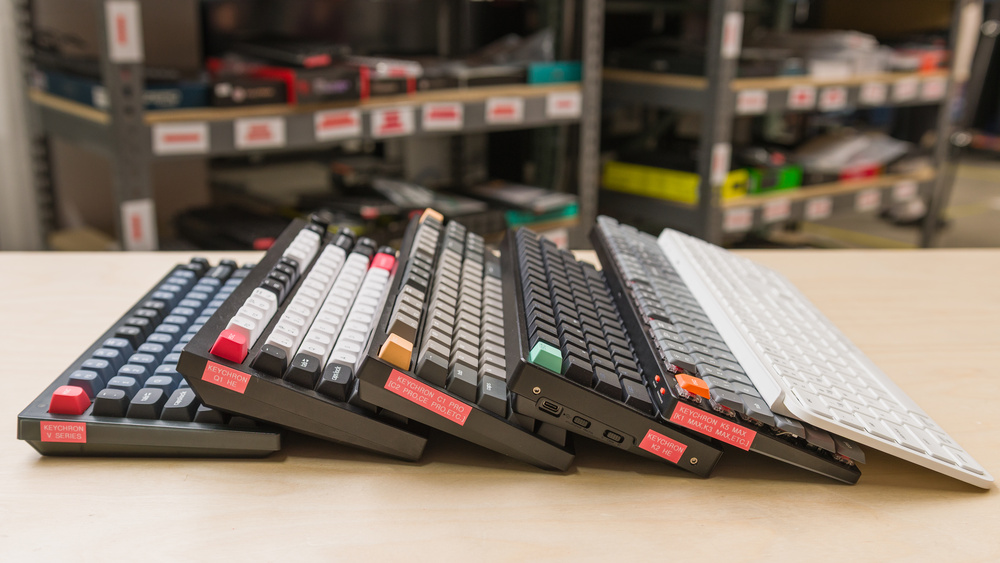
The best Keychron keyboard for you depends on your budget, typing preferences, and how you plan to use it. You don't need a premium model with an aluminum case to get good typing quality or extensive customization, but spending more can get you sturdier construction and a more refined feel. For competitive gaming, consider models with low latency and adjustable magnetic switches; for everyday work, switch feel, noise, and connectivity may matter more. Keychron offers many layouts, so consider whether you need a numpad, dedicated arrow keys, or a function row before choosing a smaller keyboard.
We've tested over 300 keyboards, including over 35 Keychron models. Below are our picks for the best Keychron keyboards.
Updates
- 06/16/2026Keychron Q6 [Q1, Q3, Q16, etc.] HE 8K reviewed
- 06/05/2026Keychron J2 [J4, J5, etc.] reviewed
- 04/24/2026Keychron V3 [V1, V5, V6, etc.] Ultra 8K reviewed
- 04/16/2026Keychron Q6 [Q1, Q3, etc.] Ultra 8K reviewed
- 11/24/2025Keychron B33/B36 reviewed
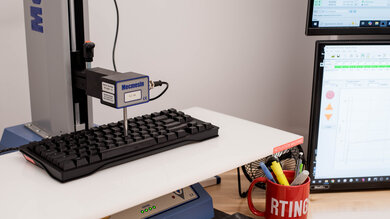
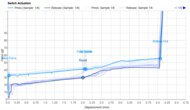
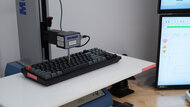
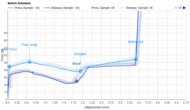
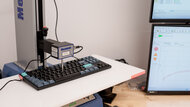
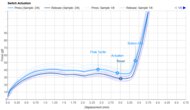
We test dozens of keyboards each year, and to maintain independence, we buy every unit ourselves. Our reviews go beyond subjective typing impressions or quick gaming sessions. Each keyboard is put through the same standardized test bench, so you can directly compare our results. We use specialized tools like a Mecmesin force tester to measure switch force curves and a Beagle 480 USB analyzer to capture input data for latency testing. Multiple teams contribute to each review in a process that can take days or even weeks from start to finish.
-
Best Keychron Keyboard
 GamingOfficeMobile/TabletProgrammingEntertainment / HTPCRaw PerformanceSize:Full-size (100%)See all our test resultsConnectivity:Wireless
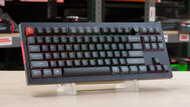
The Keychron Q6 Ultra 8K is the best Keychron keyboard we've tested. We recommend it if you want a premium mechanical keyboard and value excellent build quality, refined typing quality, and optional hardware customization. It has a solid aluminum case, durable PBT keycaps, and a double gasket-mounted design that lends a softer, almost springy typing experience. We've singled out the Q6 for its conventional full-size layout, but the wider Q Ultra 8K series includes other sizes that share the same build quality and feature set, so you may want to consider a compact model to save desk space if you don't need a numpad. One downside is that these keyboards are quite heavy, so they're best used in a static desktop setup. They also have a fairly tall profile, so they're most comfortable to type on with a wrist rest, though one isn't included.
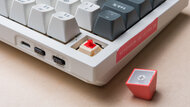
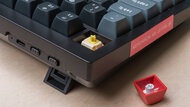
You can connect these boards using the included cable, Bluetooth, or a 2.4GHz USB receiver. Bluetooth supports multi-device pairing and provides longer battery life, while wired and receiver connections deliver exceptionally low latency for competitive gaming. Keychron rates battery life at up to 660 hours, depending on your connection and backlighting settings. Typing quality is excellent out of the box, but these keyboards also offer extensive hardware customization. Hot-swappable switches let you change the typing feel without soldering, and you can replace the keycaps or modify internal components like the plate and case foam if you like. There's even a toolkit included that you can use to completely disassemble your board if you want to experiment with modifications.
-
Best Budget Keychron Keyboard
GamingOfficeMobile/TabletProgrammingEntertainment / HTPCRaw PerformanceSize:TenKeyLess (80%)See all our test resultsConnectivity:WirelessIf you want a less expensive alternative to our top pick, we recommend the Keychron V3 Ultra 8K. Its main trade-off is its lighter plastic case, which feels less premium than the Keychron Q6 Ultra 8K's solid aluminum case. Otherwise, it still has durable PBT keycaps, well-tuned stabilizers, and a gasket-mounted design that gives typing a soft, slightly springy feel, though it isn't quite as soft as our top pick. Hot-swappable switches let you change the typing feel without soldering, and an included toolkit helps if you want to experiment with hardware modifications.
The model we tested has an 80% layout with a function row and dedicated arrow keys, but no numpad. However, it's part of the wider V Ultra 8K series, which offers other sizes with the same build quality and feature set, including the full-size V6 Ultra 8K if you need a numpad. Like our top pick, this keyboard supports wired, Bluetooth, and 2.4GHz receiver connections, with exceptionally low latency over a cable or receiver for competitive gaming and the same advertised maximum 660 hours of battery life.
-
Best Cheap Keychron Keyboard
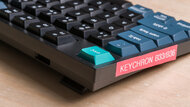
GamingOfficeMobile/TabletProgrammingEntertainment / HTPCRaw PerformanceSize:TenKeyLess (80%)See all our test resultsConnectivity:WirelessFor an even cheaper option, we recommend the Keychron B33/B36 keyboards. The B36 is a full-size model with a numpad, while the B33 is an 80% model without one. Their deep scissor switches have a softer, less distinct typing feel than the mechanical keyboards above, which some people may find mushy. However, they're comfortable and extremely quiet, making them a great option if you're concerned about noise.
The main trade-offs are build quality and hardware customization. Their plastic cases feel less sturdy than the more expensive options and have some deck flex. Their switches aren't hot-swappable, so you can't easily change the typing feel later. Advertised battery life is also shorter than the models above, at up to 320 hours between charges.
In the same price range, consider the Keychron B6 Pro or the Keychron B1 Pro if you prefer thinner keys and a familiar laptop-style typing experience. The B6 Pro has a full-size layout, while the B1 Pro is a compact 75% model without a numpad. Both are slimmer and easier to carry, but they're louder to type on and have cheaper-feeling plastic cases with more flex.
-
Best Gaming Keychron Keyboard
GamingOfficeMobile/TabletProgrammingEntertainment / HTPCRaw PerformanceSize:Compact (75%)See all our test resultsConnectivity:WirelessThe Lemokey P1 HE is our pick for the best Keychron keyboard for gaming. Lemokey is Keychron's gaming-focused sub-brand, and this keyboard delivers latency performance well-suited for competitive play, whether used wired or with its wireless receiver. It also has a premium aluminum case and excellent typing quality, like our top pick, the Keychron Q6 Ultra 8K.
However, this keyboard stands apart for using magnetic switches, which let you adjust how far each key travels before registering an input. You can set shorter actuation distances so inputs register with less key travel, though very sensitive settings can make accidental inputs more likely. It also supports Rapid Trigger, which lets a key reset after a small upward movement rather than requiring it to reach a fixed reset point. This helps with quick, repeated inputs and directional changes, making it especially useful for FPS players who rely on precise strafing.
Connectivity is also flexible. In addition to a wired or a 2.4GHz dongle connection for the best competitive latency performance, it has Bluetooth support for up to three paired devices. The downsides are that there aren't any larger variants if you prefer a gaming keyboard with a numpad. It's also rated for up to 100 hours of battery life, even with backlighting off, which means you'll need to recharge it more often than with other options on this list. This is typical of gaming keyboards, especially those with Hall effect sensors for each key, as they draw more power than conventional mechanical switches.



Compared To Other Brands
-
Highly customizable keyboards.
Within many series, models offer similar features and performance, with size and layout being the main differences. Many Keychron keyboards have hot-swappable printed circuit boards (PCBs) that accept most 3-pin and 5-pin MX-style mechanical switches, allowing you to tailor the feel and sound of your typing to your preferences. Check switch compatibility before buying replacements, especially for low-profile or magnetic models.
-
Windows and macOS compatibility.
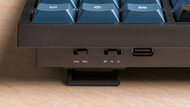
Many models have physical switches to change between Windows and macOS/iOS modes, and they typically include keycaps for each operating system. The mode switch helps ensure modifier keys behave correctly on either desktop operating system.
-
Multiple lineups with plenty of size and layout options.
Keychron offers many different series across different price points, with a wide selection of sizes and layouts. Choose a layout that keeps your frequently used keys accessible, whether that's a function row, dedicated arrow keys, or a numpad.
-
Customization software varies by model.
Many newer Keychron keyboards support Keychron Launcher, a web-based utility that lets you remap keys and program macros. Many models also support similar customization through VIA, an open-source application available on Windows, macOS, and Linux. For more advanced customization, compatible models let you compile and flash custom firmware using QMK or ZMK, depending on the model. However, some older and entry-level models don't support customization software or custom firmware, so check the specific model's support if remapping, macros, or firmware customization matter to you.
-
Some models have fairly high latency.
Some older and entry-level Keychron models have relatively high latency, making them less suitable for competitive gaming. However, newer Max and Ultra 8K lineups (as well as models from their gaming-focused Lemokey sub-brand) offer significantly improved performance that's well-suited for both casual and competitive gaming.
Keychron vs Logitech
Logitech offers a wider selection of keyboards, particularly non-mechanical ones. Comparatively, Keychron offers many more mechanical keyboard sizes, layouts, and hardware customization options. Logitech may be a better fit if you prefer more straightforward, familiar laptop-style typing or want a compatible mouse and keyboard that share a single USB receiver. Keychron keyboards are worth considering if you want more control over switch feel or a particular mechanical keyboard layout.
Keychron vs Ducky
Ducky and Keychron both make mechanical keyboards with hot-swappable switches so you can customize the typing feel to suit your preferences. However, Keychron offers a much wider variety of sizes, layouts, and variants. Keychron also has significantly more wireless models, while Ducky has traditionally focused on wired-only options, though it now offers wireless models too. If key remapping, macros, or adjustable inputs matter to you, compare the specific models, as customization support varies across both companies' catalogs.
Keychron's keyboards are a strong choice for both mechanical keyboard newcomers and longtime enthusiasts. Many of their offerings are hot-swappable, so you can easily change out the switches to tailor the typing experience to your preferences. Their keyboards support Windows, macOS, and Linux, and many include system-specific keycaps. Even if you aren't interested in hardware or software customization, Keychron keyboards are still worth considering for solid build quality and satisfying typing experiences right out of the box.
Lineup
Keychron's series letters identify lineups aimed at different price points or usages, such as everyday or office use or gaming, while suffixes such as Pro, Max, Ultra 8K, and HE typically indicate different features. Number designations aren't a universal guide to size across lineups, so check the layout of the specific model.
Q Series: Keychron's flagship mechanical keyboards feature aluminum cases and gasket-mounted designs. Original models are wired-only; wireless versions include Q Pro, Q Max, and Q Ultra 8K.
K Series: A broad lineup of wireless mechanical keyboards in various sizes, with both standard and low-profile designs. Software support and switch compatibility vary between models and generations, particularly among older versions.
V Series: Budget mechanical keyboards with plastic cases. Original V models are wired-only and tray-mounted; V Max and V Ultra 8K models add wireless connectivity and gasket mounting.
C Series: Basic wired mechanical keyboards. Original C models have plastic cases, ABS keycaps, and limited software customization. Newer C Pro models add software support, and some offer PBT keycaps and hot-swappable switches.
S Series: Low-profile mechanical keyboards with aluminum construction.
J Series: A comparatively small lineup of budget wireless mechanical keyboards, similar to the V Series but with fewer sizes and more limited hardware customization. You may also see these keyboards sold under the James Donkey brand.
B Series: Wireless scissor-switch keyboards for office work and everyday use. Some have very low-profile designs with a laptop-like typing feel, while others use longer-travel scissor switches for a feel between conventional mechanical and laptop-style keyboards.
Lemokey: Keychron's gaming-focused sub-brand, including L, P, and HE models. Its range includes conventional mechanical and magnetic-switch keyboards.
Suffixes
- Pro: Upgrades over an original model, which can include software support, Bluetooth connectivity, or changes to materials. The feature package varies between series.
- Max: K, V, and Q Max models add a 2.4GHz receiver alongside Bluetooth and wired connectivity, making them more flexible for work and gaming.
- Ultra 8K: Wireless models with higher polling rates and longer battery life, thanks in part to power-efficient ZMK firmware. They also typically have better-tuned stabilizers, which address a weakness in some older Keychron models.
- HE: This denotes keyboards with magnetic switches with adjustable actuation and features that provide more control over when keys register and reset.
- HE 8K: These are magnetic switch models with higher maximum polling rates.
Software and Firmware
Many current models support Keychron Launcher, a web-based tool for configuring key assignments, macros, and other settings. Some also support VIA, an open-source configuration tool available through a web browser or as a downloadable app. Many Keychron keyboards use QMK firmware, while some newer models use ZMK. Compatibility varies by model and generation, so check the exact version you're buying if you know you want support for particular software or firmware.
Recent Updates
Oct 07, 2026:
We've replaced the Keychron Q5 Max, V5 Max, and C1 Pro as our best, budget, and cheap picks, respectively, with the Keychron Q6 Ultra 8K, V3 Ultra 8K, and B33/B36. We've also updated the Lineup section and revised the Introduction and Brand Comparisons sections with up-to-date information and more concrete buying advice.
Jun 25, 2026:
We've added new text to the Lineup section with details about the HE 8K, K Ultra 8K, V Ultra 8K, and Q Ultra 8K series, as well as the new J series. We confirmed that all picks are still available.
Mar 24, 2026:
We added the Keychron B33/B36 as an alternative for the 'Best Cheap' pick and the Lemokey P1 HE as our gaming keyboard pick. Other picks are still valid and available.
Apr 10, 2025:
Our current recommendations remain unchanged, but we've made minor wording adjustments and added new details about the Lemokey P and P HE series in the Lineup section.
Jan 10, 2025:
We've verified all our picks for pricing and availability but haven't changed our lineup with this update.
Conclusion
Keychron makes a wide range of keyboards for everyday browsing, work, and gaming. Its models come in many sizes and layouts, with options for different switch types, connectivity, and levels of customization. Whether you want a straightforward keyboard to use out of the box or something you can modify, its catalog covers a range of budgets and preferences.