
Whether you need a printer for an office or your family, the best all-in-one printer can help meet many needs with a single machine. While they all print and scan, some have features that make these tasks significantly easier, like an automatic document feeder or automatic duplex printing. The cartridge system is also important to consider when shopping for a printer, as you need to think about how much you print, how often, and what you're printing. Laser printers tend to print faster, making them ideal for offices or homes that only print documents. Inkjet printers tend to deliver better color quality, resulting in more detailed, vibrant photos. However, inkjets can clog if infrequently used, unlike laser printers. If you want a more detailed description of the difference between the two technologies, you can read our Inkjet vs. Laser Printers article.
Below are our recommendations for the best all-in-one printers for home use and office settings. You'll also want to check out our recommendations for the best laser printers, the best home printers, the best cheap and budget printers, and the best wireless printers.

We've tested over 170 printers since 2020 with one goal in mind: to give you reliable, unbiased reviews that help you choose the right printer for your needs. To keep things fair, we purchase every product ourselves from major retailers, just like you would. Each printer then goes through a thorough, standardized testing process that evaluates all the key factors you should consider when buying a new model. From build quality and cost per print to color accuracy and overall performance, we provide as much detail as possible to guide your decision.
Want to learn more about our methods? Look at our How We Test Printers article for a deep dive into our testing procedures.
-
Best All-In-One Printer
 Build QualityEstimated Black Page YieldprintsEstimated Color Page YieldprintsScanningDocument QualityPrinting SpeedBlack-Only Printing CostUS$/printSee all our test resultsColor Printing CostUS$/print
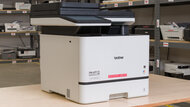
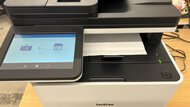
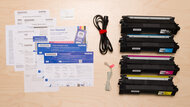
The Brother MFC-L8930CDW is the best all-in-one printer we've tested. This color laser model's a great pick for heavy print loads. It warms up fast, cranks out up to 34 pages per minute, and delivers outstandingly sharp documents. Its flatbed scanner handles Legal-size sheets (8.5" x 14"), and the automatic feeder supports single-pass duplex scanning. It can process multi-page, double-sided documents very quickly. The toner cartridges last a long time, but you'll need to replace the drums separately, which adds to the cost and maintenance. They do last around 30,000 pages, so you shouldn't have to do it too often. Also, high-yield cartridges push the page count per cartridge way up, which cuts down on maintenance and significantly lowers your cost-per-print. The TN635XXLBK Super High-Yield Toner Cartridge can print up to 7,500 pages according to Brother's estimates and doesn't cost much more than the standard option.
That said, the MFC-L8930CDW shares a common laser printer weakness: photo printing. Laser models just don't cut it for photos, as the results are dull and lack detail. If you need a printer that handles photos too, check out the Epson EcoTank Pro ET-5850. It's slower than the Brother, but it's still plenty quick, and it includes an ADF with duplex scanning. It's a supertank inkjet that'll churn out thousands of prints, so you'll only need to refill every once in a while.
-
Best Upper Mid-Range All-In-One Printer
Build QualityEstimated Black Page YieldprintsEstimated Color Page YieldprintsScanningDocument QualityPrinting SpeedBlack-Only Printing CostUS$/printSee all our test resultsColor Printing CostUS$/printThe best upper mid-range all-in-one printer we've tested is the Canon Color imageCLASS MF665Cdw. This color laser model fits perfectly in an office environment. It prints detailed documents at speeds up to 26 pages per minute, which is ideal for heavy workloads. If you scan often, you'll appreciate the fast automatic document feeder with single-pass duplex scanning, which makes short work of multi-page and double-sided documents. You also won't have to constantly swap toner. Each cartridge yields around 2,300 black or color prints, so replacements are infrequent unless you print in high volumes. Even better, the toners are reasonably priced given how long they last, which helps keep operating costs manageable. They also include the drum unit, which simplifies the maintenance over time.
If photo printing is a priority, you'll want something different. The Epson EcoTank Photo ET-8550 is a better fit for creative work. This supertank all-in-one produces vibrant, detailed photos and supports paper sizes up to 13 by 19 inches, which makes it a great choice for posters and larger prints. If you don't need wide-format support, the more affordable ET-8500 delivers the same excellent print quality. Both models offer outstanding page yields and low-cost ink, so you won't spend much on refills over time.
Keep in mind that these EcoTank Photo models don't include an automatic document feeder, so you'll need to scan each page by hand, which can slow you down with longer documents. If you want strong photo printing and still need an ADF, it's worth considering the Epson EcoTank ET-3950, our pick for the best all-in-one inkjet printer.
-
Best Mid-Range All-In-One Printer
Build QualityEstimated Black Page YieldprintsEstimated Color Page YieldprintsScanningDocument QualityPrinting SpeedBlack-Only Printing CostUS$/printSee all our test resultsColor Printing CostUS$/printIf you don't need an automatic document feeder, the Epson EcoTank ET-2980 deserves a close look. This printer also uses Epson's supertank ink and is actually very similar to the Epson EcoTank ET-3950 above. The refill bottles are inexpensive and last for thousands of pages, so you won't need to refill often. It produces crisp black text and colorful documents, and while color accuracy isn't flawless, photos come out detailed and vibrant enough for everyday home use. It connects over USB or Wi-Fi and works with Mopria Print Service, so everyone at home can send jobs to it without jumping through hoops.
The scanner is its weakest point. It tends to overprocess images, sometimes removing watermarks and fine details like thin graph lines. Switching to the slower photo mode solves most of that and delivers noticeably better results. Just remember that scanning longer documents takes more time because you have to load each page onto the flatbed manually.
If you only print black-and-white documents or don't want to deal with potential clogs, we recommend the Brother MFC-L2820DW, one of the best all-in-one laser printers we've tested. This model produces incredibly sharp documents and prints quickly at 33 pages per minute. Its cost-per-print is very low, as a regular toner cartridge gets you just under 1,300 prints, and there's only one cartridge to replace since it's a monochrome model. XL cartridges are available if you print more, with advertised page yields of 3,000 pages. The scanner's lid hinges extend so it's easier to close the lid over thicker items like textbooks, and there's an automatic feeder, though no duplex scanning. -
Best Budget All-In-One Printer
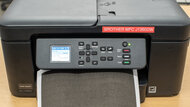
Build QualityEstimated Black Page YieldprintsEstimated Color Page YieldprintsScanningDocument QualityPrinting SpeedBlack-Only Printing CostUS$/printSee all our test resultsColor Printing CostUS$/printIf your print-load isn't as high, and you're looking for the best all-in-one-printer for home use, the Brother MFC-J1360DW is an excellent budget option. It'll be able to handle any type of work you throw at it, surprisingly well. Its document print quality is excellent, with sharp-looking text and very detailed general output. It also does a very good job printing photos for casual use, even if its color gamut isn't quite as wide as the Epson options above. It also includes a robust scanner with an automatic document feeder that scans up to 7 pages per minute, producing very detailed output.
Like most budget printers, it falls a bit short in page yields. It can print around 400 black-and-white and 300 color pages before you need to change the cartridges. This can be about doubled if you opt for the high-yield cartridges. Brother also sells an MFC-J1365DW variant of this printer, which is part of its INKvestment line. This version should deliver much higher yields. Brother estimates that its LC504 cartridges can produce 1,200-page black and 500 color pages per cartridge.
-
Best Cheap All-In-One Printer
Build QualityEstimated Black Page YieldprintsEstimated Color Page YieldprintsScanningDocument QualityPrinting SpeedBlack-Only Printing CostUS$/printSee all our test resultsColor Printing CostUS$/printIf you want to spend as little as possible and just need something to get the job done, consider the Canon PIXMA MG3620. This all-in-one inkjet model has all the basics. It has a flatbed scanner, produces fine documents and photos, and connects via USB or Wi-Fi. It prints slowly at nine black or three color pages per minute, but on the upside, it supports automatic duplex printing. It's compatible with Canon's mobile app, so you can easily print from your smartphone.
There are two major downsides to a cheap model like this. First is its awful page yield. Its black and tri-color cartridges run out of ink quickly, so you'll need to replace them often. Even worse, if you print a lot of photos, you must replace the entire color cartridge if one color runs out, which is wasteful. It's still a good option if you only print occasionally, but if you print many pages a month, you're better off getting a model like the Brother MFC-J1205W, as it will keep your recurring costs and maintenance requirements low.
The second major downside is maintenance. When inkjet printers sit for long periods, their print heads can clog. While the printheads are on the cartridges themselves for this printer, and you can just buy a new cartridge if this happens, this is an inconvenience and may result in you spending more money in the long run if your printer doesn't get frequent use.
-
Best All-In-One Inkjet Printer
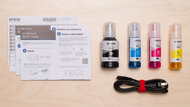
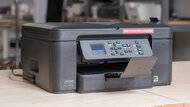
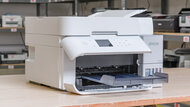
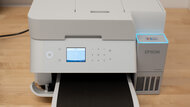
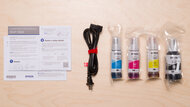
Build QualityEstimated Black Page YieldprintsEstimated Color Page YieldprintsScanningDocument QualityPrinting SpeedBlack-Only Printing CostUS$/printSee all our test resultsColor Printing CostUS$/printIf you're looking for an all-in-one printer with outstanding page yields that can also print photos, the Epson EcoTank ET-3950 is a great pick. While the Canon Color imageCLASS MF665Cdw above is quicker across the board and prints more detailed documents, the Epson's inkjet technology allows it to print much better photos. The color gamut is much wider, and the detail is much better preserved. We should mention, however, that like all inkjet printers, it will need more maintenance than a laser printer. If you don't print often enough, it will be susceptible to clogging. The built-in maintenance tasks usually solve the issue, but it can be a hassle. That said, this won't be a major issue if you print regularly, and its ink tanks are also much cheaper to refill, which is ideal if you have large print loads.
The ET-3950 also includes most functions you might expect from an all-in-one printer. It includes an automatic document feeder that supports both duplex printing and duplex scanning. It supports USB, Wi-Fi, and Ethernet connections, along with Apple AirPrint and Mopria Print Service, which makes it easy to print from a wide range of devices. If you need a model that also includes a fax function, consider the Epson EcoTank ET-4950, which is otherwise identical.










Notable Mentions
-
Brother MFC-L3780CDW/MFC-L3720CDW:
If print speed is a key factor for you, the Brother MFC-L3780CDW/MFC-L3720DW is a great alternative to the Canon Color imageCLASS MF665Cdw. It's even quicker, and its print quality is also outstanding. However, it has higher recurring costs, as it doesn't yield as many prints, and you need to replace the drum separately from the toner.
See our review -
HP OfficeJet Pro 9125e:
If you want a mid-range printer with a more capable scanner, consider the HP OfficeJet Pro 9125e is a great alternative to the Epson EcoTank ET-2980. While its page yields aren't as high, they're still excellent, and its ADF-equipped scanner is much better suited to longer documents.
See our review
Recent Updates
Jun 04, 2026:
We confirmed that all current picks are still available and the best options.
Apr 13, 2026:
We added the Brother MFC-L8930CDW as our new top pick and moved the Canon Color imageCLASS MF665Cdw as our upper mid-range pick. We also replaced the now-discontinued Brother INKvestment MFC-J1205W with the Brother Work Force MFC-J1360DW as our new budget pick. Other picks are still valid and available.
Mar 03, 2026:
We removed the now-discontinued Canon Color imageCLASS MF656Cdw and the Brother MFC-L8905CDW and replaced them with the Canon Color imageCLASS MF665Cdw. We replaced the now-discontinued Brother MFC-J4335DW with the Epson EcoTank EWT-2980 and added the Brother MFC-L2820DW as an alternative pick. We removed the Epson EcoTank ET-2800 from the Notable Mentions because it doesn't distinguish itself from our main mid-range pick HP OfficeJet Pro 9125e. We removed the 'Best All-In-One Monochrome' and 'Best All-In-One Portable' categories, as they're better represented in other articles.
Oct 27, 2025:
Added the Epson EcoTank ET-3950 as an alternative to the Canon Color imageCLASS MF656Cdw for people looking for an upper mid-range printer that can also print good photos.
Mar 14, 2025:
We've made edits throughout for clarity and verified our recommendations are available and represent the best options.
All Reviews
Our recommendations above are what we think are currently the best all-in-one printers for most people. In addition to the test results, we factor in the price, feedback from our visitors, and availability.
If you would like to choose for yourself, here's the list of all our all-in-one printer reviews. Be careful not to get too caught up in the details. While no printer is perfect for every use, most are good enough to please almost everyone, and the differences are often not noticeable unless you really look for them.