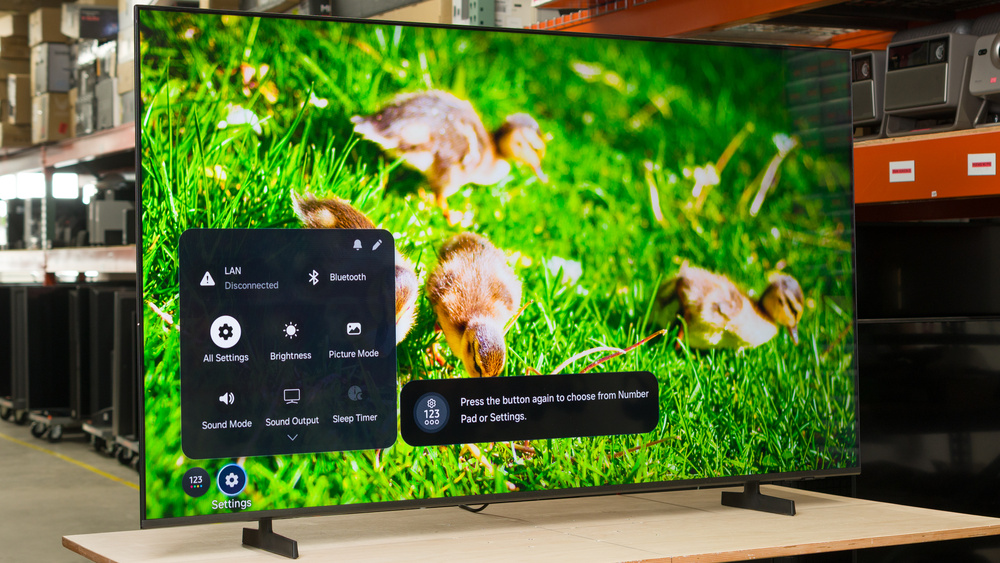
The Samsung M70H is a very basic, entry-level TV released in 2026, sitting below the Samsung M80H. These two M Series TVs are a new entry in Samsung's TV lineup that combine the entry-level picture quality of the U series with a few of the gaming features found on higher-end models like the QLED lineup. Although they're advertised as Mini LED models, this simply means that they use smaller LEDs in their backlights, as both M Series TVs lack local dimming entirely. The M70H is powered by the Mini LED Processor 4K, and it's very light on extra features, with no HDMI 2.1 bandwidth and a limited 60Hz refresh rate. We bought and tested the 65-inch version, but it's also available in a 43-, 50-, 55-, 75-, and 85-inch size.
Our Verdict
The Samsung M70H is a sub-par TV overall. It's best suited for watching shows in a dimly lit room, without too many open lights or windows. It has low contrast, so it's not a good choice for a dark room, and it can't overcome glare during the day in a bright room. It's okay for watching movies, but with its low peak brightness and limited colors, even the latest movies look dated and flat. It has a few gaming features like VRR support and low input lag, but motion is very blurry, and it lacks features necessary to really take advantage of the latest gaming consoles.
Can't reduce the intensity of direct, mirror-like reflections.
Sub-par screen uniformity.
Not bright enough to overcome glare even in a moderately lit room.
The Samsung M70H is a disappointing TV for home theater usage. It doesn't look great in a dark room due to its low contrast and lack of a local dimming feature. There are no significantly noticeable issues with colors, but they're not vibrant either. It's not bright enough to give movies any pop or depth to them at all, and small details don't stand out at all. It also has just okay motion handling, as it can't remove judder from 60Hz sources. Finally, physical media collectors will be disappointed by its lack of DTS audio and Dolby Vision support.
Sub-par screen uniformity.
Can't smooth out macro blocking or pixelization in low quality content.
Too dim to deliver an impactful HDR experience.
Dark scenes look washed out.
The Samsung M70H is a sub-par TV for use in a bright room. It doesn't get bright enough to fight off glare even in a moderately lit room, and it has poor reflection handling, so dark scenes are extremely hard to make out if there's any ambient light. On the other hand, ambient light has very little impact on color saturation or contrast, but both of these things aren't great to begin with.
Ambient light has barely any impact on colors or black levels.
Can't reduce the intensity of direct, mirror-like reflections.
Not bright enough to overcome glare even in a moderately lit room.
The Samsung M70H is a disappointing TV for watching sports. It's not bright enough to overcome bright lights, so you have to close the blinds or dim the lights when watching the game, and it has a narrow viewing angle, so you can't comfortably share the game with a large group. Fast action is also incredibly blurry, and there are distracting intermediate colors in fast transitions. Finally, the screen has disappointing uniformity, with dark spots on all four corners that are very noticeable when watching sports.
Can't reduce the intensity of direct, mirror-like reflections.
Sub-par screen uniformity.
Very blurry motion.
Can't smooth out macro blocking or pixelization in low quality content.
Noticeable intermediate colors in fast motion.
The Samsung M70H is a poor TV for gaming. It has low input lag, which gives it a somewhat responsive feel in fast-paced games, but it has very high CAD, resulting in blurry motion. It has limited extra gaming features, but it supports VRR within a narrow range, which helps reduce tearing if your frame rate hovers close to 60. It's advertised to support a 120Hz mode with 1080p signals, but in testing it was found to simply drop every second frame.
Game Mode has no impact on picture quality.
Very low input lag.
Very blurry motion.
Noticeable intermediate colors in fast motion.
No high refresh rate mode.
The Samsung M70H has poor brightness. It's not bright enough to overcome glare during the day, even in a moderately lit room, so it's best suited for use in a dim room. Its HDR brightness is far too low to deliver an impactful viewing experience in even the most basic scenes, and small highlight details don't stand out at all.
Too dim to deliver an impactful HDR experience.
Not bright enough to overcome glare even in a moderately lit room.
The Samsung M70H has disappointing black levels. The native contrast of the panel is actually pretty good, and it has good uniformity, but there's no local dimming at all. This results in an overall disappointing dark scene experience, as blacks are raised and look gray in all content.
Dark scenes look washed out.
The Samsung M70H has mediocre colors. There's nothing that stands out as particularly bad on this TV, and it has okay accuracy out of the box, with nothing that's severely off. It displays SDR colors well enough, but more saturated content in HDR simply falls flat and doesn't look vivid at all.
Can't display a wide range of reds.
The Samsung M70H has just okay motion handling when watching content. It can't remove judder from 60Hz signals, so motion appears to jump around unevenly. It also has a very ineffective motion interpolation feature that actually introduces even more judder. The response time is slow, causing motion to look blurry, and even worse than that, it's uneven, leading to unwanted intermediate colors in fast action.
Terrible motion interpolation feature.
Can't remove judder from 60Hz signals.
Noticeable intermediate colors in fast motion.
The Samsung M70H has disappointing responsiveness in Game Mode. It's limited to a 60Hz refresh rate with any resolution, but it supports VRR within a narrow range, which helps reduce tearing if your frame rate is hovering close to 60. It also has very low input lag in its few supported modes. It has terrible CAD, though, and motion looks extremely blurry.
Game Mode has no impact on picture quality.
Very low input lag.
Very blurry motion.
No high refresh rate mode.
Note: We're in the process of improving our tests related to image processing, but this score should give you a general idea of how a TV performs overall with its image processing capabilities.
The Samsung M70H has mediocre processing. It has pretty great EOTF tracking with content mastered in HDR, but gradients aren't smooth, as the TV can't display the full range of colors, especially bright reds. It does almost nothing to clean up low-quality sources like cable TV and streaming services, though, and its upscaling is noticeably soft.
Can't smooth out macro blocking or pixelization in low quality content.
Performance Usages
Check Price
Differences Between Sizes And Variants
We bought and tested the 65-inch Samsung M70H, and these results also apply to the 43-, 55-, 75-, and 85-inch sizes.
Note that with all Samsung TVs, the last four digits of the model code (FXZA in this case) vary between regions.
| Size | US Model |
|---|---|
| 43" | QN43M70HAFXZA |
| 50" | QN50M70HAFXZA |
| 55" | QN55M70HAFXZA |
| 65" | QN65M70HAFXZA |
| 75" | QN75M70HAFXZA |
| 85" | QN85M70HAFXZA |
Our unit was manufactured in Mexico in February 2026.
Popular TV Comparisons
The Samsung M70H is a very disappointing TV, with modern smart features wrapped around very dated internal components. Like the step-up Samsung M80H, the marketing around it is very misleading, but at least that model had some modern gaming features like HDMI 2.1 bandwidth and a high refresh rate. The M70H really has nothing going for it, and you're far better off getting a competing model like the TCL QM6K, the Hisense U65QF, or even the Vizio Mini LED Quantum 4K, all of which offer far better performance for around the same price.
For more options, check out our recommendations for the best TVs under $1,000, the best 65-inch TVs, and the best budget TVs.
The Samsung Q7F 2025 is slightly better than the Samsung M70H. There's very little difference in actual performance between the two, but the older Q7F is far more accurate out of the box. The M70H adds VRR support, but this really doesn't change much, as it has an extremely narrow range, so it's not very effective with most sources.
The Samsung M80H and the Samsung M70H are very similar overall, but the M80H is the one to get thanks to its better processing capabilities. While it's not a huge difference in most content, this extra processing power allows the M80H to remove judder from more sources, so motion is a lot smoother overall. The M80H also offers better gaming features, including a high refresh rate mode even with 4k sources like a PS5 or Xbox Series X.
The Samsung U8000F and the Samsung M70H offer nearly identical performance overall. The U8000F is far more accurate out of the box, but the M70H has slightly brighter, more vibrant colors. If you prefer punchy colors, get the M70H. If you prefer accurate but more muted colors, get the U8000F.
The Vizio Mini LED Quantum 4K is much better than the Samsung M70H. The Vizio gets much brighter, so it can handle more glare during the day, and movies stand out better, with brighter fine details and a more vivid image overall. The Vizio also has a much wider viewing angle, great for watch parties or if you just have a wide seating area. The Vizio is also a bit better for gaming thanks to its high refresh rate mode, though this only works at a lower resolution, so you lose some clarity.

We buy and test dozens of TVs yearly, taking an objective, data-driven approach to deliver results you can trust. Our testing process is complex, with hundreds of individual tests that take over a week to complete. Most of our tests use specially designed test patterns that mimic real content, but we also use the same sources you have at home to ensure our results match the real-world experience. We use two main tools for our testing: a Colorimetry Research CR-100 colorimeter and a CR-250 spectroradiometer.
Test Results
for pictures & test results

for pictures & test results

for pictures & test results

The Samsung M70H has bad peak brightness in HDR. Even dim scenes are very flat and dull, and bright specular highlight details don't stand out at all.
for pictures & test results

for pictures & test results

for pictures & test results

Switching to Game Mode has no impact on HDR brightness. It's still far too dim to deliver an impactful gaming experience.
The TV has poor peak brightness in SDR. It can handle a bit of light from windows and lamps, as long as they're not directly in front of the TV, but it's not bright enough to overcome direct glare. Near black scenes are dimmed considerably by the TV's global dimming feature, which is known as CE Dimming on Samsung TVs.
for pictures & test results

Unfortunately, this TV has poor contrast. The native contrast of the panel is very good, but since it lacks local dimming, all content is washed out, and bright parts of the scene don't stand out at all.
for pictures & test results

The Samsung M70H doesn't have a local dimming feature, so there's no haloing around bright objects or subtitles during dark scenes, but the entire screen is washed out.
for videos & test results

Despite the Mini LED name used in the marketing for this TV, it doesn't have a local dimming feature. The LEDs used in the backlight might be smaller than usual, but they can't adjust the backlight of individual zones to brighten up highlights without impacting the rest of the image. This means that there's no distracting flicker or brightness changes as bright highlights move between dimming zones.



for pictures & test results

The Samsung M70H has good black uniformity. Blacks are raised and look washed out across the entire screen, but they're fairly even. There's no obvious flashlighting or bright spots along the back.
for pictures & test results

for pictures & test results

The TV has okay colors. It has decent coverage of the DCI-P3 color space, but it struggles to display light colors, so bright shades of red and green are more washed out. It also struggles to display a wide range of reds, so those colors look a bit muted. It really struggles with the much wider BT.2020 color space and can't display much of it at all, especially in lighter scenes.
| Volume ΔE³ | DCI-P3 Coverage |
BT.2020 Coverage |
|---|---|---|
| L10 | 90.94% | 67.18% |
| L20 | 90.88% | 65.92% |
| L30 | 89.60% | 64.98% |
| L40 | 87.26% | 64.28% |
| L50 | 85.07% | 63.08% |
| L60 | 82.19% | 59.58% |
| L70 | 78.71% | 50.72% |
| L80 | 78.48% | 48.39% |
| L90 | 78.47% | 48.30% |
| L100 | 79.88% | 55.85% |
| Total | 82.45% | 56.48% |
for pictures & test results

for pictures & test results

The color volume on this TV is mediocre. It can't display dark, saturated colors due to its low contrast ratio. Colors are a bit washed out in HDR at max brightness, but it's not too bad.
for pictures & test results

for pictures & test results

for pictures & test results

The Samsung M70H has mediocre color accuracy before calibration. Midtones and bright shades of gray have a noticeable magenta tint to them out of the box, as there's too much red and blue. Gamma tracks 2.2 properly for the most part, but shadow details are a bit crushed. The color mapping on this TV is decent, but there are a few noticeable issues in lighter shades of any color and in saturated blues.
for pictures & test results

for pictures & test results

for pictures & test results

After calibration, this TV has nearly perfect accuracy, and it's fairly easy to calibrate. Shadow details are still crushed a bit, and saturated blues are still a bit off, but the rest looks fine.
See our full calibration settings.
for pictures & test results

for pictures & test results

This TV has decent accuracy in HDR out of the box. The color temperature is noticeably cool, but the overall white balance is quite good. Shadow details are noticeably off, though, and there are some minor color mapping errors, but it's pretty good overall.
for pictures & test results

for pictures & test results

The post-calibration HDR color accuracy on this TV is excellent. The color temperature is much better after a full calibration. There are still minor issues with the white balance and color mapping, but there's nothing too distracting.
for pictures & test results

This TV has great PQ EOTF tracking. Near-black details are raised and look a bit washed out due to the TV's low contrast ratio, but most midtones are displayed well. There's a slight rolloff near the TV's peak brightness, which helps preserve some gradation in bright areas.
for pictures & test results

Unfortunately, this TV does barely anything to smooth out macro blocking and pixelization from low-quality streams like cable TV and streaming services. Those issues are still very noticeable.
for pictures & test results

The upscaling on this TV is a bit soft overall, and not as good as higher-end Samsung models like the Samsung QN80H.
for pictures & test results

The gradient handling on this TV is just okay. There's some banding in all darker shades, but it's not too bad. The biggest issue is with bright shades of red, as the TV reaches its peak red saturation very early on, so most of the red gradient is the exact same color.
The input lag on this TV is great. It's limited to a 60Hz refresh rate, though, so it's still not the most responsive-feeling TV.
Unfortunately, this TV is limited to a 60Hz refresh rate, so it can't take advantage of higher modes on PCs or consoles. Although it's advertised to support Samsung's DLG mode for a higher refresh rate at a lower resolution, it can't actually display 120 frames per second from any source, and is instead meant to be used in combination with motion interpolation. When it receives a 1080p @ 120Hz signal, it simply ignores every second frame.
This TV supports VRR to help reduce tearing. Unfortunately, the frame rate range is too narrow to support sources with Low Framerate Compensation (LFC), so it really only helps when your frame rate is hovering close to 60 fps.
for pictures & test results
for pictures & test results

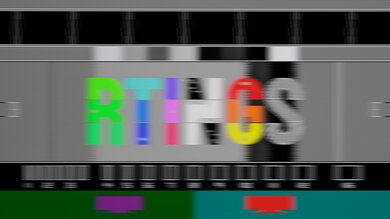
Unfortunately, the TV has a very high CAD, and motion is incredibly blurry. It's a bit better in very bright shades that don't change color much, but even then, it's blurry. It's even worse than the Vizio Mini LED Quantum 4K.
This TV doesn't support a 120Hz refresh rate.
for pictures & test results

for pictures & test results

This TV is limited to a 60Hz refresh rate. These results are the same as the CAD In Game Mode @ Max Refresh Rate test.
for pictures & test results

This TV has limited compatibility with the PS5. As it's limited to a 60Hz refresh rate, it can't take advantage of the higher refresh rate modes offered by the PS5 and PS5 Pro.
for pictures & test results

This TV has limited compatibility with the Xbox Series consoles As it's limited to a 60Hz refresh rate, it can't take advantage of the higher refresh rate modes offered. It doesn't support Dolby Vision, either.
for videos & test results
for pictures & test results

for pictures & test results
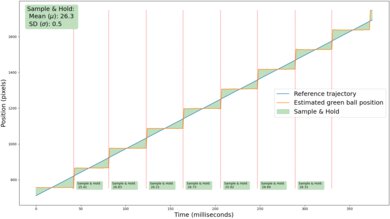
Thanks to this TVs slow response time, there's fairly little stutter. You might still see some in very slow panning shots, but it's rare.
for videos & test results
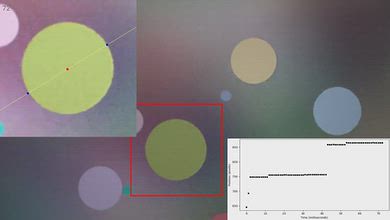
for pictures & test results

for pictures & test results
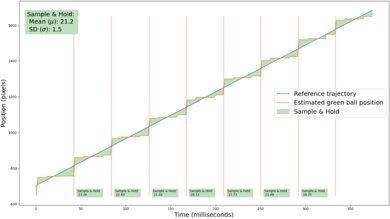
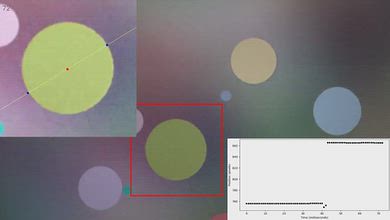
Unfortunately, this TV has a terrible motion interpolation feature, and it can't improve motion smoothness at all. Adding any amount of motion interpolation causes the TV to start juddering with any source, and once the motion gets busy, the TV just gives up and stops interpolating entirely. This results in an incredibly uneven frame cadence that makes motion look jittery.
for pictures & test results
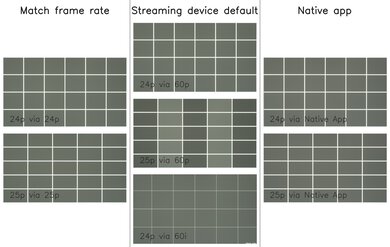
Unfortunately, this TV can't remove judder from any 60Hz source, like an older cable box, or if you have the Match Frame Rate feature disabled on an external streaming device. It's judder-free from 24p sources like Blu-ray players and from the native apps.
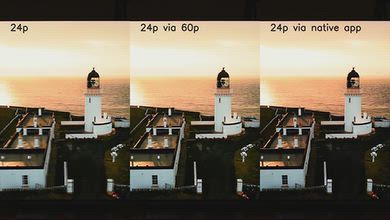
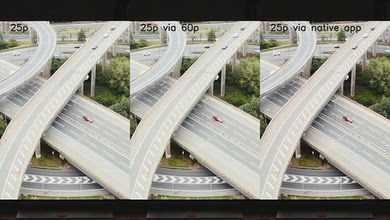
for pictures & test results

for pictures & test results

The Samsung M70H has a poor response time when watching content. Motion is incredibly blurry and uneven, making it very difficult to make out fine details.
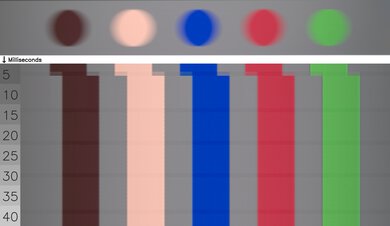
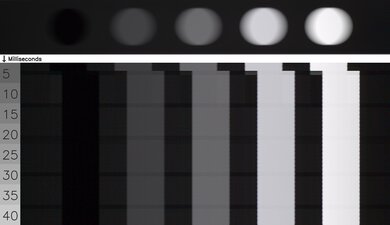
for pictures & test results

The TV uses a combination of pulse-width modulation (PWM) and direct dimming to adjust the backlight intensity. The flicker pattern changes depending on the picture settings used. It flickers at 480Hz in FILMMAKER Mode, but all other picture modes flicker at 120Hz instead. It's flicker-free at max brightness in all modes. Turning on the Picture Clarity settings, even with everything else turned off, changes the flicker frequency to 120Hz.
for pictures & test results

for pictures & test results

There's an optional backlight strobing feature on this TV, more commonly known as black frame insertion. Unfortunately, the timing of the black frame pulse is off, resulting in a very distracting double image, so it's not very useful.
for pictures & test results

for pictures & test results

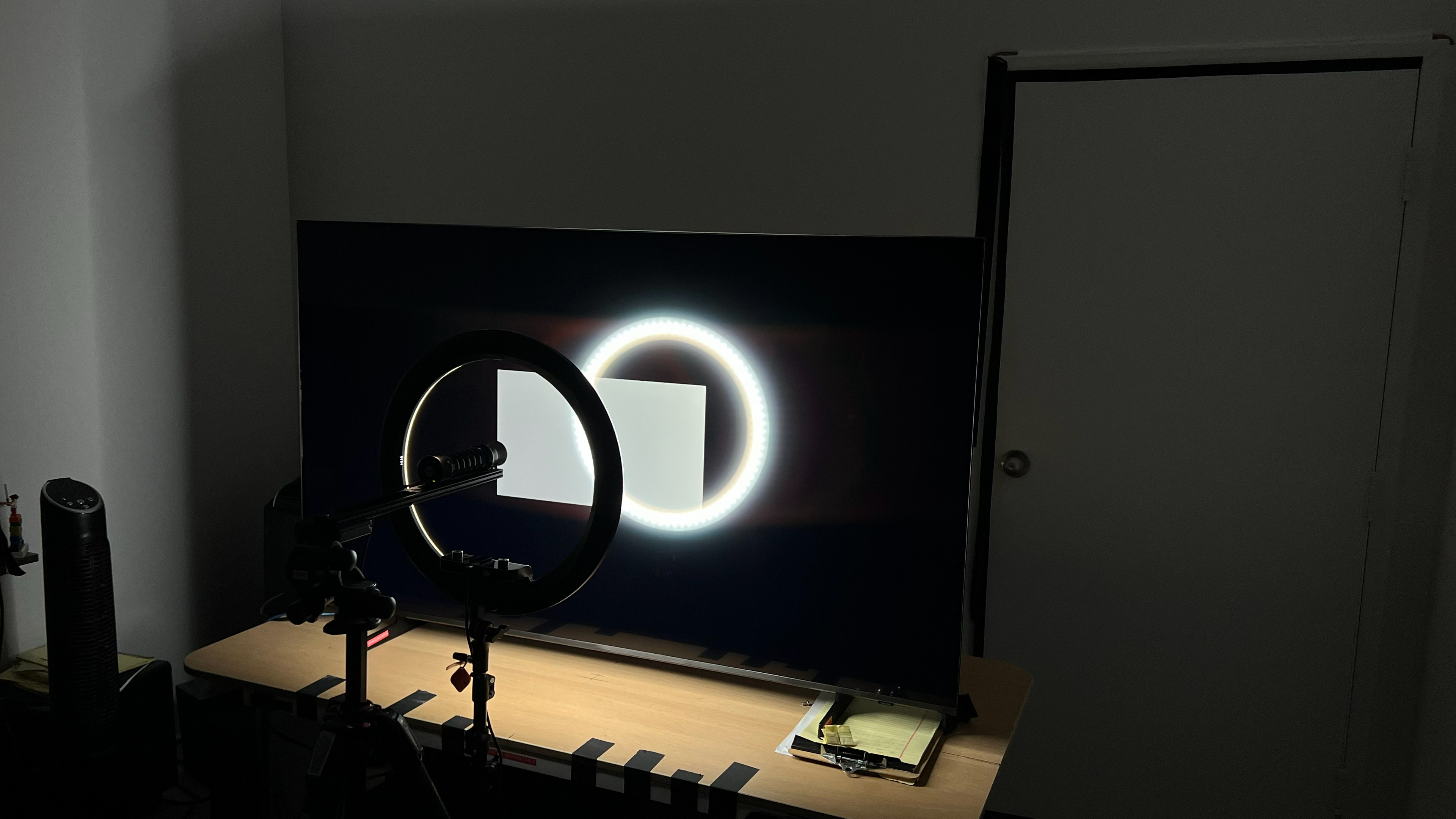
The Samsung M70H has poor direct reflection handling. The glossy screen coating does barely anything to reduce the glare from lights or windows facing the TV, and they're very distracting.


for pictures & test results

for pictures & test results

The total amount of reflected light off the screen is mediocre. There are also minor refraction artifacts, including a slight rainbow smear around bright point sources.
for pictures & test results

Ambient light has only a slight impact on color saturation.
for videos & test results

for pictures & test results

for pictures & test results

for pictures & test results

The Samsung M70H has a mediocre viewing angle. There's a very distinct red shift as you move to the sides, and the image washes out, so it's not a good choice for a wide seating arrangement.
for pictures & test results

for pictures & test results

The gray uniformity on this TV is disappointing. There's relatively little dirty screen effect in the center, but the sides of the screen are noticeably darker than the center. This is especially noticeable when watching sports, but it's bad enough that you'll see it with most content.
for pictures & test results

for pictures & test results

Unlike the Samsung M80H, the TV uses a BGR subpixel layout, which can cause text clarity issues when used with a PC.
The TV uses a KSF phosphor coating to produce red light, with high peaks on reds and blues. This model does have good separation between colors, giving it solid color purity and a wide color gamut.


The TV has eARC support, which allows it to pass uncompressed high-quality audio from a connected source to your home theater system or soundbar. Unfortunately, it doesn't support any DTS formats that are commonly used on many Blu-rays.
Unfortunately, LPCM only supports 7.1 when forced, so if you're watching movies on an external device like a Blu-ray player or playing games on a Switch 2, it'll be limited to 5.1 channels instead.
for pictures & test results

The Samsung M70H has a fairly basic design, but it doesn't look too bad. The bezels are fairly thin on the three sides, and just a bit thicker along the bottom.
for pictures & test results

The two blade-style feet support the TV well enough, but they can't be adjusted to accommodate different cabinet sizes.
Footprint of the 65-inch stand: 39.4" x 8.7" x 2.8"
for pictures & test results

The back of the TV is plain, with a very basic design that doesn't look premium, and there's nothing for cable management. The inputs are housed in an electronics box near the center of the screen. Two of the inputs face straight out the back of the TV, so you'll need angled adapters if you plan on wall-mounting the TV. Unfortunately, those inputs are rotated 90°, so simple HDMI angle brackets won't work.


for pictures & test results

The Samsung M70H has mediocre build quality. It's mostly made of cheap plastic, with a very basic construction that feels cheap.
for pictures & test results

The Samsung M70H ships with the 2026 version of Samsung's proprietary Tizen smart interface, and Samsung promises system updates for up to eight years after launch. The user interface is noticeably slow, especially compared to higher-end models like the Samsung M80H.
for pictures & test results

Like most TVs, there are ads on the home screen. You can't disable them completely, although you can turn off targeted ads.


for pictures & test results

The frequency response is okay. It has very little true low bass, so explosions and deep rumble sound thin. Dialogue is very clear, but sounds a bit boxy due to the boost in the low-mids. It doesn't get very loud, and there's some noticeable compression at max volume.