
The Keychron M6 8K is a wireless mouse designed for everyday use, productivity, and gaming. It has a supportive 'ergonomic' right-handed shape with a fairly pronounced top hump and thumb rest. Notably, it also features two scroll wheels: a top scroll wheel that you can toggle between notched and free-scrolling modes, and a side scroll wheel, typically used for horizontal scrolling through spreadsheets or editing timelines. You can connect this mouse to multiple devices simultaneously via Bluetooth, but it also includes a USB receiver for a 2.4GHz connection, which provides better wireless performance for gaming. You can adjust some sensor settings using physical buttons on the underside or use the web-based software for more advanced customization.
This mouse belongs to a wider Keychron M6 lineup. For specifics, see the Differences Between Variants section.
Our Verdict
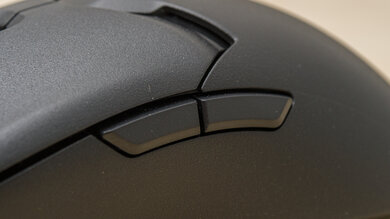
The Keychron M6 8K is excellent for work. It has a right-handed shape with a supportive thumb rest and impressive overall build quality, though there are some minor issues, including creaking, slight rattling when shaken, and slightly misaligned panels that don't sit fully flush. It also has two scroll wheels: a side thumb wheel and a metal top wheel that feels more premium, with tilt inputs and both notched and free-scrolling modes. The buttons are very quiet, making it well-suited for noise-sensitive environments. However, the scroll mode toggle button is noticeably loud.
Impressive overall build quality.
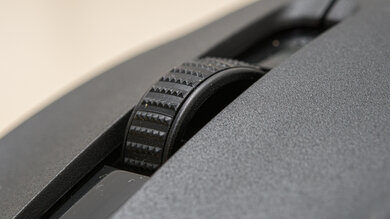
Top scroll wheel has notched and free-scrolling modes, plus tilt inputs.
Supports Bluetooth connectivity.
Quiet switches.
Minor build quality issues, including creaking noises and slightly misaligned fit-and-finish.
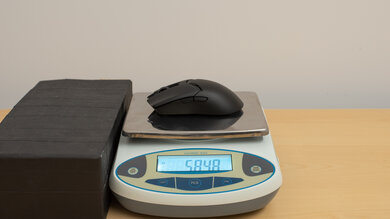
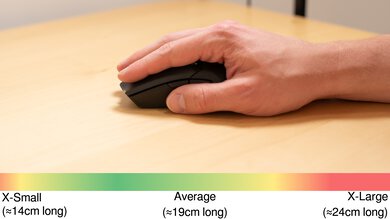
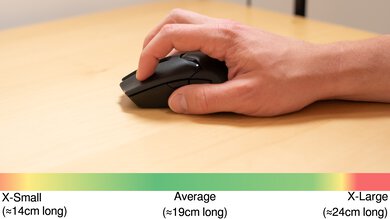
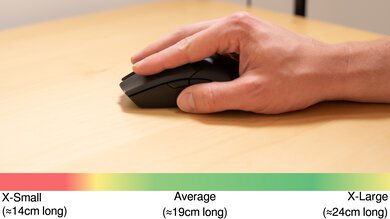
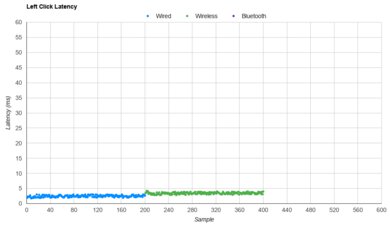
The Keychron M6 8K is excellent for FPS gaming. It has exceptionally low and consistent click latency, excellent sensor performance, and a maximum polling rate of 8000Hz. Its build quality is also impressive, and it has a supportive right-handed shape suitable for most hand sizes. That said, it has some minor fit and finish issues, including slightly misaligned panels and some creaking. Its main drawback is its weight, as it's heavier than most dedicated FPS mice, which can affect how quickly and accurately you can aim in-game. It's also somewhat front-heavy due to its metal scroll wheel.
Impressive overall build quality.
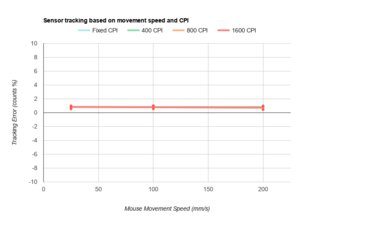
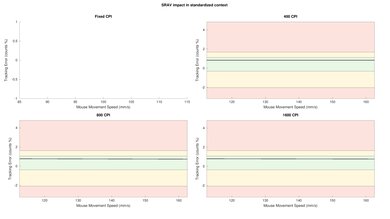
Superb sensor performance.
Exceptionally good click latency.
Dedicated side scroll wheel.
Heavier than dedicated FPS mice.
Minor build quality issues, including creaking noises and slightly misaligned fit-and-finish.
The Keychron M6 8K is excellent for MMO and MOBA gaming and offers a good number of programmable inputs, though it doesn't have as many as some dedicated MMO mice with 12-button side panels. It also delivers exceptional raw performance and has a comfortable right-handed shape with a thumb rest, making it suitable for longer play sessions. However, it has some minor build quality issues, including creaking and slightly misaligned plastic panels.
Impressive overall build quality.
Superb sensor performance.
Ten programmable inputs.
Minor build quality issues, including creaking noises and slightly misaligned fit-and-finish.
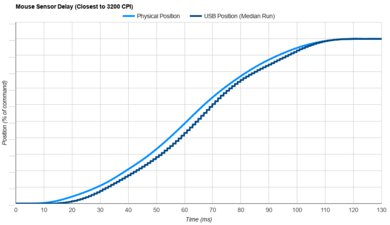
The Keychron M6 8K delivers exceptional raw performance. Click latency is remarkably low and consistent, and sensor latency is excellent, making it well-suited for competitive gaming in any genre. We encountered a minor issue with the 20K (FPS) setting, as it isn't properly implemented for 8000Hz polling over a wireless connection, though this has no meaningful impact on performance. See the Sensor Latency section for more details.
Superb sensor performance.
Exceptionally good click latency.
Maximum 8000Hz polling rate.
Check Price
Differences Between Sizes And Variants
The Keychron M6 8K belongs to Keychron's wider M6 Wireless Mouse lineup. These mice are available in Black and White colorways, with different sensor, polling rate, and switch configurations. The table below outlines the available configurations as of April 2026.
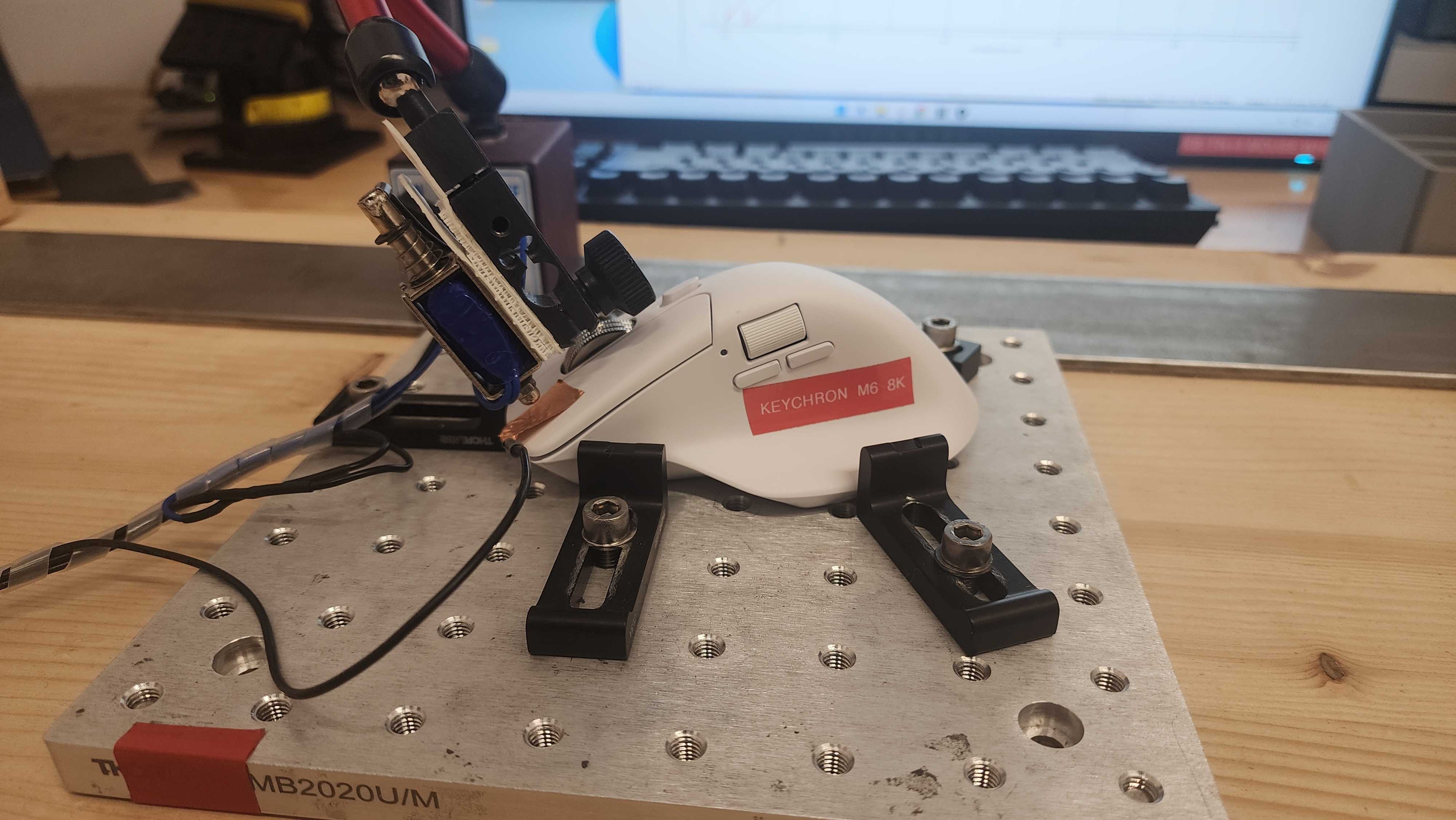
We bought the Keychron M6 8K with PixArt 3950 in White with the All Silent Micro Switch option. See an image of our unit's label here.
We've also previously tested the standard Keychron M6 with PixArt 3395 (1K Polling Rate) and the Clicky Micro Switch option separately. Compared to the standard M6 we previously tested, the new M6 8K offers better raw gaming performance, a metal scroll wheel instead of the cheaper-feeling plastic one, quieter Huano Silent 20M switches, and a slightly heavier weight.
| Version | Color Options | Top Scroll Wheel Material | Sensor Options | * Switch Options |
|---|---|---|---|---|
| Keychron M6 |
Black White |
Plastic |
PixArt 3395 (4K Polling Rate) |
Clicky Micro Switch |
|
Black, White |
Plastic | PixArt 3395 (1K Polling Rate) |
All Silent Micro Switch Silent Micro Switch Clicky Micro Switch |
|
| ** PixArt 3311 (1K Polling Rate) |
All Silent Micro Switch Silent Micro Switch |
|||
| Keychron M6 8K |
Black White |
Metal | PixArt 3950 (8K Polling Rate) |
All Silent Micro Switch Silent Micro Switch |
* Keychron doesn't clearly identify what the difference between "All Silent Micro Switch" and "Silent Micro Switch" options is. See the Main Button and Noise section for more details.
** While we haven't tested it, we expect the PixArt 331 (1K polling rate) version to deliver worse raw performance than the 3395 or 3950 versions, as it's an older, more budget-oriented sensor. That said, it remains more than suitable for casual gaming.
If you encounter other variants not listed here, let us know in the comments, and we'll update the review.
Popular Mouse Comparisons
The Keychron M6 8K expands Keychron's M6 lineup, which sits between traditional productivity mice and dedicated gaming models. Its shape and feature set resemble productivity options like the Logitech MX Master 4 as well as gaming mice such as the Logitech G502 X PLUS and Razer Basilisk V3 Pro.
This 8K model adds a higher-quality metal scroll wheel, a newer sensor, and support for a higher maximum polling rate. These updates provide a modest boost in raw performance, making it a viable option for competitive gaming. That said, while the scroll wheel feels more refined and the overall build is solid, it still doesn't match the fit and finish, longer warranty coverage, or more established customer support track record of competing models from Logitech or Razer. The new "silent" switches are also rated for only 20 million clicks. While switch durability ratings aren't definitive, they're unlikely to last as long as the louder Huano 80M switches in the standard model or the optical switches used in the Logitech and Razer, which are less prone to double-clicking issues over time.
Overall, this mouse is a competitively priced all-around option if you need a supportive shape with a thumb rest, strong productivity features, and high-end performance. However, it's heavier than most dedicated gaming mice with similar performance, falls short in build quality refinement, and its switches, while quieter than the competition, are unlikely to last as long.
For more recommendations, see our picks for the best wireless mouse, the best mouse for work, and the best ergonomic mouse.
The Logitech MX Master 4 and Keychron M6 8K are wireless mice with similar ergonomic shapes and dual scroll wheels. The Logitech is designed specifically for productivity, with an additional side button for gesture controls and a haptic button that opens a customizable context menu. It also has noticeably better overall build quality, with higher-grade materials and more polished fit and finish. In contrast, the Keychron is a hybrid model designed both for productivity and high-end gaming. It's lighter and offers enormously better click latency, sensor performance, and a much higher maximum polling rate, resulting in smoother and more consistent performance.
The Keychron M6 8K is a higher spec version of the standard Keychron M6. The M6 8K has quieter switches and a more premium-feeling metal scroll wheel, though it suffers from some other minor build quality issues, such as creaking parts and slight panel misalignment, so the build quality of both models feels roughly comparable. That said, the M6 8K offers significantly better click latency and sensor latency performance, making it a more viable pick for competitive gaming. Although it's worth noting it's also somewhat heavier and more front-heavy, due to the metal scroll wheel.
The Razer Basilisk V3 Pro and Keychron M6 8K are both wireless mice with similar right-handed shapes. The Razer has a decidedly more gaming-focused aesthetic with RGB lighting and offers more programmable inputs. In contrast, the Keychron includes some added productivity features, such as a secondary scroll wheel and much quieter switches, although the Razer uses optical switches, which typically have better long-term durability. Both mice deliver excellent raw performance for gaming, but the Keychron slightly outperforms the Razer overall and is a bit lighter, generally making it a better choice for fast-paced competitive genres such as FPS.
The Logitech G502 X PLUS and Keychron M6 8K are wireless mice with similar right-handed shapes. The Logitech has a more gaming-focused design, with RGB lighting that the Keychron lacks, and it offers more programmable inputs. In contrast, the Keychron includes additional productivity features, such as a secondary scroll wheel and Bluetooth connectivity for multi-device pairing. While both mice deliver high-end raw performance suitable for competitive play, the Keychron has even better sensor and click latency, as well as a higher maximum polling rate. It's also noticeably lighter, making it a better option for faster-paced competitive games like FPS titles. The Keychron also has quieter switches, but they're less likely to last as long as those in the Logitech, which uses more robust optical switches.
Test Results
for pictures & test results
for pictures & test results
for pictures & test results


for videos & test results
